Basic Operations
Basic Operations
5
EN
CFD-121.E.G_3-858-850-1X.CED.CEK.CEH.EE1.E12.E23.EA
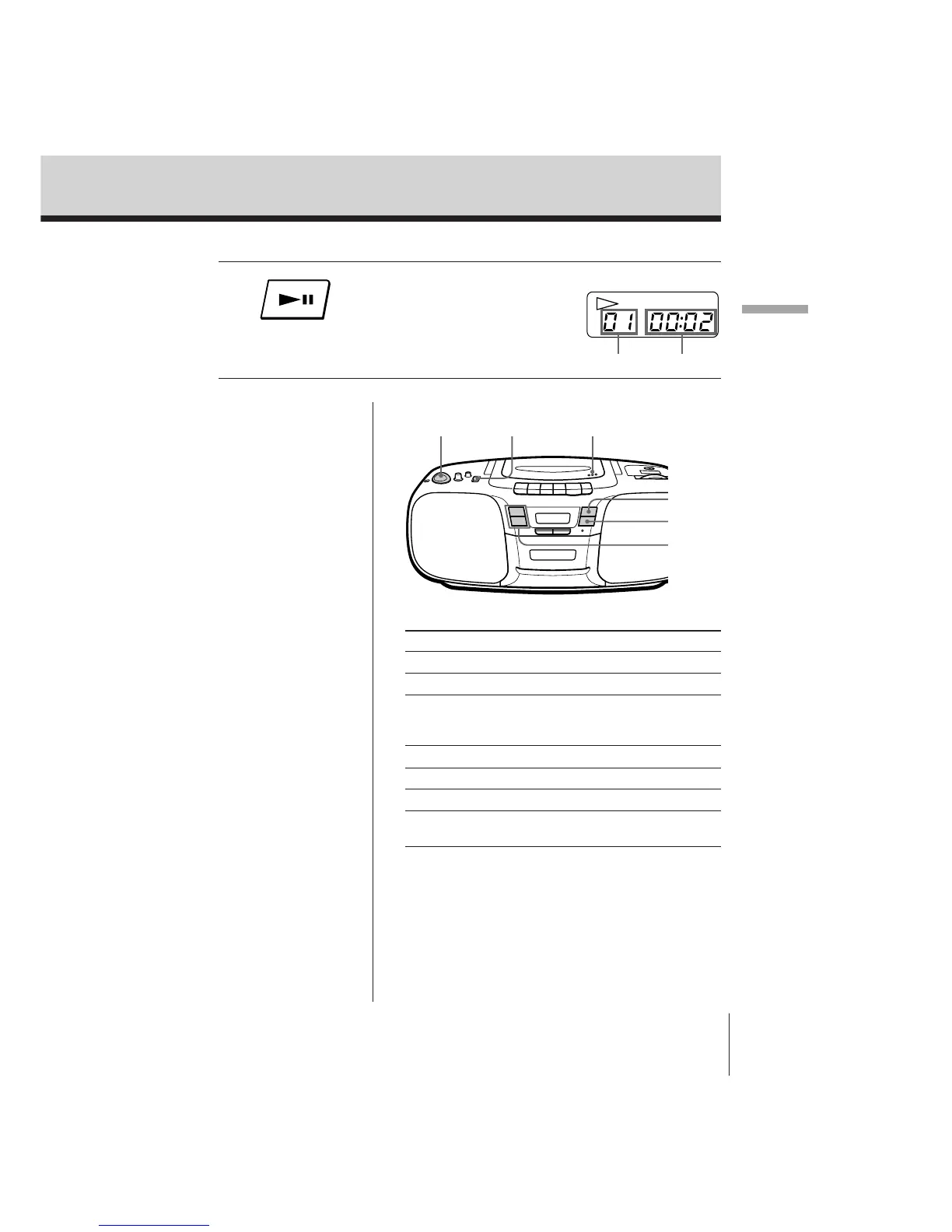
Display
Use these buttons for additional operations
To Do this
Adjust the volume Turn VOLUME.
Stop playback Press p.
Pause playback Press ^.
Press again to resume play
after pause.
Go to the next track Press +.
Go back to the previous track Press =.
Remove the CD Press OPEN/CLOSE.
Turn off the player Set FUNCTION to TAPE
(CD/RADIO OFF).
Playing time
Track number
4 Press ^ .
The player plays all the tracks
once.
OPEN/CLOSEFUNCTION
+/=
VOLUME
^
p


 To Next Page