EasyManua.ls Logo

Sony CFD-765 - Setting the Clock

Sony CFD-765
40 pages
Print Icon
To Next Page IconTo Next Page
To Previous Page IconTo Previous Page
Loading...
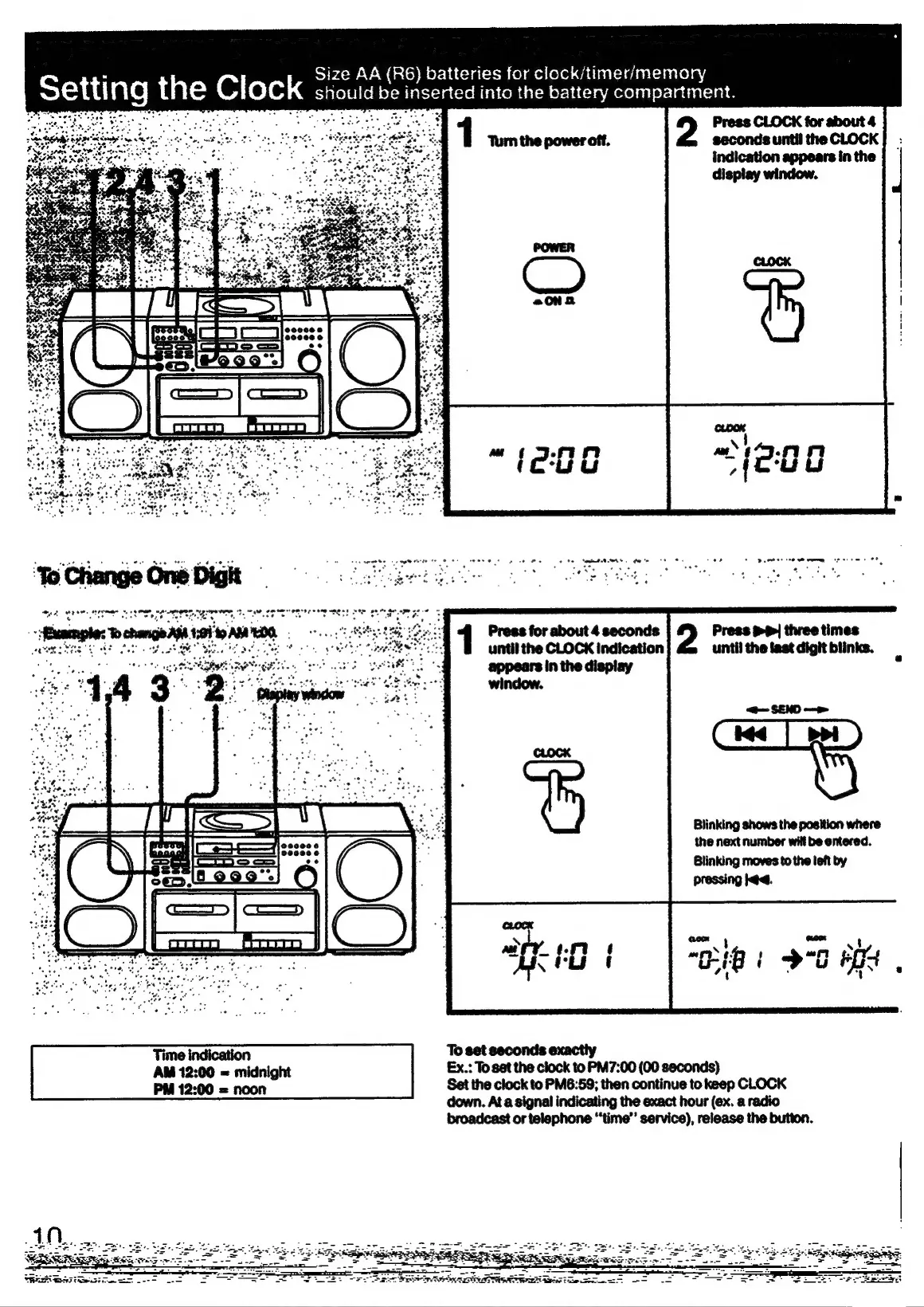
Size
AA
(R6)
batteries
for
clock/timer/memory
should
be
inserted
into
the
battery
compartment.
Press
CLOCK
for
about
4
seconds
until
the
CLOCK
indication
appears
in
the
display
window.
--fBaaaryples
To
change
ANA
1:91
9
ALON
coy
LAER
Press
for
about
4
seconds
Press
pp
three
times
eee
sere
AE
LAME
SH
at
until
the
CLOCK
indication|
until
the
last
digit
blinks.
appears
in
the
display
<=
SEND
Blinking
shows
the
position
where
the
next
number
will
be
entered.
Blinking
moves
to
the
teft
by
pressing
l@d.
Time
indication
To
set
seconds exactly
AM
12:00
=
midnight
Ex.:
To
set
the
clock
to
PM7:00
(00
seconds)
PM
12:00
=
noon
Set
the
clock
to
PM6:59;
then
continue
to
keep
CLOCK
down.
At
a
signal
indicating
the
exact
hour
(ex.
a
radio
broadcast
or
telephone
“‘time”’
service),
release
the
button.
Le
ee
ESS
——
SP
RNS
A
PASAT
Re
ae
See
*

Related product manuals