EasyManua.ls Logo

Sony CFD-765 - Maintenance

Sony CFD-765
40 pages
Print Icon
To Next Page IconTo Next Page
To Previous Page IconTo Previous Page
Loading...
—XEL
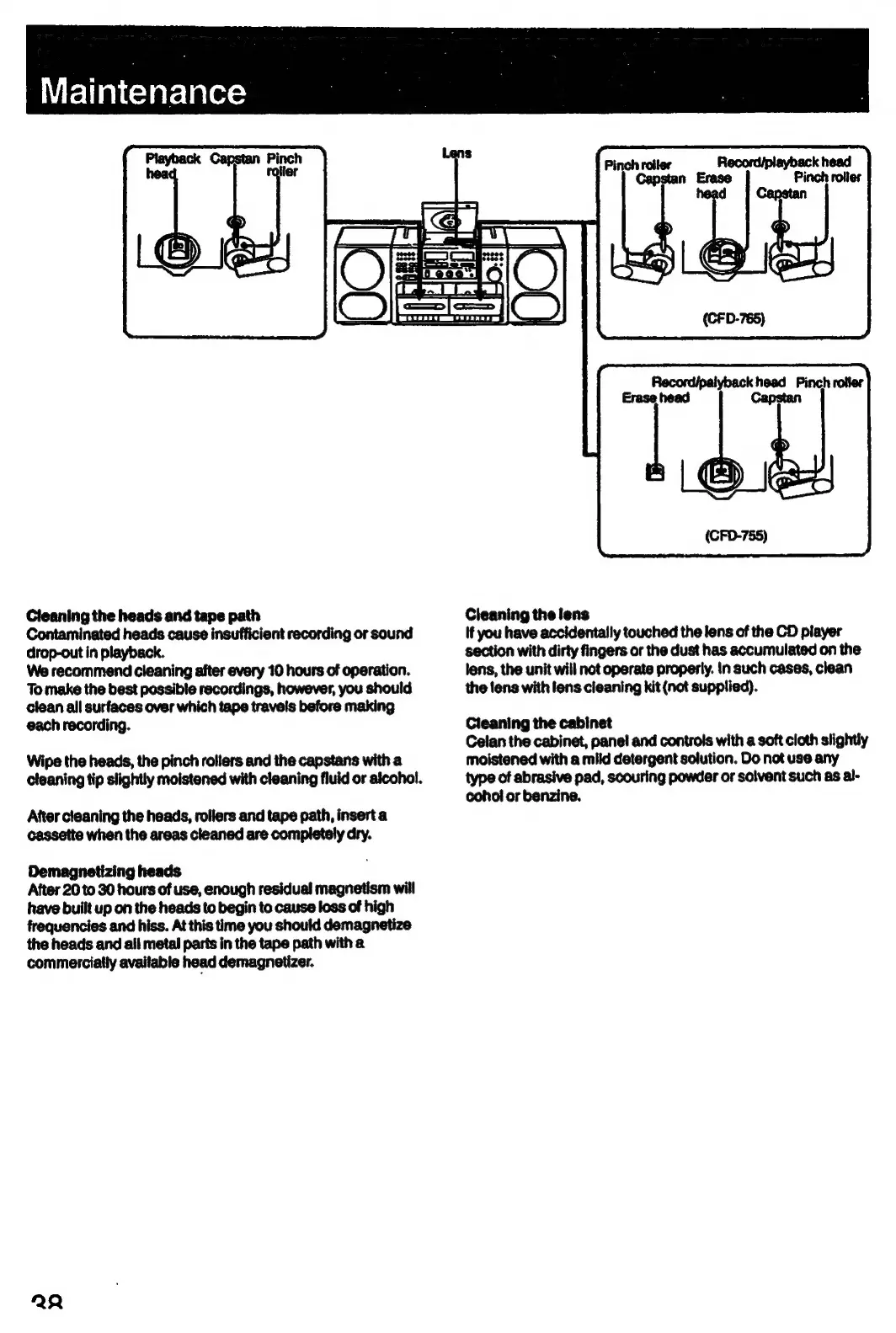
Playback
Capstan
Pinch
hea
iter
Cleaning
the
heads
and
tape
path
Contaminated
heads
cause
insufficient
recording
or
sound
drop-out
in
playback.
We
recommend
cleaning
after
every
10
hours
of
operation.
To
make
the
best
possible
recordings,
however,
you
should
clean
all
surfaces
over
which
tape
travels
before
making
each
recording.
Wipe
the
heads,
the
pinch
rollers
and
the
capstans
with
a
cleaning
tip
slightly
moistened
with
cleaning
fluid
or
alcohol.
After
cleaning
the
heads,
rollers
and
tape
path,
insert
a
cassette
when
the
areas
cleaned
are
completely
dry.
Demagnetizing
heads
After
20
to
30
hours
of
use,
enough
residual
magnetism
will
have
built
up
on
the
heads
to
begin
to
cause
loss
of
high
frequencies
and
hiss.
At
this
time
you
should
demagnetize
the
heads
and
ail
metal
parts
in
the
tape
path
with
a
commercially
available
head
demagnetizer.
22
Record/playback
head
Pinch
rolies
de
Pinch
roller
Capstan
Erase
d
Cleaning
the
lens
If
you
have
accidentally
touched
the
lens
of
the
CD
player
section
with
dirty
fingers
or
the
dust
has
accumulated
on
the
lens,
the
unit
will
not
operate
properly.
In
such
cases,
clean
the
tens
with
lens
cleaning
kit
(not
supplied).
Cleaning
the
cabinet
Celan
the
cabinet,
panel
and
controls
with
a
soft
cloth
slightly
moistened
with
a
mild
detergent
solution.
Do
not
use
any
type
of
abrasive
pad,
scouring
powder
or
solvent
such
as
al-
cohol
or
benzine.

Related product manuals