Setting Up
21
GB
Connecting optional
components
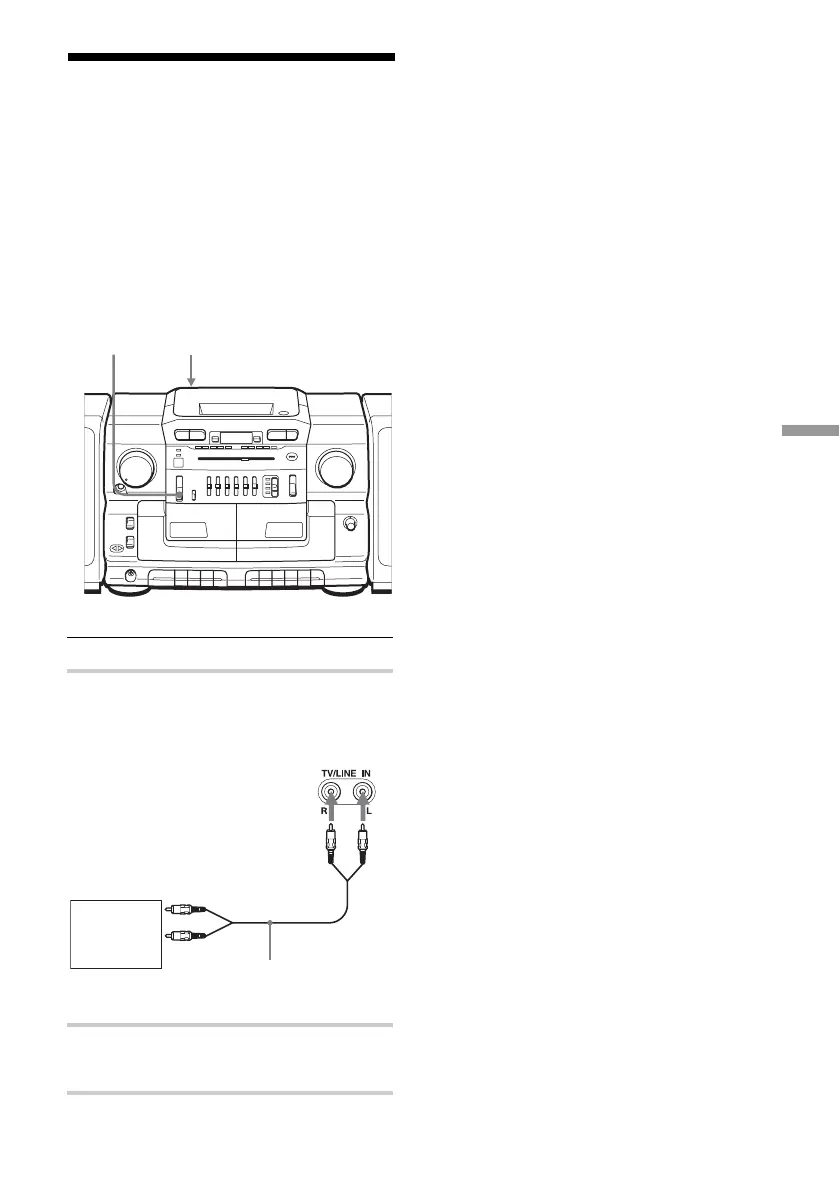
You can enjoy the sound from a TV or VCR
through the speakers of this player.
Be sure to turn off the power of each
equipment before making connections, and
set FUNCTION to TAPE•CD/RADIO OFF.
For details, refer to the instruction manual of
the component to be connected.
1 Connect a component to the player.
2 Set FUNCTION to TV/LINE IN and
play the connected component.
Note
Connect the cables firmly to avoid any
malfunction.
Tip
You can record the sound of the connected
component. Insert a blank tape, and press z on
deck B
FUNCTION TV/LINE IN
Rear panel
of this
player
to line out jack
Audio connecting
cable (not supplied)
TV, VCR,
cassette
player/
recorder, etc.



 To Next Page