6
Listening to the radio
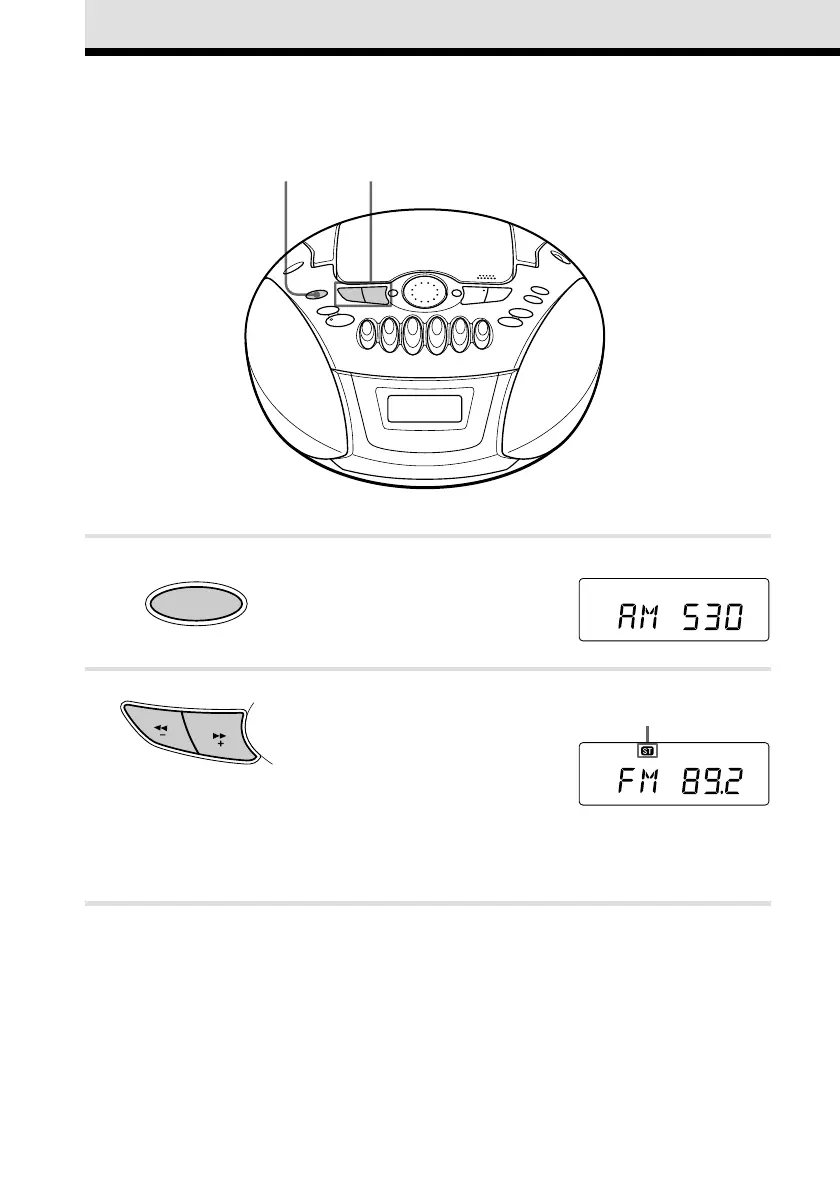
Connect the supplied AC power cord (see page 24).
1 Press RADIO BAND•AUTO
PRESET until the band you want
appears in the display (direct power-
on).
2 Hold down TUNE + or – until the
frequency digits begin to change in
the display.
The player automatically scans the
radio frequencies and stops when it
finds a clear station.
If you can't tune in a station, press
the button repeatedly to change the
frequency step by step.
Display
Indicates an FM stereo
broadcast
12
RADIO
AUTO PRESET
BAND
T
U
N
E






 To Next Page