Press • to start recording
(_l is depressed automatically).
Tips
• Adjusting the volume or the
audio emphasis (see page
21) will not affect the
recording level.
• If the AM program makes a
whistling sound after
you've pressed • in step 3,
press MODE to select the
position of ISS
(Interference Suppress
Switch) that most decreases
the noise.
• For the best results, use the
AC power as a power
SOLIrce.
• To erase a recording,
proceed as follows:
1 Insert the tape whose
recording you want to
erase.
2 Press TAPE.
3 Press •.
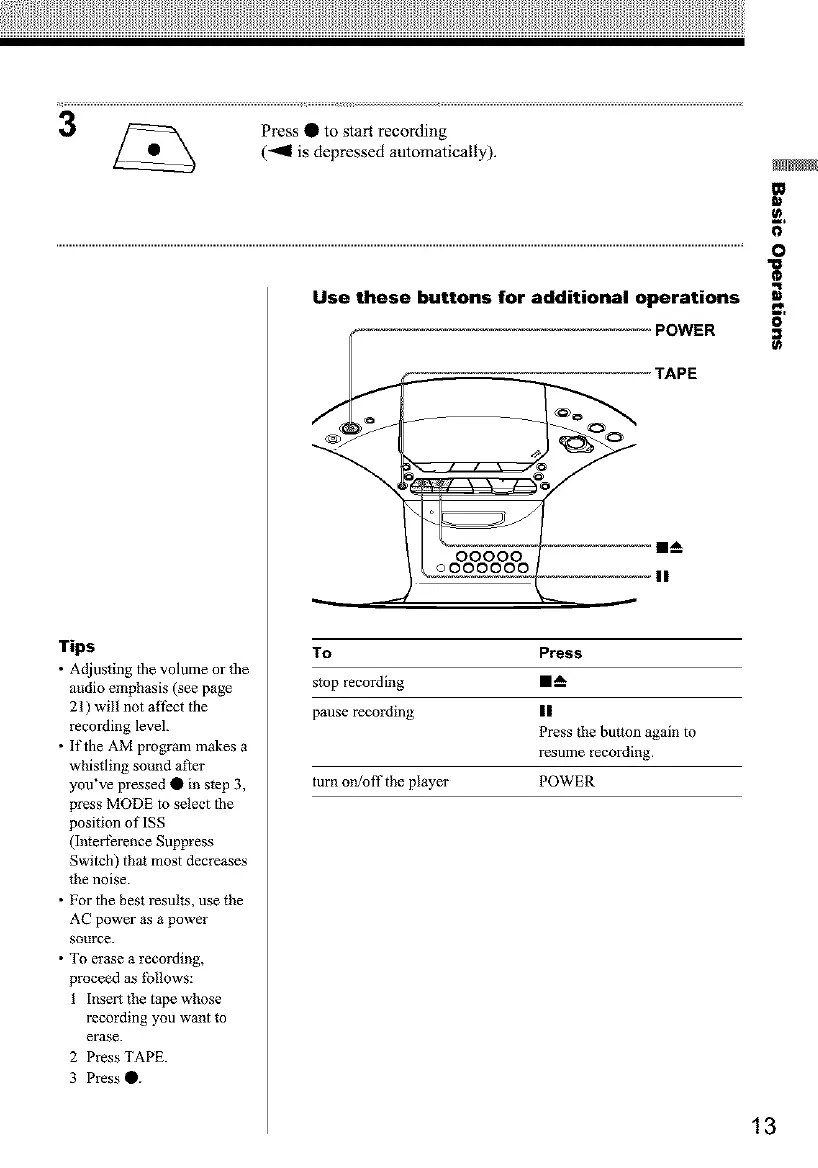
Use these buttons for additional operations
POWER
TAPE
To Press
stop recording I1_
pause recording II
Press the button again to
resume recording.
turn on/off the player POWER
m
o,
O
O
O
13


 To Next Page