3
Let’s get started
2
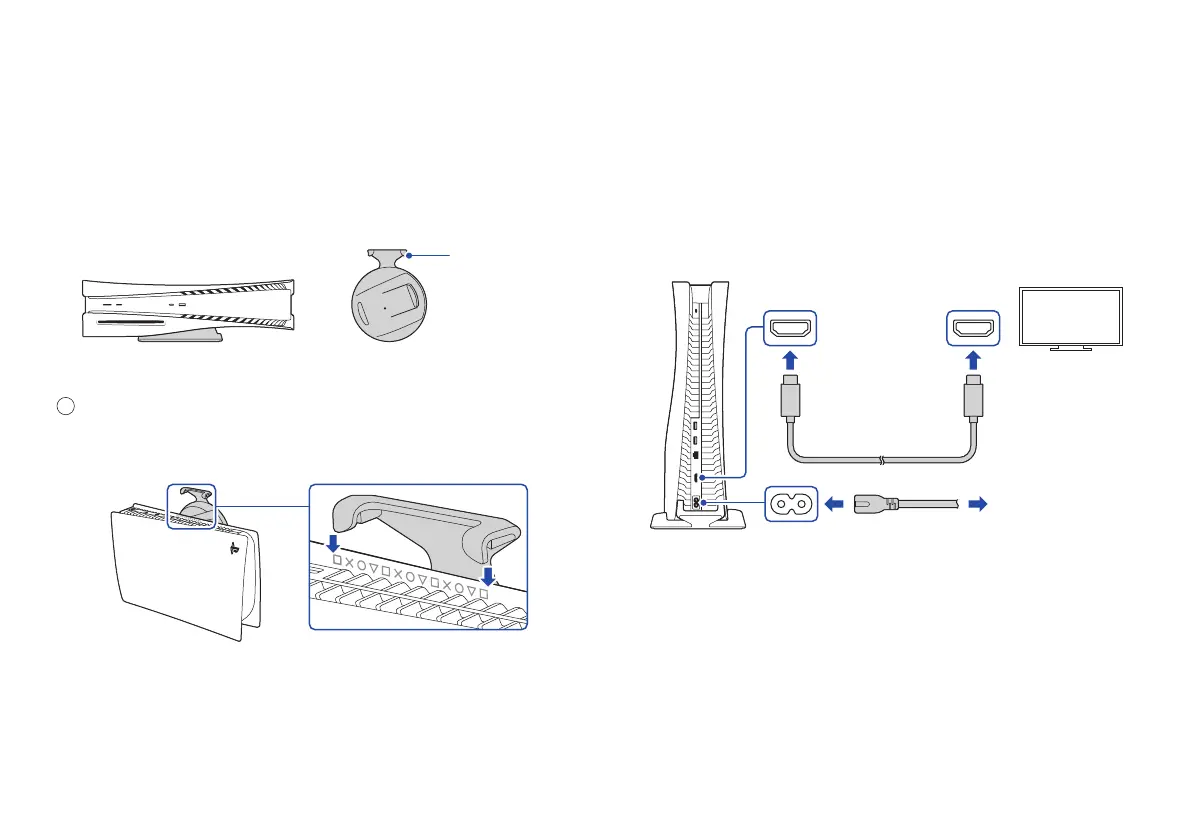
Connect the HDMI cable and the AC
power cord.
Use the included cables.
Make all connections before plugging the AC power cord
into an electricity supply.
HDMI OUT port
HDMI IN port
HDMI® cable
To an electricity supply
AC IN
connector
AC power cord
Rear view
For the horizontal position
Hook
With the base attached
Make sure the hook is in the position
as illustrated below before attaching
the base to the console.
1
Place the console with the rear side facing up. Align
the base with the marked area on the console, and
press the base in firmly.


 To Next Page