7
Parental controls
Create an account for a child
You can create a child account and set parental controls at
the same time.
Press the
(PS) button to open the control centre. Select
your profile picture, then select Switch User. From the user
selection screen, select Add User to create an account.
Review and change your parental control settings
We recommend that you check the child’s parental controls
regularly. You can review or update them by selecting
Settings
> Family and Parental Controls from the home
screen.
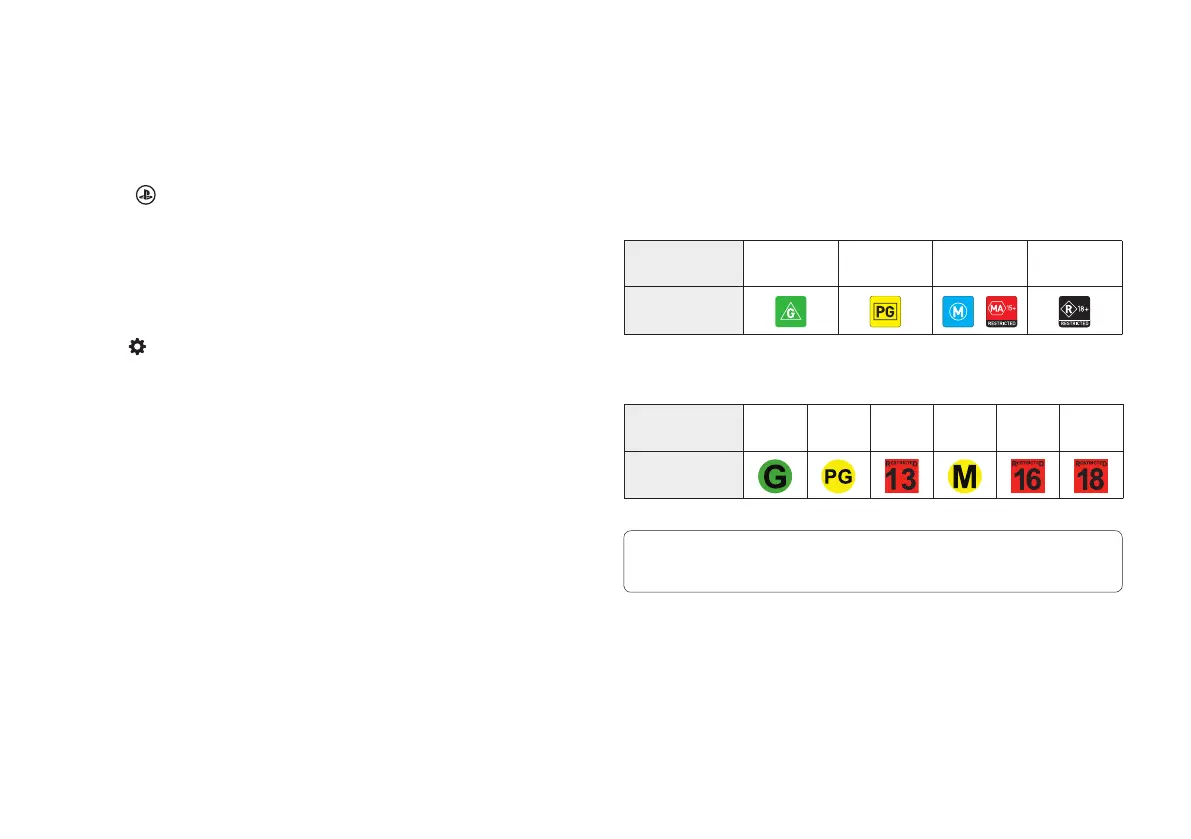
Game rating icons
Each game comes with a game rating icon that helps you
determine whether it’s age-appropriate for the child.
Australia
Player’s Age
3 and
above
8 and
above
15 and
above
18 and
above
Game Age
Rating
New Zealand
Player’s Age
3 and
above
8 and
above
13 and
above
15 and
above
16 and
above
18 and
above
Game Age
Rating
Find out more about parental control features and setup in the User’s
Guide (page 13).


 To Next Page