SECTION 2
DISASSEMBLY
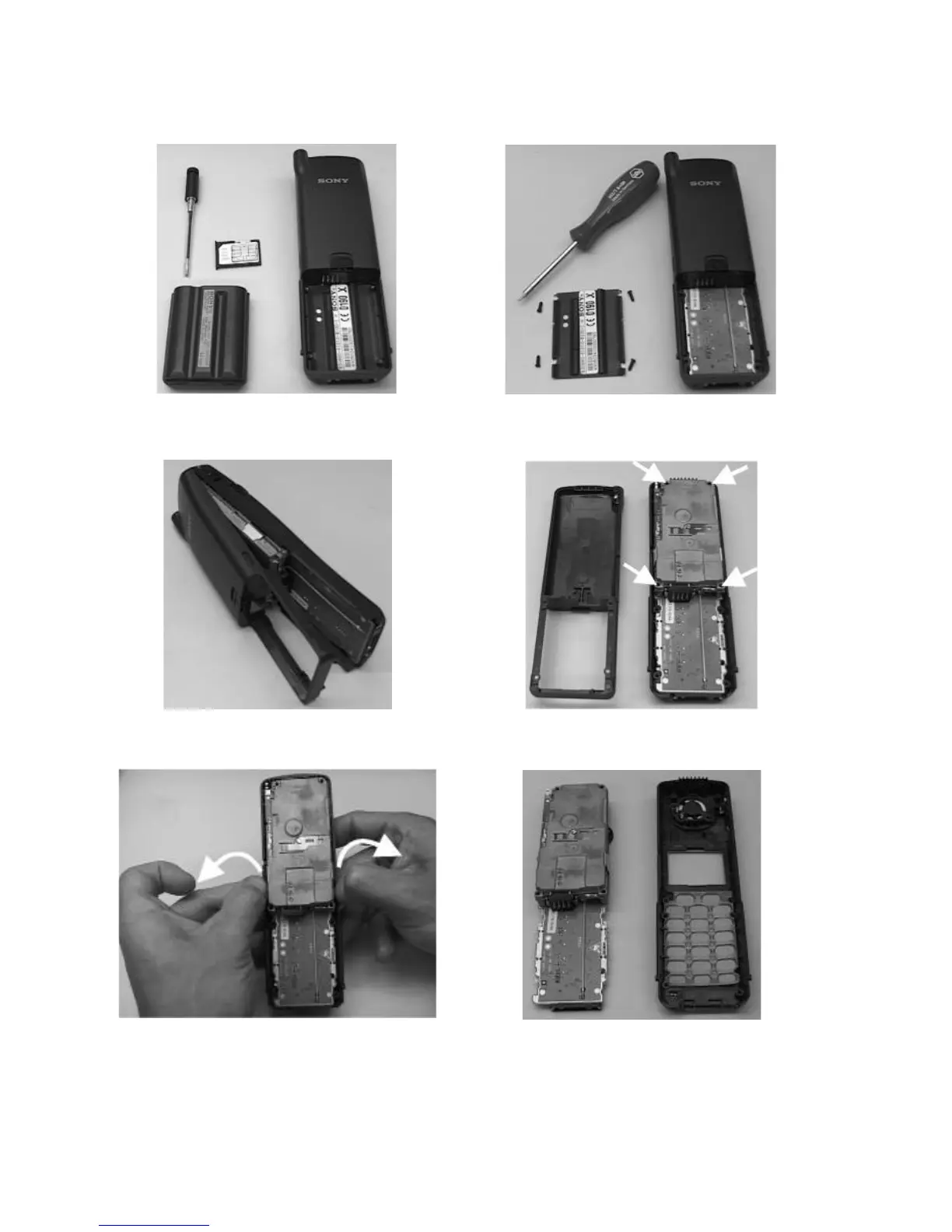
1. Remove Simcard holder , antenna (no tool needed),
battery cover and battery.
2. Remove 4 screws.
3. The back lower case assy and battery plate can now
be separated from the upper case.
4. Remove 4 screws from the upper shielding.
6. The upper case can now be taken away , speaker,
earphone microphone and keyboard are now
accessible.
5. The electronical part (= MMI board with RF/logic unit
as a whole) is held onto the upper case by a claw
on either side. Therefore , in order to release the
upper case from the electronical part , squeeze both
sides of the upper case gently to the outside and at
the same time push the electronical part upward.
6



 To Next Page