Need help?
Do you have a question about the Sony CMT-G2BNIP and is the answer not in the manual?
Lists and identifies all accessories included with the system for initial setup.
Identifies and explains the function of buttons and components on the main unit and remote.
Instructions for physically connecting antennas, speaker cords, and the power cord.
Steps for initial system setup, including power, clock, and network standby.
Overview and chart for connecting the system to wireless or wired home networks.
Requirements and considerations for a suitable wireless LAN environment.
Step-by-step guides for wireless setup using Access Point Scan, WPS Push Button, or PIN code.
Instructions for establishing a network connection using a LAN cable.
How to play audio CDs and MP3 discs, including playback controls.
Tuning into FM, AM, and DAB radio stations, including preset functions.
Connecting and playing audio content from an iPod or iPhone.
How to play audio files from a connected USB storage device.
Instructions for accessing and playing audio content from a DLNA-compliant server.
Accessing and playing internet-based music services via the system.
How to stream audio content wirelessly to other compatible devices.
Streaming audio from iOS devices or iTunes via Apple's AirPlay technology.
Procedure for updating the system's software for new functions and improvements.
Explanation of playback modes like Shuffle, Program, and Repeat play.
Overview of settings for network operations, including checking status and configuration.
Adjusting audio settings like bass and treble for personalized sound.
Information on using the Sleep Timer and Play Timer functions for automation.
Options for customizing the information and mode shown on the display.
Solutions for common system issues not specific to a function.
Troubleshooting steps for CD and MP3 playback problems.
Troubleshooting for problems connecting to wireless or wired networks.
Explanation of error codes and messages displayed by the system.
Essential safety instructions for operating and handling the system.
Lists of disc types and formats supported or not supported by the system.
Detailed technical specifications for the system's hardware components.
Definitions of technical terms and abbreviations used in the manual.
 General
| Karaoke | No |
|---|---|
| Impedance | 6 Ω |
| Bass reflex | Yes |
| Speaker type | 2-way |
| Frequency range | 120 - 10000 Hz |
| RMS rated power | 100 W |
| Woofer diameter | 130 mm |
| Tweeter diameter | 25 mm |
| Number of speakers | 2 |
| Speakers connectivity type | Binding post |
| Signal-to-Noise Ratio (SNR) | 90 dB |
| Total Harmonic Distortion (THD) | 10 % |
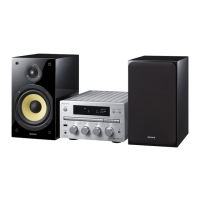
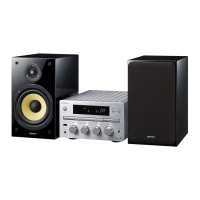
| Type | Home audio micro system |
| Product color | Black, Silver |
| Disc loading type | Tray |
| Number of optical discs | 1 discs |
| Disc types supported | CD, CD-R, CD-ROM, CD-RW |
| Playback disc formats | CD audio |
| Audio formats supported | AAC, MP3, WMA |
| Tuner type | Digital |
| FM band range | 87.5 - 108 MHz |
| Supported radio bands | AM, DAB, DAB+, FM |
| Display type | FLD |
| MP3 bit rates | 32 - 320 Kbit/s |
| Speaker depth | 252 mm |
| Speaker width | 160 mm |
| WMA bit rates | 48 - 192 Kbit/s |
| Speaker height | 270 mm |
| Power supply type | AC |
| DAB III band range | 223.936 MHz |
| Security algorithms | 64-bit WEP, WPA, WPA2-AES, WPA2-PSK, WPA2-TKIP |
| Ethernet LAN data rates | 10, 100 Mbit/s |
| Apple docking compatibility | iPhone, iPod |
| HDMI ports quantity | 0 |
| Headphone connectivity | 3.5 mm |
| USB 2.0 ports quantity | 1 |
| Input voltage | 220-230 V |
| Input frequency | 50 - 60 Hz |
| Power consumption (typical) | 50 W |
| Volume control | Rotary |
 Weight and Dimensions
| Depth | 335 mm |
|---|---|
| Width | 220 mm |
| Height | 141 mm |
| Weight | 5600 g |


 To Next Page