7
GB
CMT-M70 4-239-398-11(1) GB
Getting Started
3 For models with a voltage selector, set
VOLTAGE SELECTOR to the local
power line voltage.
4 Connect the power cord to a wall outlet.
If the plug does not fit the wall socket,
detach the supplied plug adaptor (only for
models equipped with an adaptor).
To turn on the system, press @/1.
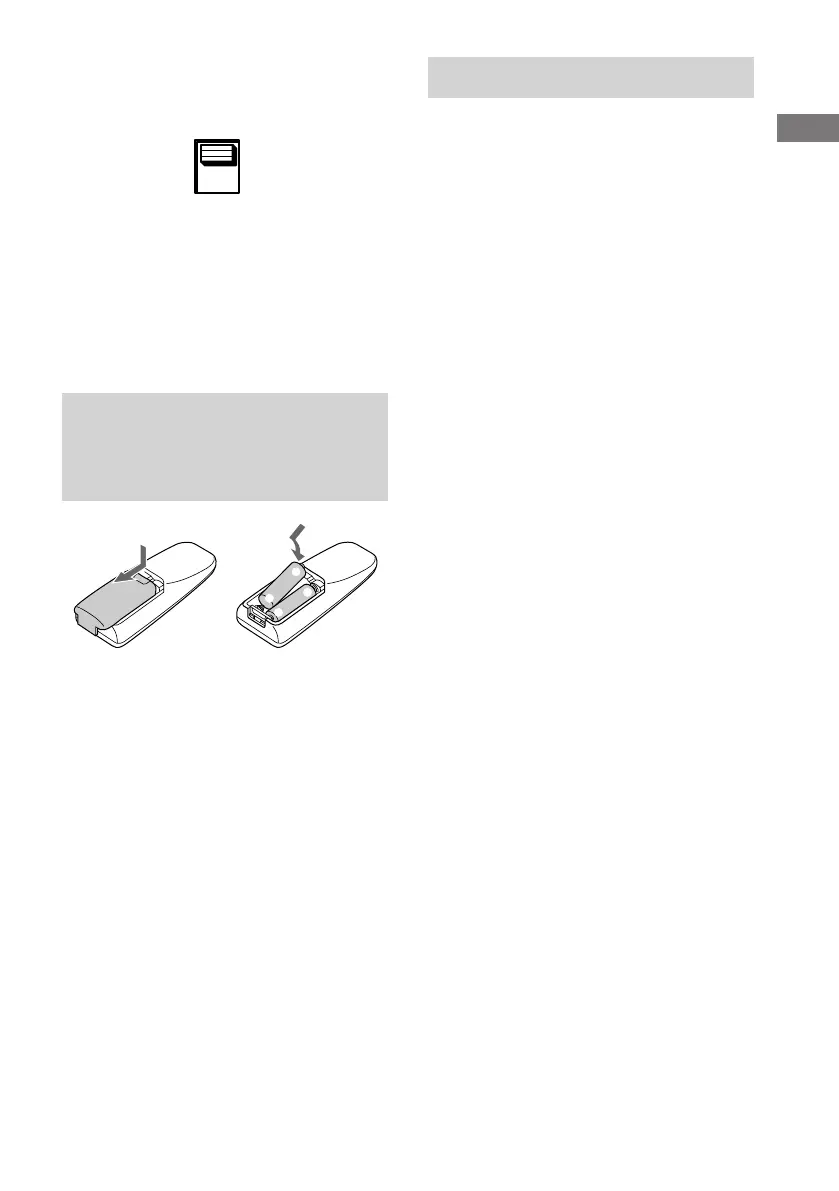
Inserting two size-AA (R6)
batteries into the remote
control
Tip
When the remote no longer operates the system,
replace both batteries with new ones.
Note
If you do not use the remote for a long period of time,
remove the batteries to prevent possible damage from
battery leakage and corrosion.
110V-120V
220V-240V
VOLTAGE
SELECTOR
E
E
e
e
Setting the clock
1 Turn on the system.
2 Press TIMER SET on the remote.
3 Press ./> on the remote
repeatedly to set the hour.
4 Press ENTER on the remote.
The minute indication flashes.
5 Press ./> on the remote
repeatedly to set the minute.
6 Press ENTER on the remote.
The clock will begin operating.
To adjust the clock
1 Press TIMER SET on the remote.
2 Press . or > on the remote to select
“SET CLOCK”, then press ENTER on the
remote.
3 Do the same procedures as step 3 to 6
above.







 To Next Page