Playback
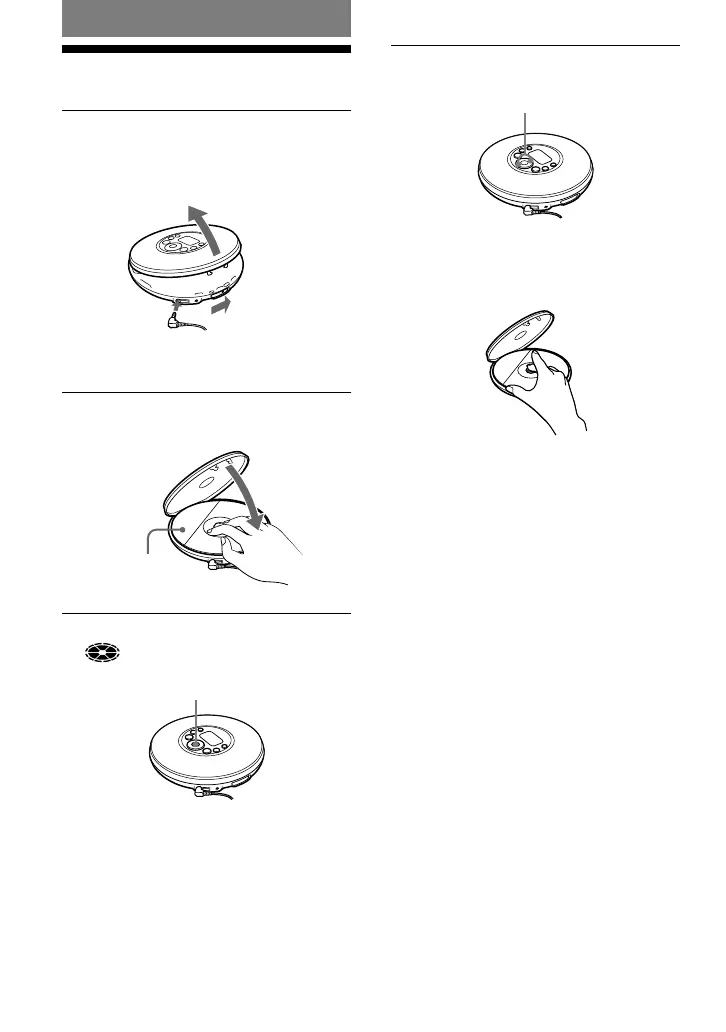
Playing a CD
1
Slide the OPEN switch to open the
player lid.
Connect the headphones/earphones to the
player beforehand.
to
(headphones)
Headphones/earphones
OPEN switch
2
Place the CD on the tray and close
the lid.
Label side up
3
Press /ENTER.
(disc) moves, and the player starts
playback.
/ENTER
4
Adjust the volume by pressing VOL
+/–.
VOL +/–
To remove the CD
Remove the CD while pressing the pivot in
the center of the tray.
12
D-NF420/NF421.GB.2-318-768-11(1)



 To Next Page