– 17 –
• Method-2 (In service mode or normal operation):
Check the value of current flowing in the laser diode.
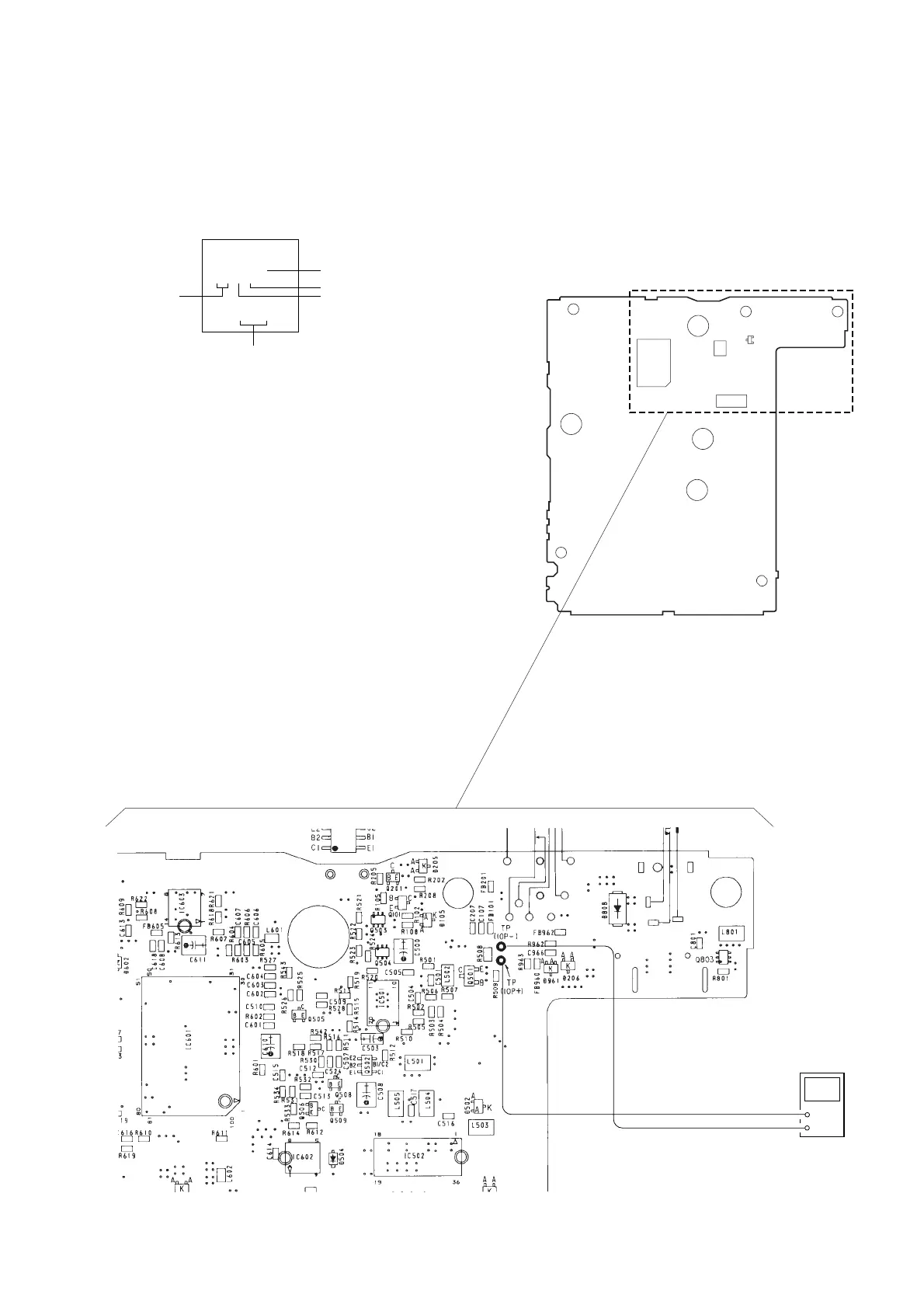
1. Remove the upper cabinet.
2. Read the current printed on the label attached on the rear side
of the optical pick-up.
3. Connect a digital voltmeter as shown in Fig. 2.
4. Press the fl key.
5. Calculate current value by the reading of the digital voltmeter.
Reading of the digital voltmeter (V) ÷ 4.7 (Ω) = current value
(A) (Example) Reading of the digital voltmeter of 0.1645 V:
0.1645 V ÷ 4.7 Ω = 0.035 (A) = 35 mA
6. Check that the current value is within the following range.
• Current value of the label mA (25˚C)
Variation by temperature: 0.4 mA/˚C
Current increases with temperature increased.
Current decreases with temperature decreased.
If the current is more than the range above, there is a trouble
in the automatic power control circuit or the laser diode is in
deterioration.
If less than the range, a trouble exists in the automatic power
control circuit or the optical pick-up.
(Label stuck outside of the
optical pick-up)
action number
year
month
Indicates current value.
(In this case, 35.0 mA)
day
KSS-331C
24Y59
SA350
A current value will vary depending on the set.
Q501
IC501
IC502
IC601
– MAIN Board – (Side B)
+5
–11
Fig. 2 Digital voltmeter connecting location
digital voltmeter
+
–


 To Next Page