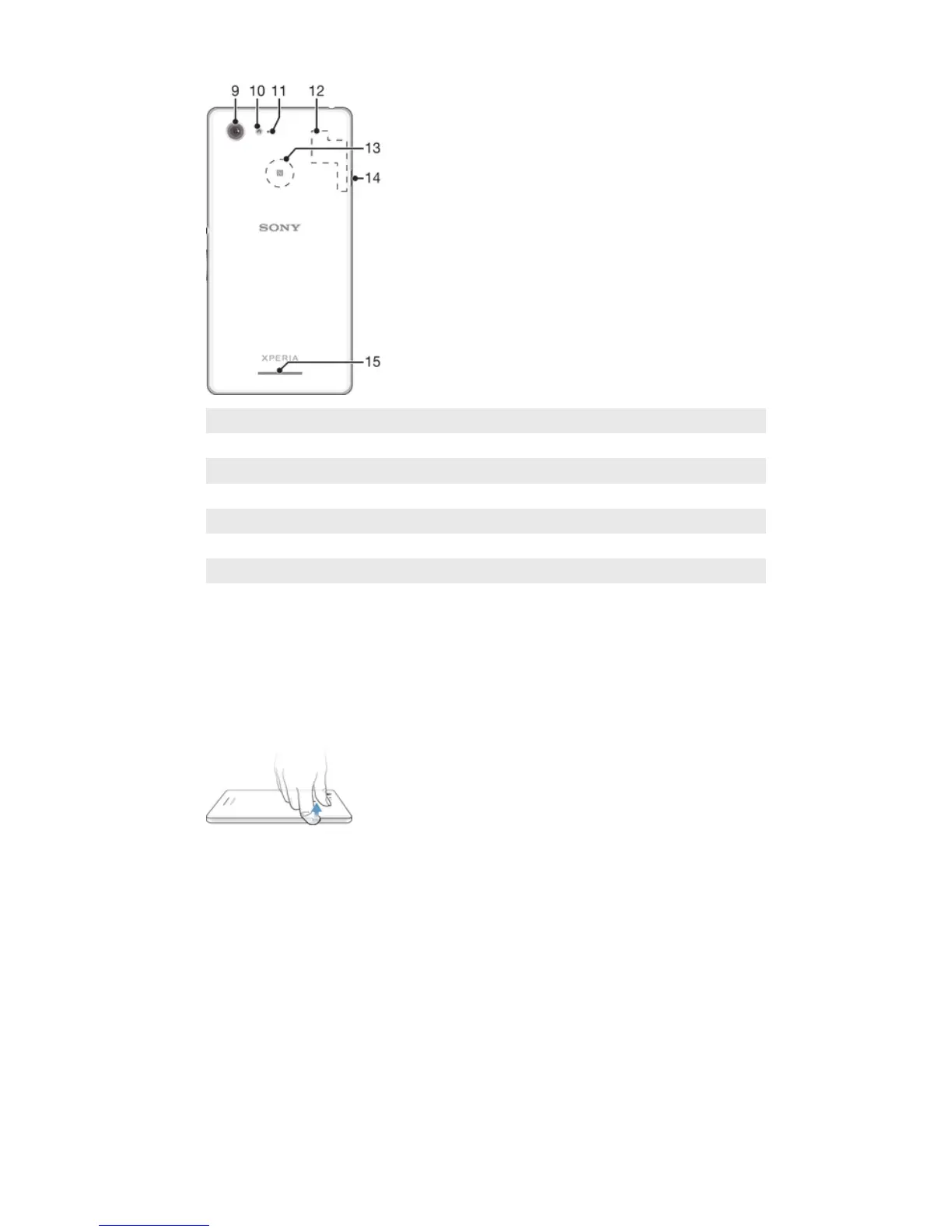
9 Main camera lens
10 Camera light
11 Second microphone
12 Wi-Fi/GPS/Bluetooth antenna area
13 NFC™ detection area
14 Port for charger/USB cable
15 Loudspeaker
Assembly
A protective plastic sheet is attached to the screen. You should peel off this sheet
before using the touchscreen. Otherwise, the touchscreen might not function
properly.
To remove the back cover
•
Insert a fingernail into the gap (as indicated in the illustration) and lift up the
cover.
7
This is an Internet version of this publication. © Print only for private use.










 To Next Page