72
GB
To prevent this, you can change the output level
of the sound from the AUDIO IN jack on the
front panel.
1 Press AMP MENU.
2 Press X/x repeatedly until “AUDIO
ATT” appears in the front panel
display, then press ENTER or c.
3 Press X/x repeatedly until “ATT ON”
appears in the front panel display.
The output level is changed.
When you select “ATT OFF” and press x,
this operation will be canceled.
4 Press ENTER or AMP MENU.
The AMP menu turns off.
Presetting radio stations
You can preset 20 FM stations, and 10 AM
stations. Before tuning, make sure to turn down
the volume to minimum.
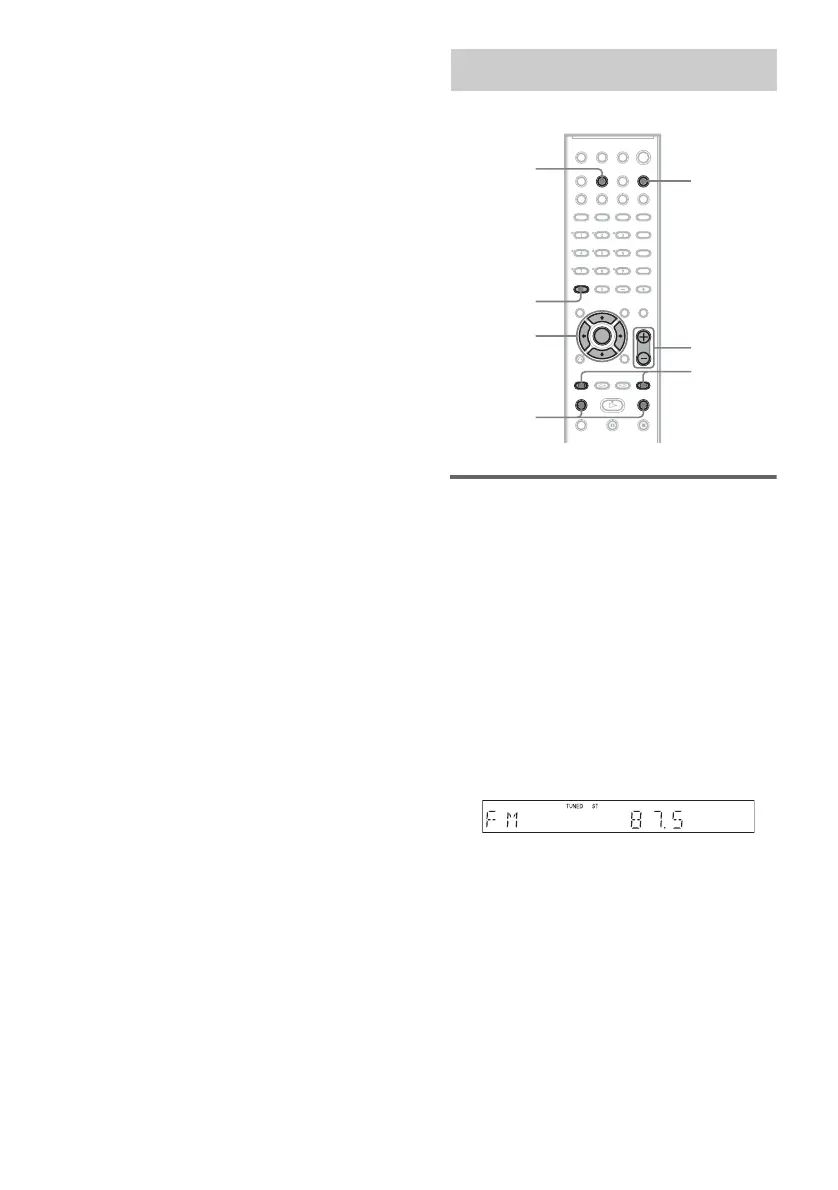
1 Press FUNCTION repeatedly until the
band you want appears in the front
panel display.
2 Press and hold TUNING + or – until the
auto scanning starts.
Scanning stops when the system tunes in a
station. “TUNED” and “ST” (for stereo
program) appear in the front panel display.
3 Press TUNER MENU.
4 Press C/X/x/c repeatedly until
“MEMORY” appears in the front panel
display.
5 Press ENTER.
A preset number appears in the front panel
display.
Enjoying the Radio
TUNER
MENU
CLEAR
TUNING –/+
C/X/x/c
ENTER
FUNCTION
PRESET
–/+
VOLUME +/


 To Next Page