60
GB
DAV-S400 4-240-074-12(1)
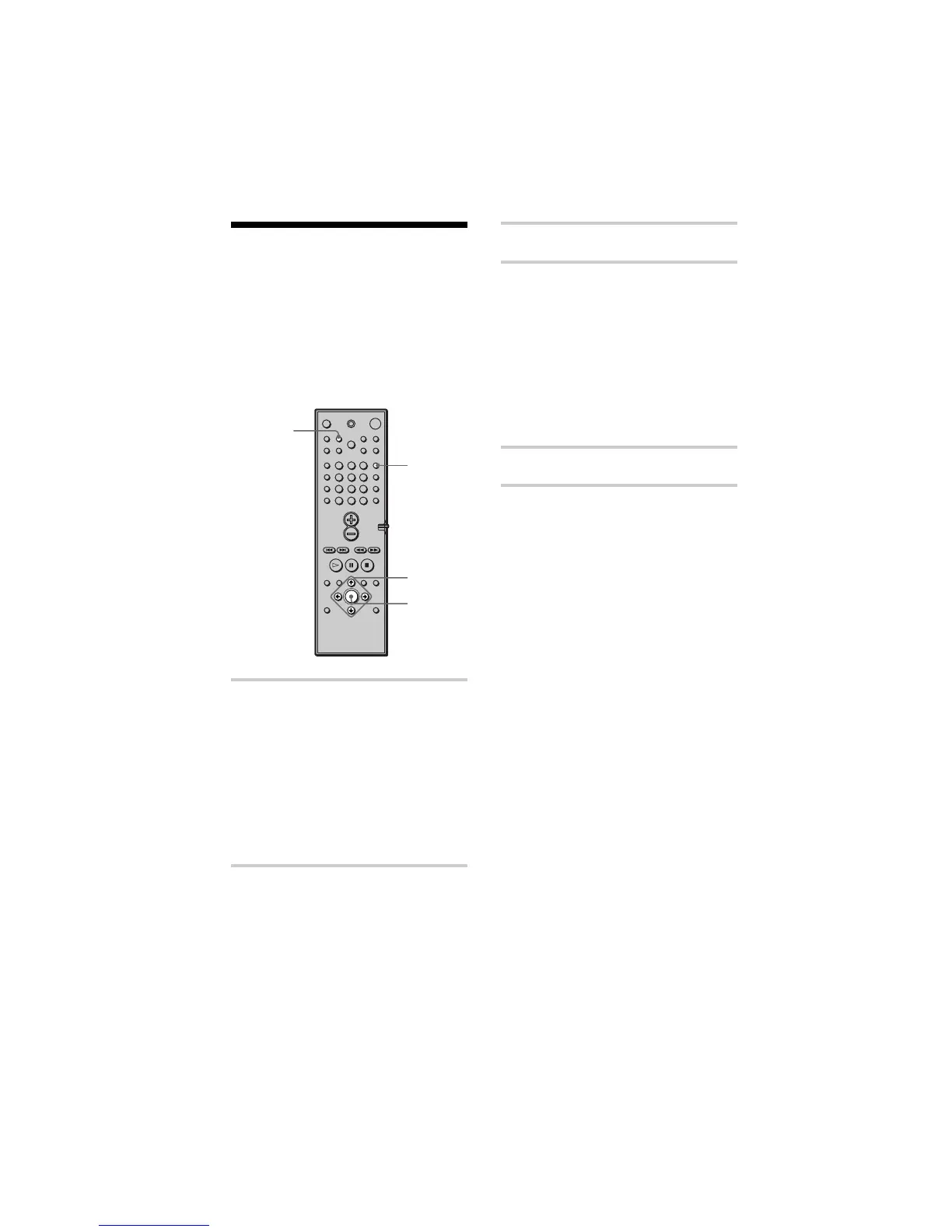
3 Press NAME.
4 Create an index name by using the
cursor buttons:
Press x/X to select a character, then
press c to move the cursor to the next
position.
If you make a mistake
Press C or c repeatedly until the
character to be changed flashes, then
press x/X to select the right character.
5 Press ENTER.
To assign index names to other
stations
Repeat Steps 2 to 5.
Naming Preset Stations
You can enter a name of up to 8 characters
for preset stations. These names (for
example, “XYZ”) appear in the system’s
front panel display when a station is
selected.
Note that no more than one name can be
entered for each preset station.
1 Press FUNCTION repeatedly until
TUNER appears on the front panel
display.
The last station you received is tuned
in.
Each time you press FUNCTION, the
mode of the system changes in the
following sequence:
DVD t AUDIO 1 t AUDIO 2 t
TUNER t DVD...
2 Tune in the preset station you
want to create an index name for.
If you are not familiar with how to
tune in preset stations, see “Listening
to the Radio” on page 58.
NAME
C/X/x/c
ENTER
FUNCTION
123
456
7
>
10
10/0
89



 To Next Page