Getting Started
25
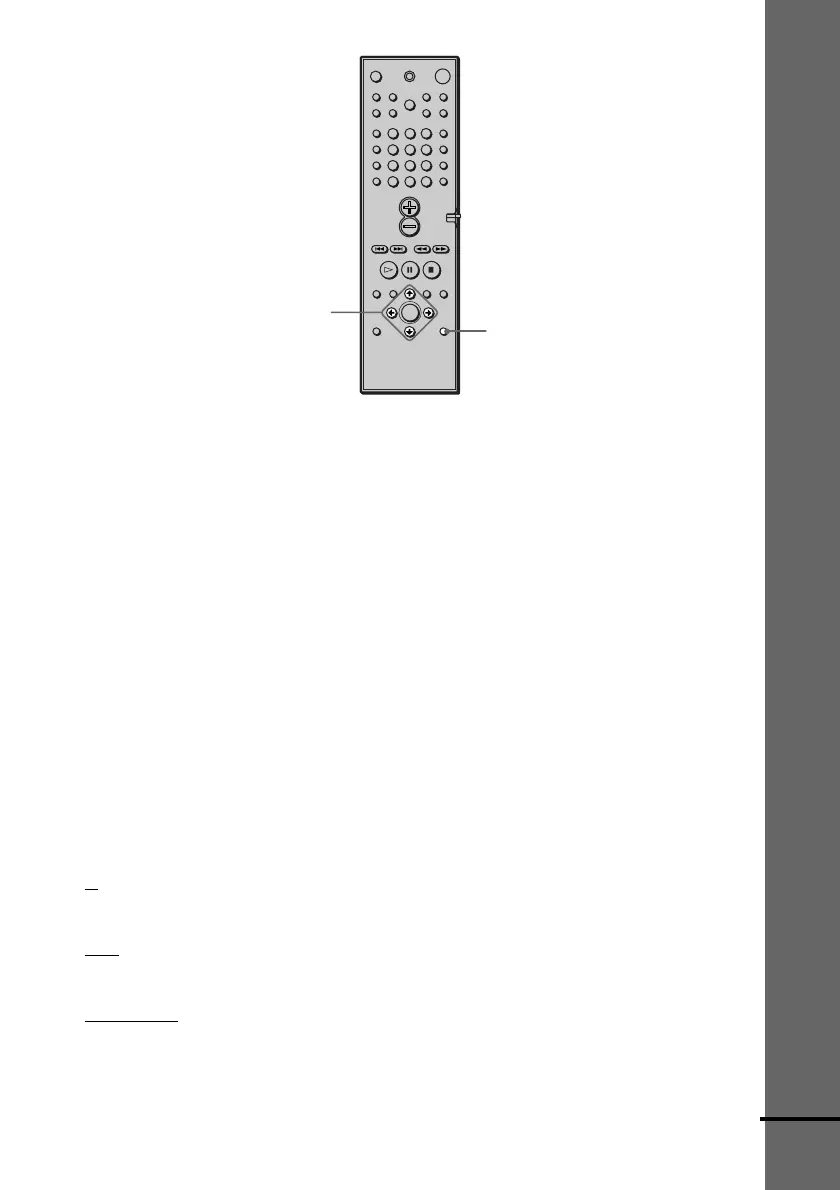
C/X/x/c/ENTER
AMP MENU
To specify the size, distance, position and height of the speakers
1 Press AMP MENU repeatedly to display 9 SP. SETUP on the front panel display.
2 Sit in your listening position and select the item to be set using X/x.
• Items set in 9 SP. SETUP
–Size of the rear and centre speakers
–Distance of the front, rear, and centre speakers
–Front and rear speakers used with speaker stands (A) or without speaker stands (B)
–Position and height of the rear speakers
3 Set the parameter using C/c.
The selected parameter will appear on the front panel display.
4 Repeat Steps 2 and 3 to set other parameters in 9 SP. SETUP.
If you do not operate the remote for a few seconds, the parameter turns off and is stored in
the system.
xSIZE
When you do not connect centre or rear speakers, or move the rear speakers, set the parameters
for FRONT, CENTER and REAR accordingly (see below). Since the subwoofer settings are
fixed, you cannot change the settings. The default settings are underlined.
• FRONT (front speakers)
–
A: The speakers are used with the speaker stands.
–B: The speakers are without the speaker stands.
• CENTER (centre speaker)
–
YES: Normally select this.
–NO: Select this if no centre speaker is used.
• REAR (rear speakers) See “Position diagram” on page 26 when you set this parameters.
–
BEHIND[A]: Select this if the rear speakers are used with the speaker stands and located in
section B.
–SIDE[A]: Select this if the rear speakers are used with the speaker stands and located in
section A.
123
456
7
>
10
10/0
89
continued



 To Next Page