33
Playing Discs
Notes
• Depending on where you stopped the disc, the
system may not resume playback from exactly the
same point.
• The point where you stopped playing is cleared
when:
– you turn the power off by pressing POWER on
the system.
– you change the play mode.
Using the DVD’s Menu
Some discs have a “title menu” or a “DVD
menu.” On some DVDs, this may simply be
called a “menu” or “title.”
Using the title menu
A DVD is divided into long sections of a
picture or a music feature called “titles.”
When you play a DVD which contains
several titles, you can select the title you
want using the title menu.
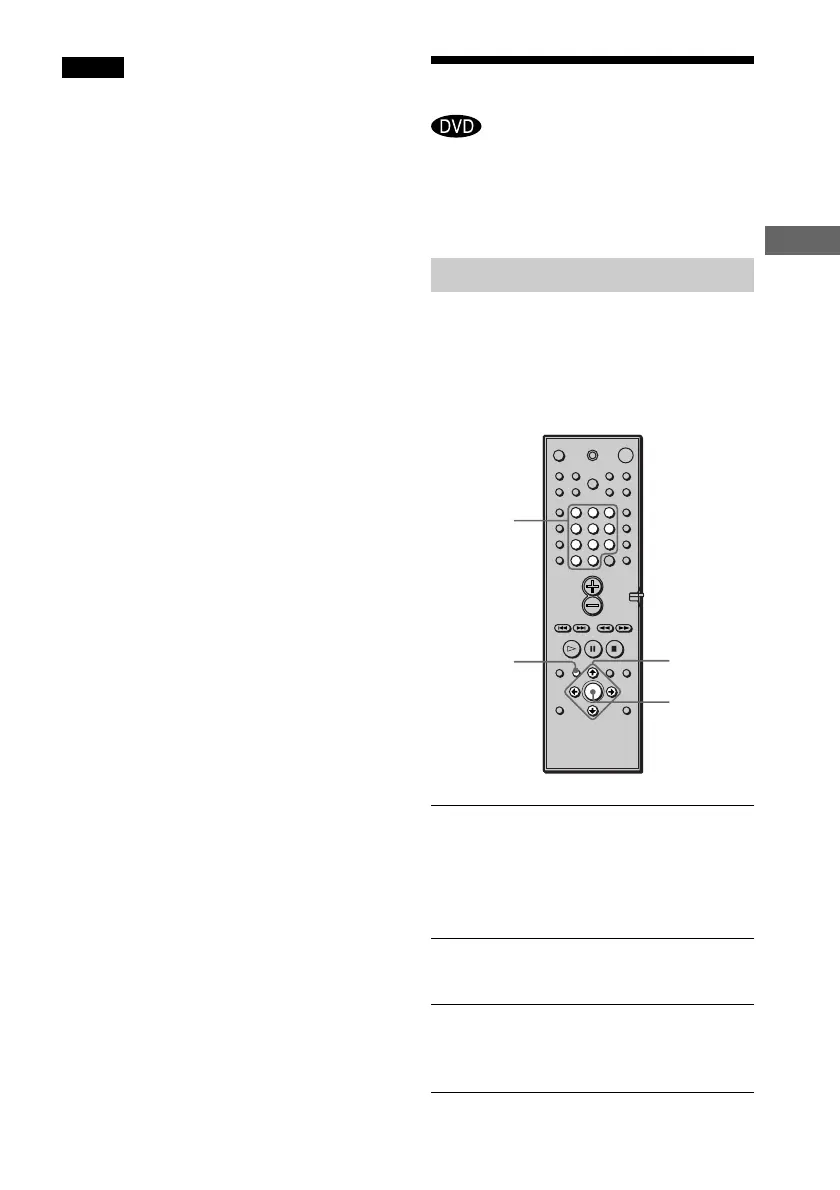
1 Press TITLE.
The title menu appears on the TV
screen.
The contents of the menu vary from disc
to disc.
2 Press C/X/x/c or the number buttons
to select the title you want to play.
3 Press ENTER.
The system starts playing the selected
title.
C/X/x/c
TITLE
ENTER
Number
buttons
123
456
7
>
10
10/0
89



 To Next Page