66
GB
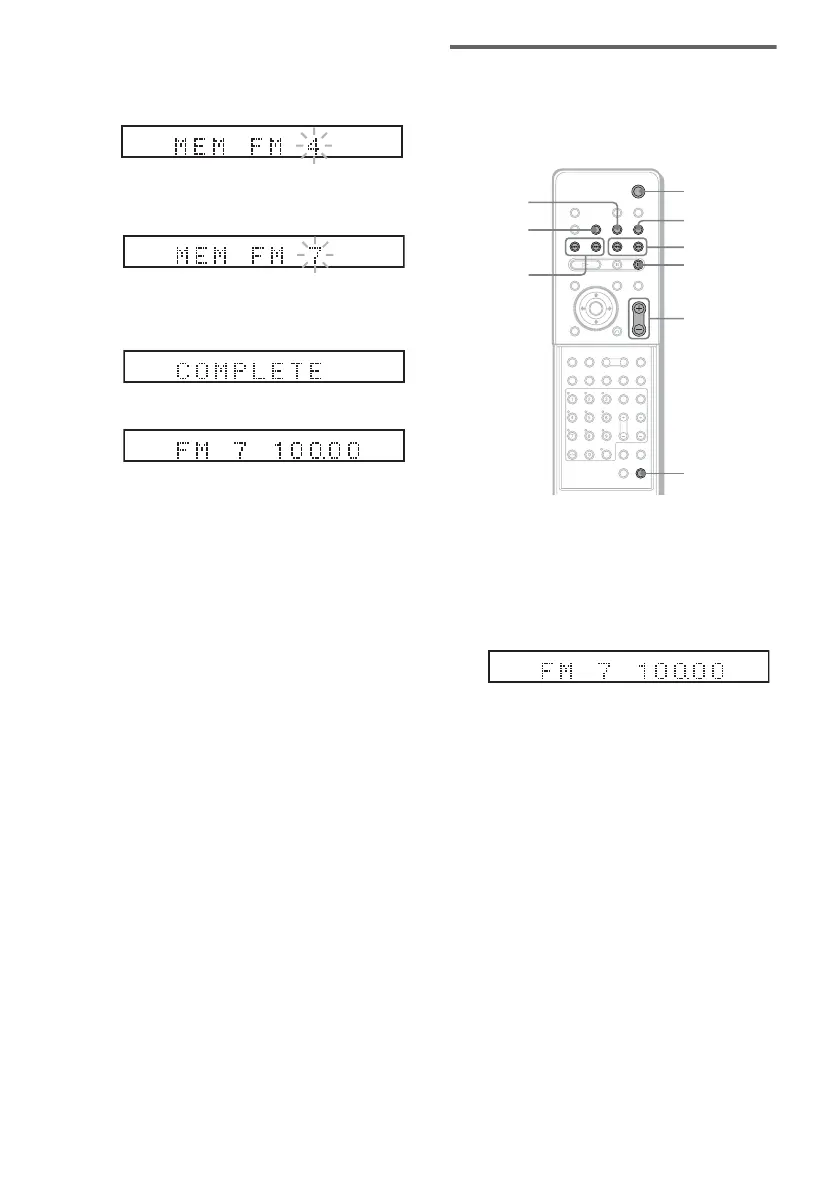
5 Press ENTER.
A preset number appears in the front panel
display.
6 Press C/c/x/X to select/ the preset
number you want.
7 Press ENTER.
The station is stored.
8 Repeat 1 to 7 to store other stations.
To change the preset number
Restart from step 1.
Listening to the Radio
Preset radio stations in the system’s memory
first (see “Presetting Radio Stations” on
page 65).
1 Press FUNCTION repeatedly until “FM”
or “AM” appears in the front panel
display.
The last received station is tuned in.
2 Press PRESET + or – repeatedly to
select the preset station you want.
Each time you press the button, the system
tunes in one preset station.
Each time you press TUNER/BAND, the
band toggles between AM and FM.
3 Adjust the volume by pressing
VOL +/–.
To turn off the radio
Press "/1.
ST
ST
MHz
ST
m
FM MODE
PRESET
–/+
TUNING –/+
FUNCTION
VOL +/–
"/1
DISPLAY
With cover opened.
TUNER/
BAND
x
MHz
ST



 To Next Page