masterpage:Left
specdef v20060111
filename[G:\FM\Sony\0607\DAV-X10_CEL\Source\3210565321DAVX10\gb07sou.fm]
model name [DAV-X10]
[3-210-565-32(1)]
34
GB
• Even if you select “AUTO,” the surround effect does
not work when you play a CD or DATA CD, listen to
the radio (FM/AM), or select the “DMPORT1” or
“DMPORT2” function.
2 channel source output
x 2CH STEREO
This mode outputs 2 channel sound regardless of
the audio signal type being input.
Enjoying the portable audio
source
x PORTABLE AUDIO ENHANCER
This mode produces a clear enhanced sound
image from your portable audio device. This
mode is ideal for MP3, other compressed music.
You can adjust the bass and treble level easily.
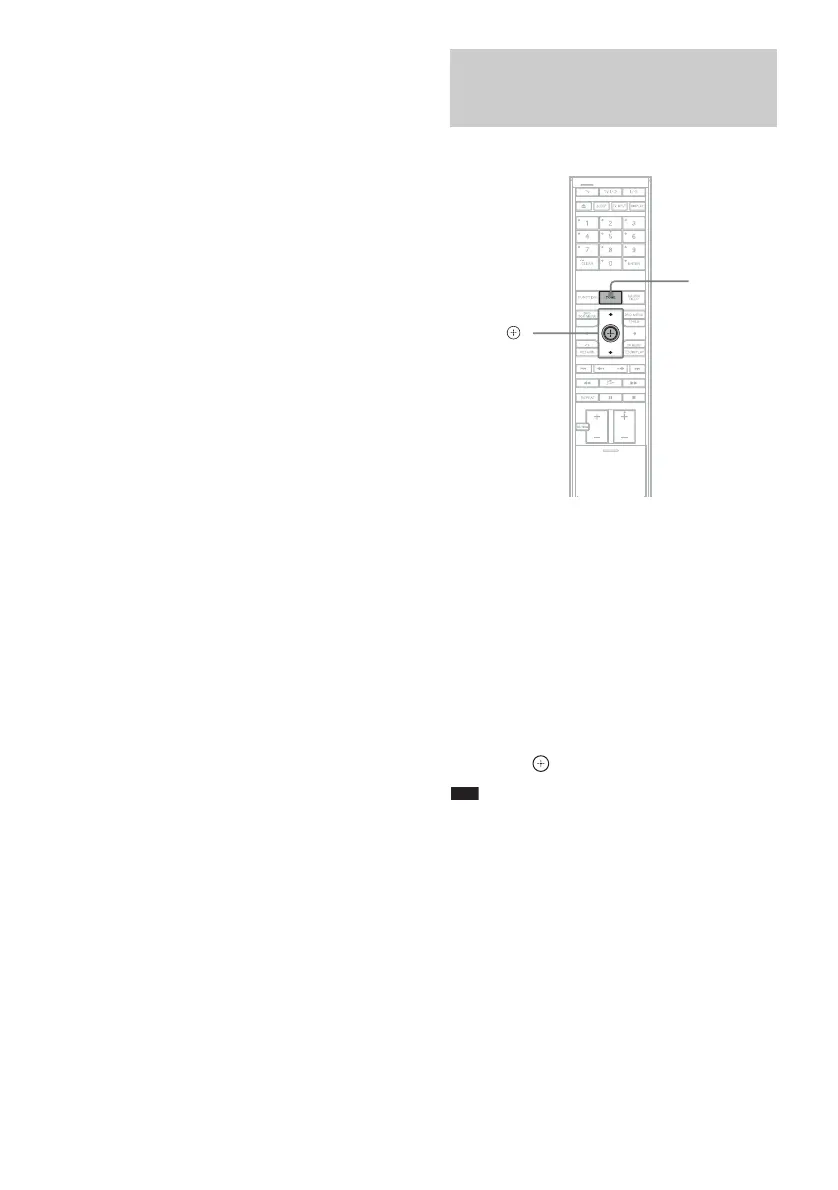
1 Press TONE repeatedly until “BASS”
or “TREBLE” appears in the front panel
display.
• “BASS”: adjusts the bass level (–6.0 dB –
+6.0 dB, 0.5 dB increments).
• “TREBLE”: adjusts the treble level (–6.0
dB – +6.0 dB, 0.5 dB increments).
2 Press X/x to adjust.
The adjusted value appears in the front
panel display.
3 Press .
Note
• When you perform the auto calibration (page 79),
bass and treble levels return to their default settings.
Adjusting the Bass Level
and Treble Level
TONE
X/x,



 To Next Page