Playing back a tape
To return to the FN screen
Select EXIT, then press the center 0 on the control button.
To stop playback
Select m, then press the center 0 on the control button.
When monitoring on the LCD screen
B
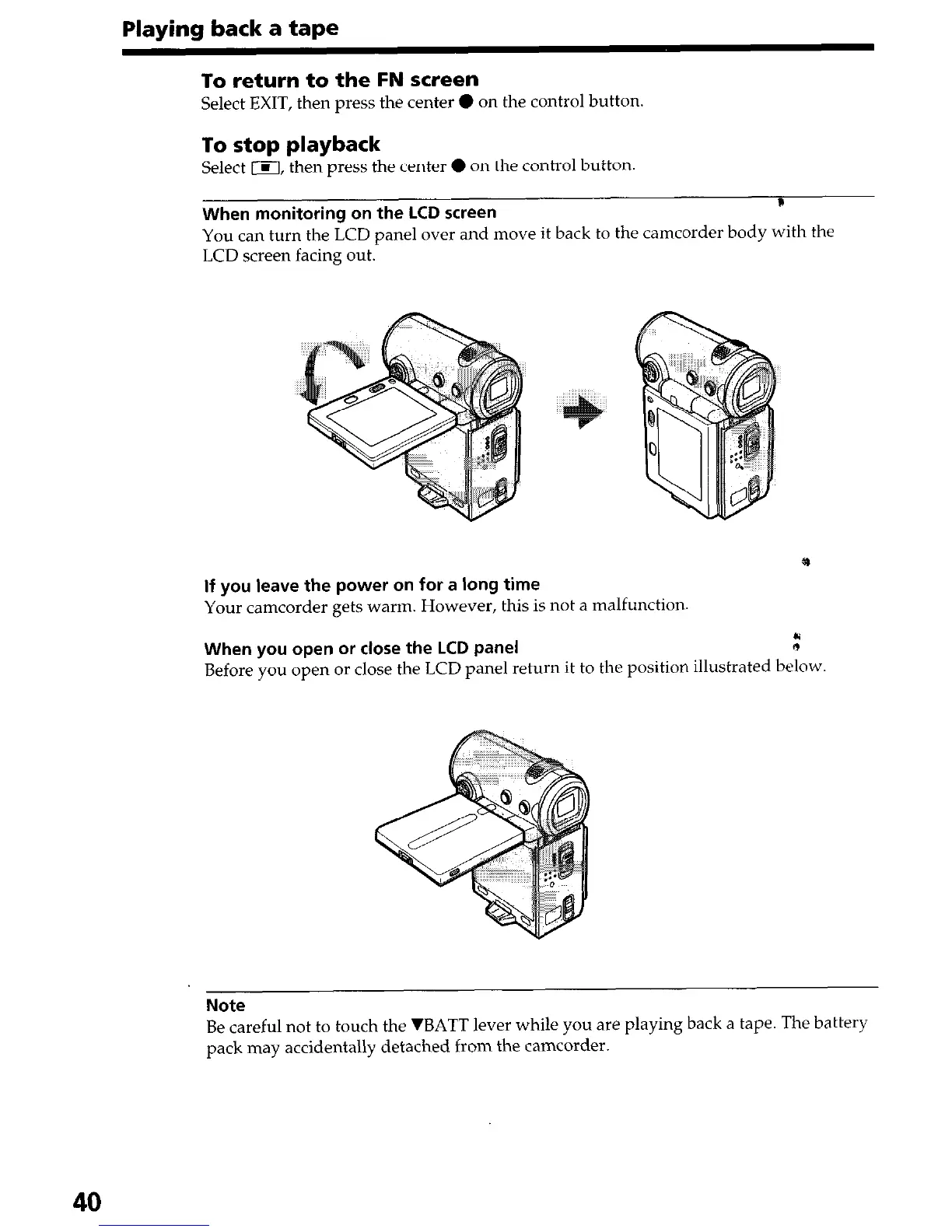
You can turn the LCD panel over and move it back to the camcorder body with the
LCD screen facing out.
If you leave the power on for a long time
Your camcorder gets warm. However, this is not a malfunction.
When you open or close the LCD panel
,”
Before you open or close the LCD panel return it to the position illustrated below.
Note
Be careful not to touch the 7BATT lever while you are playing back a tape. The battery
pack may accidentally detached from the camcorder.
40


 To Next Page
 Loading...







