Searching the boundaries of recorded
tape bv title - Title search
You can search for the boundaries of recorded tape by title. You can only use this
function with the Remote Commander.
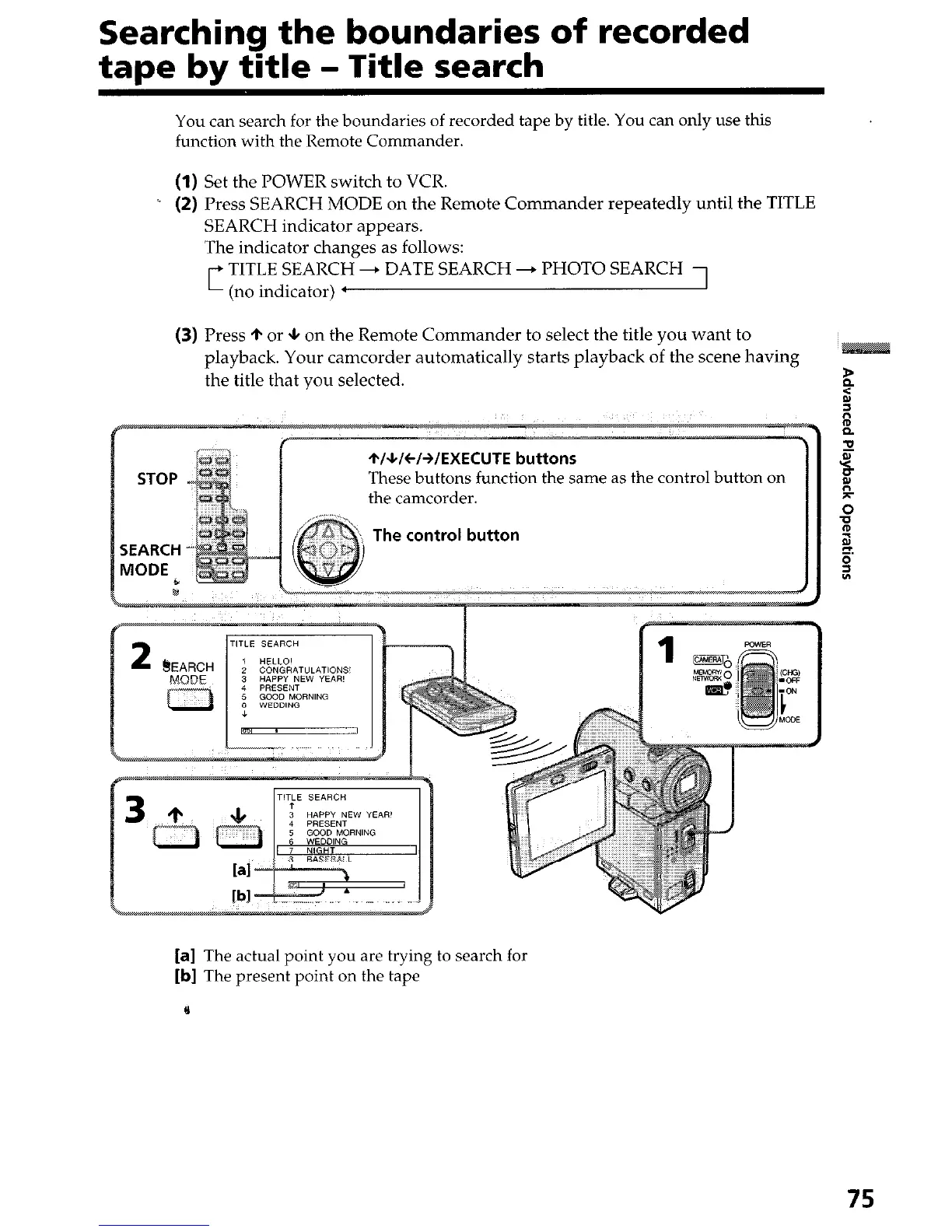
(1) Set the POWER switch to VCR.
i (2) Press SEARCH MODE on the Remote Commander repeatedly until the TITLE
SEARCH indicator appears.
The indicator changes as follows:
TITLE SEARCH + DATE SEARCH + PHOTO SEARCH
’ (no indicator) l
(3) Press + or * on the Remote Commander to select the title you want to
playback. Your camcorder automatically starts playback of the scene having
the title that you selected.
The control button
2
3 HAPPY NEW YEAR’
[a] The actual point you are trying to search for
[b] The present point on the tape
75




 To Next Page