Superimposing a title
You can superimpose a title for 5 seconds from the recording start point. When you
play back the tape, the title is displayed for about 5 seconds from the point where you
superimposed it.
You can select one of eight preset titles and two custom titles (p. 95). You can also select
the color, size and position of titles.
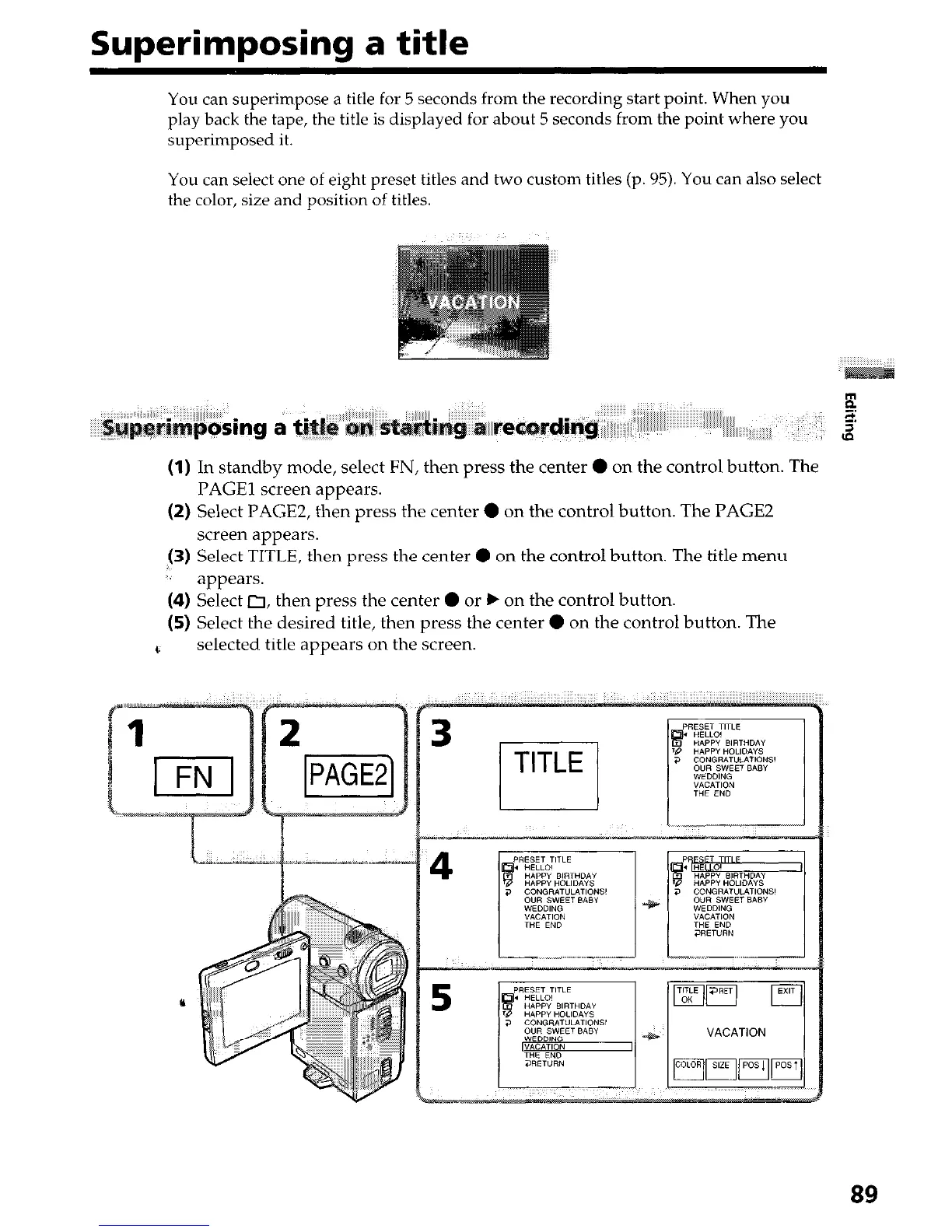
(1) In standby mode, select FN, then press the center 0 on the control button. The
PAGE1 screen appears.
(2) Select PAGE2, then press the center 0 on the control button. The PAGE2
screen appears.
(3) Select TITLE, then press the center 0 on the control button. The title menu
,; appears.
(4) Select 0, then press the center 0 or b on the control button.
(5) Select the desired title, then press the center 0 on the control button. The
t.
selected title appears on the screen.
89


 To Next Page
 Loading...







