Making your own titles
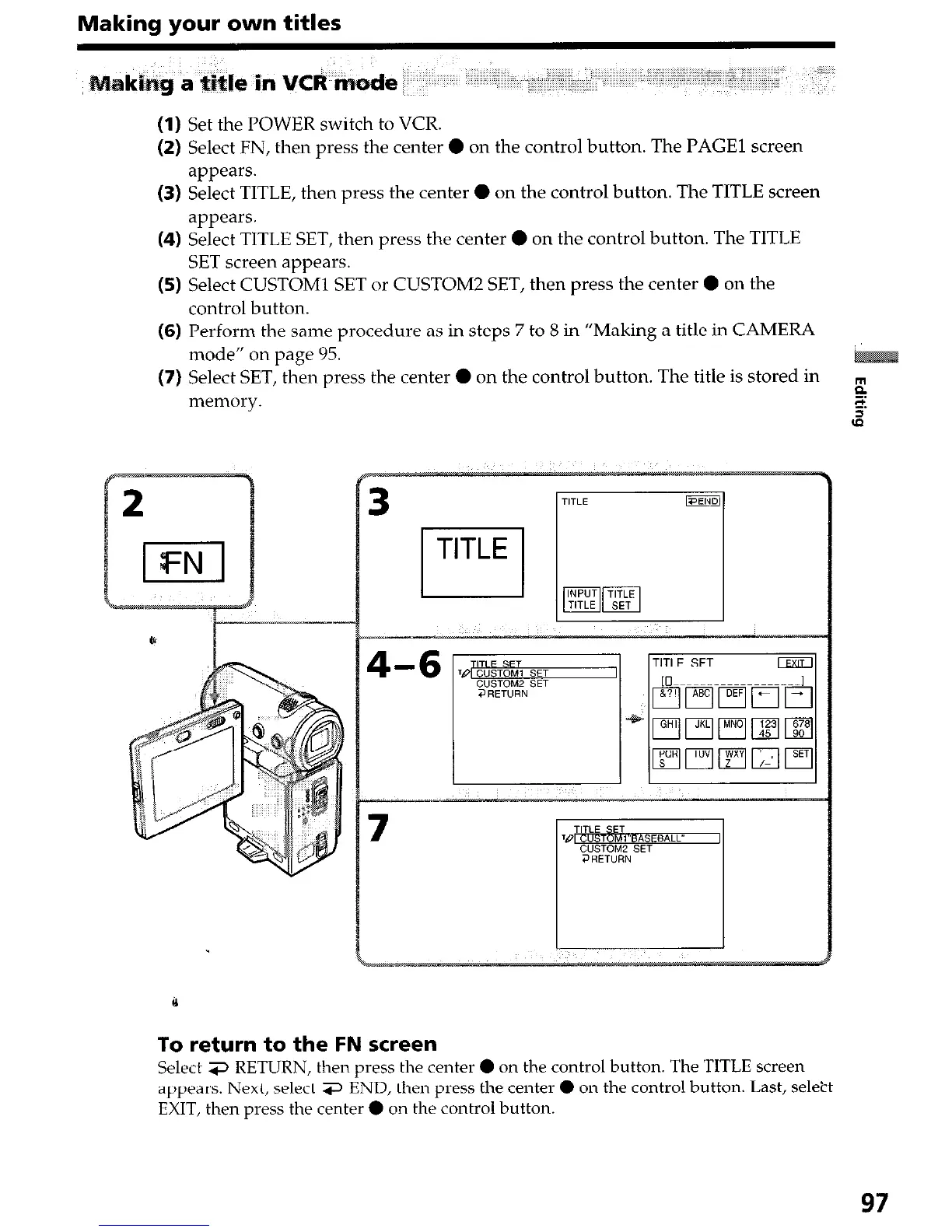
(1) Set the POWER switch to VCR.
(2) Select FN, then press the center 0 on the control button. The PAGE1 screen
appears.
(3) Select TITLE, then press the center 0 on the control button. The TITLE screen
appears.
(4) Select TITLE SET, then press the center 0 on the control button. The TITLE
SET screen appears.
(5) Select CUSTOM1 SET or CUSTOM2 SET, then press the center
l
on the
control button.
(6) Perform the same procedure as in steps 7 to 8 in “Making a title in CAMERA
mode” on page 95.
(7) Select SET, then press the center 0 on the control button. The title is stored in
memory.
To return to the FN screen
Select 3 RETURN, then press the center 0 on the control button. The TITLE screen
appears. Next, select 3 END, then press the center 0 on the control button. Last, select
EXIT, then press the center 0 on the control button.
97










 To Next Page