The Micro Cassette Memory
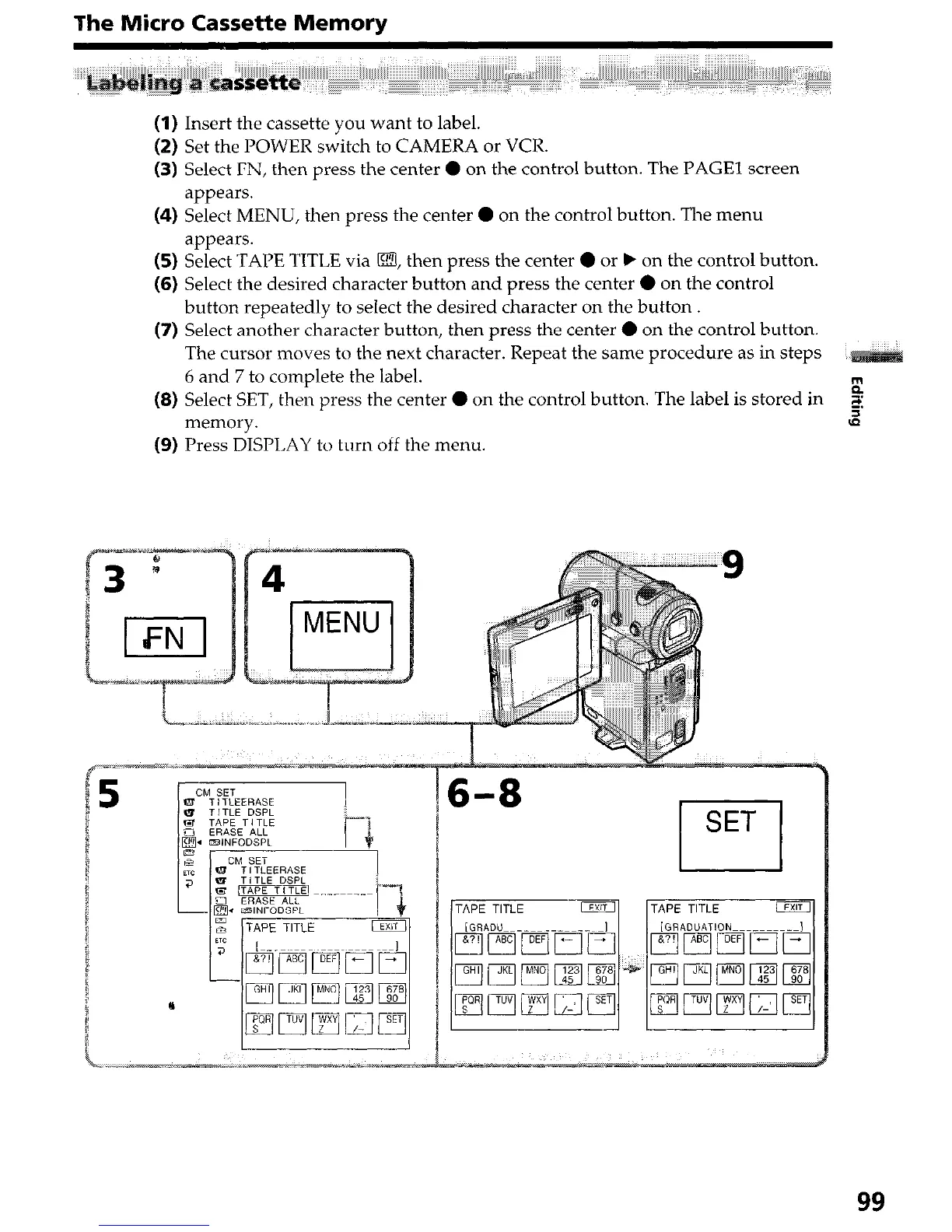
(1) Insert the cassette you want to label.
(2) Set the POWER switch to CAMERA or VCR.
(3) Select FN, then press the center 0 on the control button. The PAGE1 screen
appears.
(4) Select MENU, then press the center 0 on the control button. The menu
appears.
(5) Select TAPE TITLE via m, then press the center 0 or b on the control button.
(6) Select the desired character button and press the center 0 on the control
button repeatedly to select the desired character on the button.
(7) Select another character button, then press the center 0 on the control button.
The cursor moves to the next character. Repeat the same procedure as in steps
6 and 7 to complete the label.
(8) Select SET, then press the center 0 on the control button. The label is stored in
$
=.
memory.
3
(9) Press DISPLAY to turn off the menu.
6-8
rl
SET
99




 To Next Page