EasyManua.ls Logo

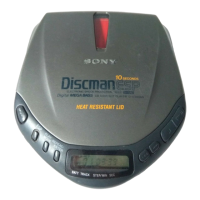
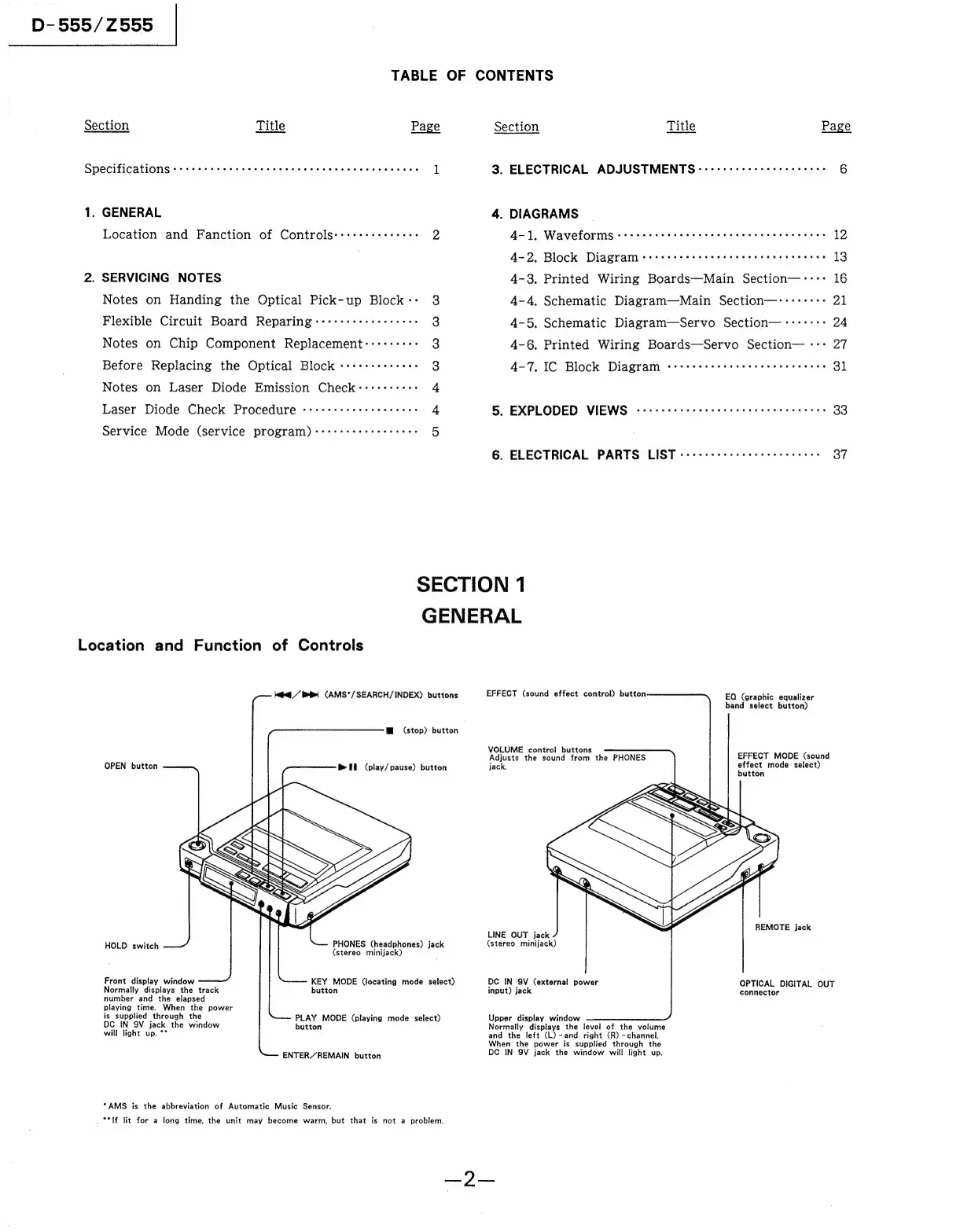
Sony Discman D-555 - General Information; Location and Function of Controls

Sony Discman D-555
28 pages
Print Icon
To Next Page IconTo Next Page
To Previous Page IconTo Previous Page
Loading...
D-555/Z555
|
TABLE
OF
CONTENTS
Section
Title
Page
Section
Title
Page
Specifications
Cees
eee
ee
ee
eee
ee
ee
ee
ee
ee
ee
ee
1
3.
ELECTRICAL
ADJUSTMENTS
<-cccccc
esc
cctceeseeee
6
1.
GENERAL
4.
DIAGRAMS
Location
and
Fanction
of
Controls:::::+reeeres
y)
4-1,
Waveforms
:s:seeseeersecce
ee
eeseseseesceeees
12
4-2.
Block
Diagram:
+ssstcs
etter
erect
eect
n
eens
13
2.
SERVICING
NOTES
4-3,
Printed
Wiring
Boards—-Main
Section—----
16
Notes
on
Handing
the
Optical
Pick-up
Block:-
3
4-4,
Schematic
Diagram—Main
Section—-:-::::-
21
Flexible
Circuit
Board
Reparing:-+-+++++++++++++-
3
4-5.
Schematic
Diagram—Servo
Section—-:---:>
24
Notes
on
Chip
Component
Replacement::++++++:
3
4-6.
Printed
Wiring
Boards—Servo
Section—
-:+
27
Before
Replacing
the
Optical
Block
«++++++++++s:
3
4-7.
IC
Block
Diagram
corssssr
teeter
terse
eeeees
31
Notes
on
Laser
Diode
Emission
Check::::::-+::
4
Laser
Diode
Check
Procedure
«++++serereteeeeees
4
5.
EXPLODED
VIEWS
-cccce
reer
cee
c
eter
reer
eee
eeees
33
Service
Mode
(service
program)
:-++++++++eeeeeee
5
6.
ELECTRICAL
PARTS
LIST
-+scssssre
errr
reeeeeees
37
SECTION
1
Location
and
Function
of
Controls
OPEN
button
HOLD
switch
Hts
(stereo
minijack)
Front
display
window
Normally
displays
the
track
button
number
and
the
elapsed
playing
time.
When
the
power
is
supplied
through
the
PLAY
MODE
(playing
mode
select)
DC
IN
9V
jack
the
window
button
eens
will
light
up.
**
ENTER/REMAIN
button
“AMS
is
the
abbreviation
of
Automatic
Music
Sensor.
ke
/
Bi
(AMS*/
SEARCH/INDEX)
buttons
@
(stop)
button
®
Hl
(play/
pause)
button
PHONES
(headphones)
KEY
MODE
(locating
mode
select)
GENERAL
EFFECT
(sound
effect
control)
button
EQ
(graphic
equalizer
band
select
button)
VOLUME
control
buttons
Adjusts
the
sound
from
the
PHONES
jack.
EFFECT
MODE
(sound
effect
mode
select)
button
REMOTE
jack
LINE
OUT
jack
jack
(stereo
minijack)
DC
IN
SV
(external
power
! :
OPTICAL
DIGITAL
OUT
input)
jack
connector
Upper
display
window
Normally
displays
the
level
of
the
volume
and
the
left
(L)
~and
right
(R)
-
channel.
When
the
power
is
supplied
through
the
DC
IN
9V
jack
the
window
will
light
up.
é
“ff
lit
for
a
long
time,
the
unit
may
become
warm,
but
that
is
not
a
problem.
me