DSC-RX10_L2
1-10
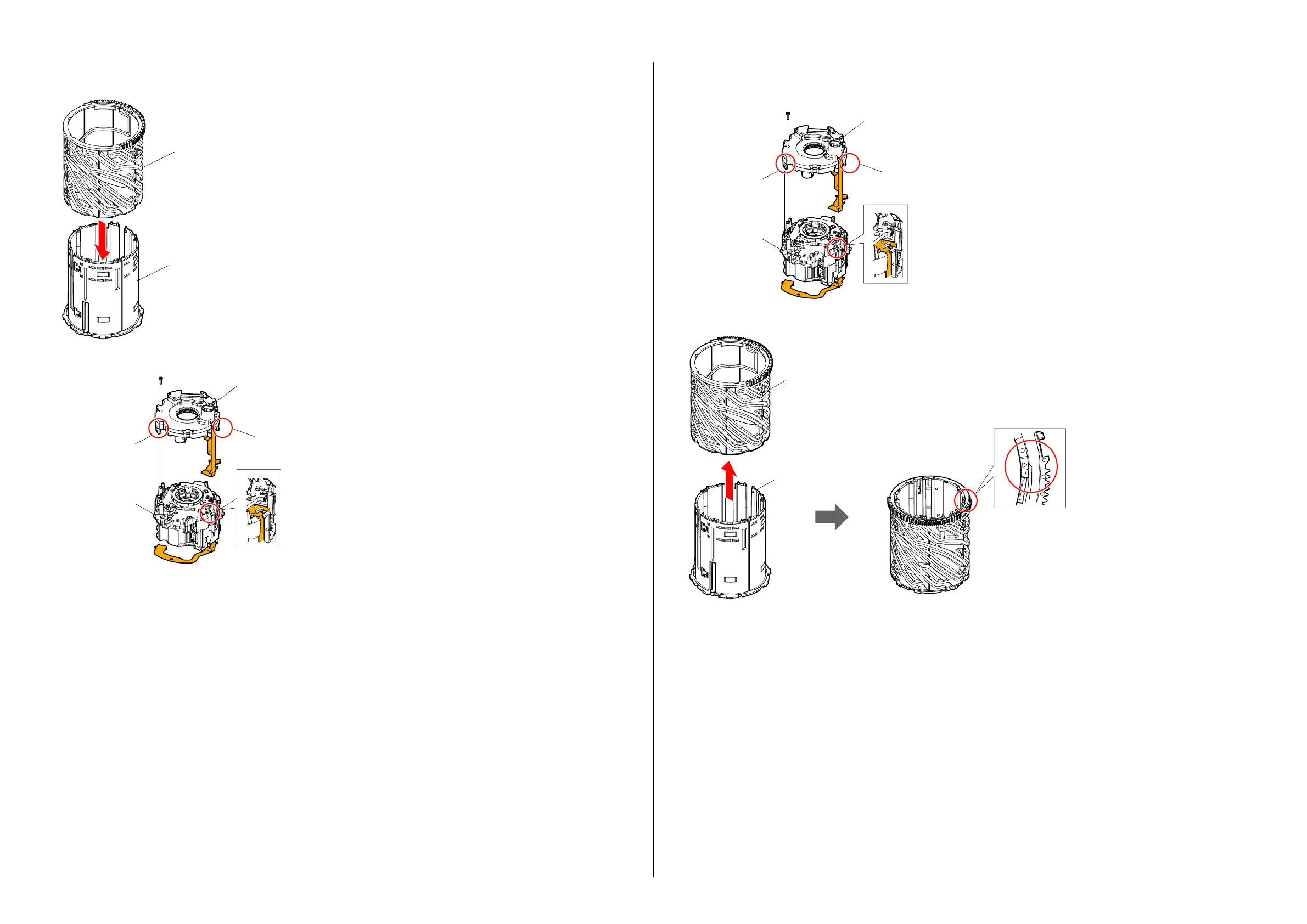
12. Detach the Straight Tube Block Assy from the Cam Tube.
Cam Tube
Straight Tube Block Assy
13. Remove the screw and release the two claws to detach the Iris Unit from the 3-4 Group Lens Frame Block Assy.
Claw
Claw
3-4 Group Lens
Frame Block Assy
Iris Unit
Installation
1.
Install the Iris Unit to the 3-4 Group Lens Frame Block Assy by locking the two claws and tightening a screw.
Claw
Claw
3-4 Group Lens
Frame Block Assy
Iris Unit
2. Install the Straight Tube Block Assy to the Cam Tube and set the △ mark on the Straight
Tube Block Assy at the position shown below.
Cam Tube
Straight Tube
Block Assy














 To Next Page