33
Basic Operations
Viewing images
Viewing an index screen
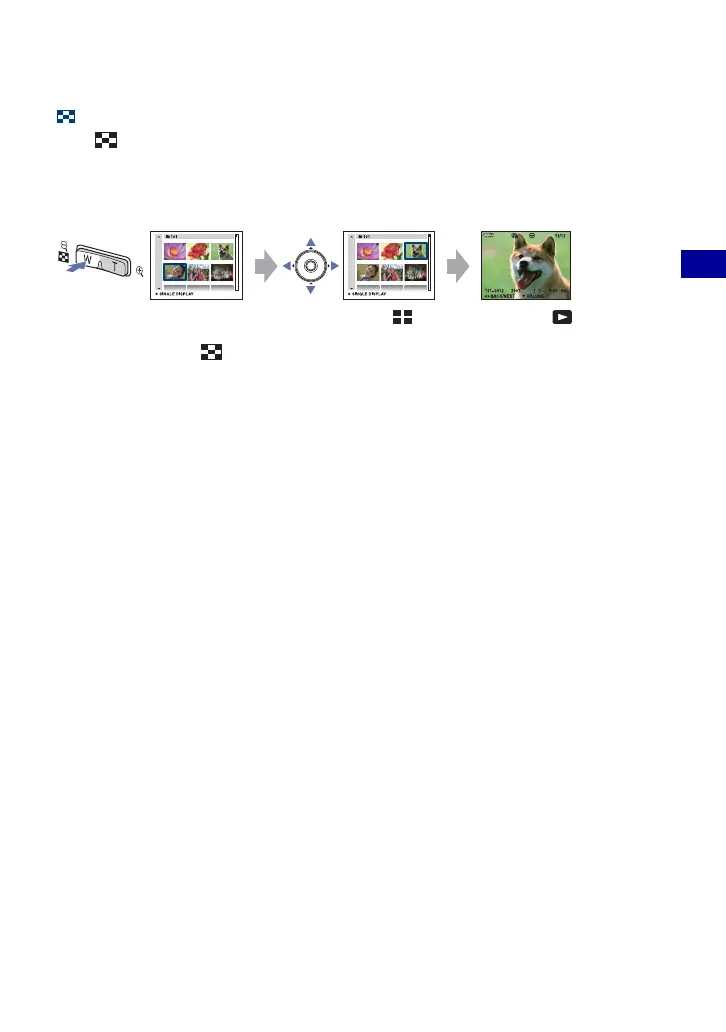
Press (Index) to display the index screen while a still image is displayed.
Select an image with v/V/b/B.
To return to the single image screen, press z.
When using the “Memory Stick Duo”, if there are number of folders, select the folder
selection bar with b, then select the desired folder with v/V.
• You can also access the index screen by selecting [ Index Display] from (View
Images) on the HOME screen.
• Each time you press (Index), the number of pictures on the index screen changes.








 To Next Page