52
Using functions for viewing
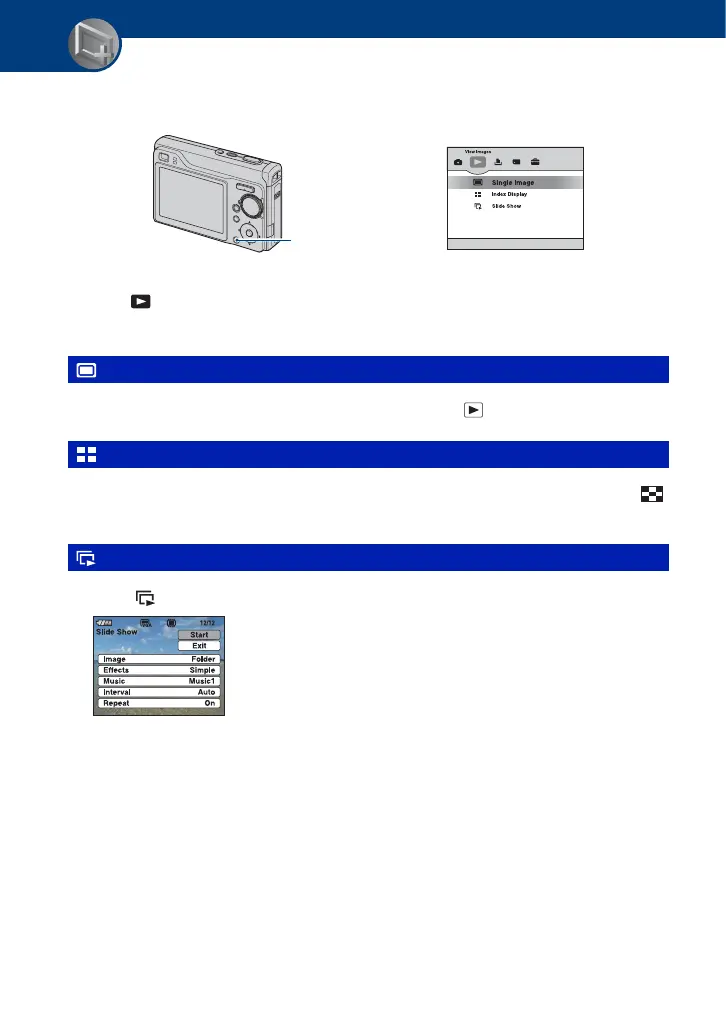
Playing back images from the HOME screen
You can select the ways to playback images.
1 Press HOME.
2 Select (View Images) with b/B on the control button.
3 Select the desired viewing method with v/V.
Displays the image shot last. This is the same as pressing the (Playback) (page 32).
Displays a list of images contained in the selected folder. This is the same as pressing the
(Index) (page 33).
1 Select [ Slide Show] on the HOME screen.
2 Select [Start] with v
/V, then press z to start playback.
To pause the slide show
Press z on the control button.
To restart, select [Continue] with
v/V, then press z.
• The slide show resumes from the image which was paused, however, the music starts again from the
beginning.
(Single Image): Playing back a single image
(Index Display): Playing back a list of images
(Slide Show): Playing back a series of images
HOME button











 To Next Page