18
[ To delete images in index mode
1 While an index screen is displayed, press (Delete) and select [Select] with v/V on
the control button, then press z.
2 Select the image you want to delete with v/V/b/B, then press z to display the (Delete)
indicator on the selected image.
3 Press (Delete).
4 Select [OK] with B, then press z.
[ To view images on TV screen
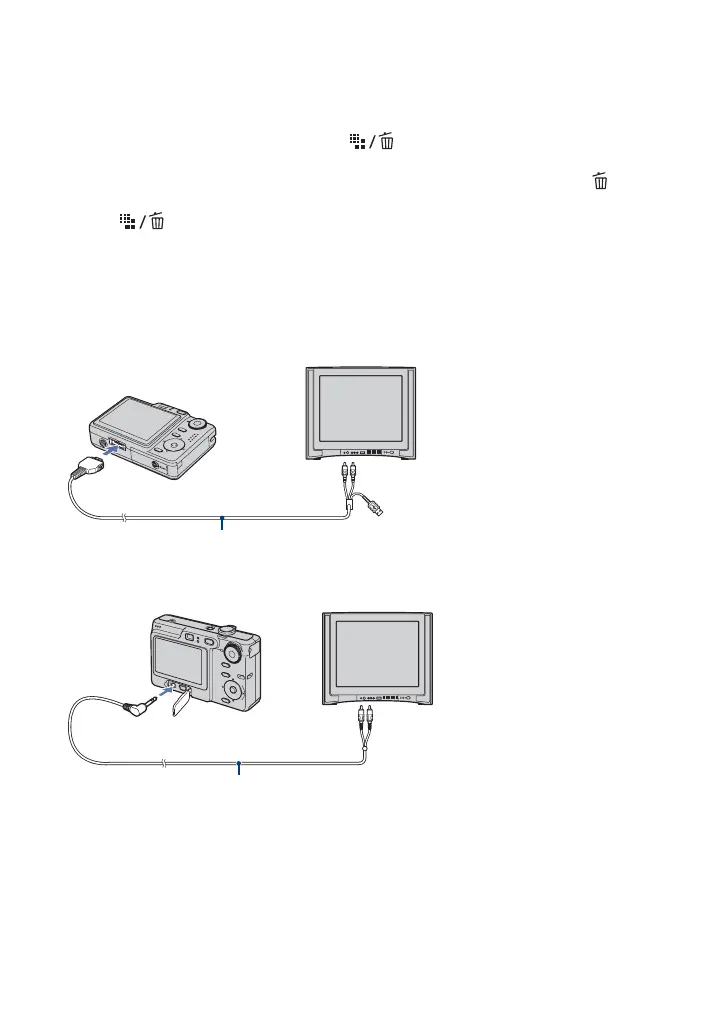
Connect the camera to the TV with the cable for multi-use terminal (DSC-W55) or the A/V
cable (DSC-W35).
DSC-W55
DSC-W35
To the multi connector
To audio/video input jacks
Cable for multi-use terminal (supplied)
To A/V OUT jack
To audio/video input jacks
A/V cable (supplied)









 To Next Page