Digital Still Camera
DSC-W810
Using the control button
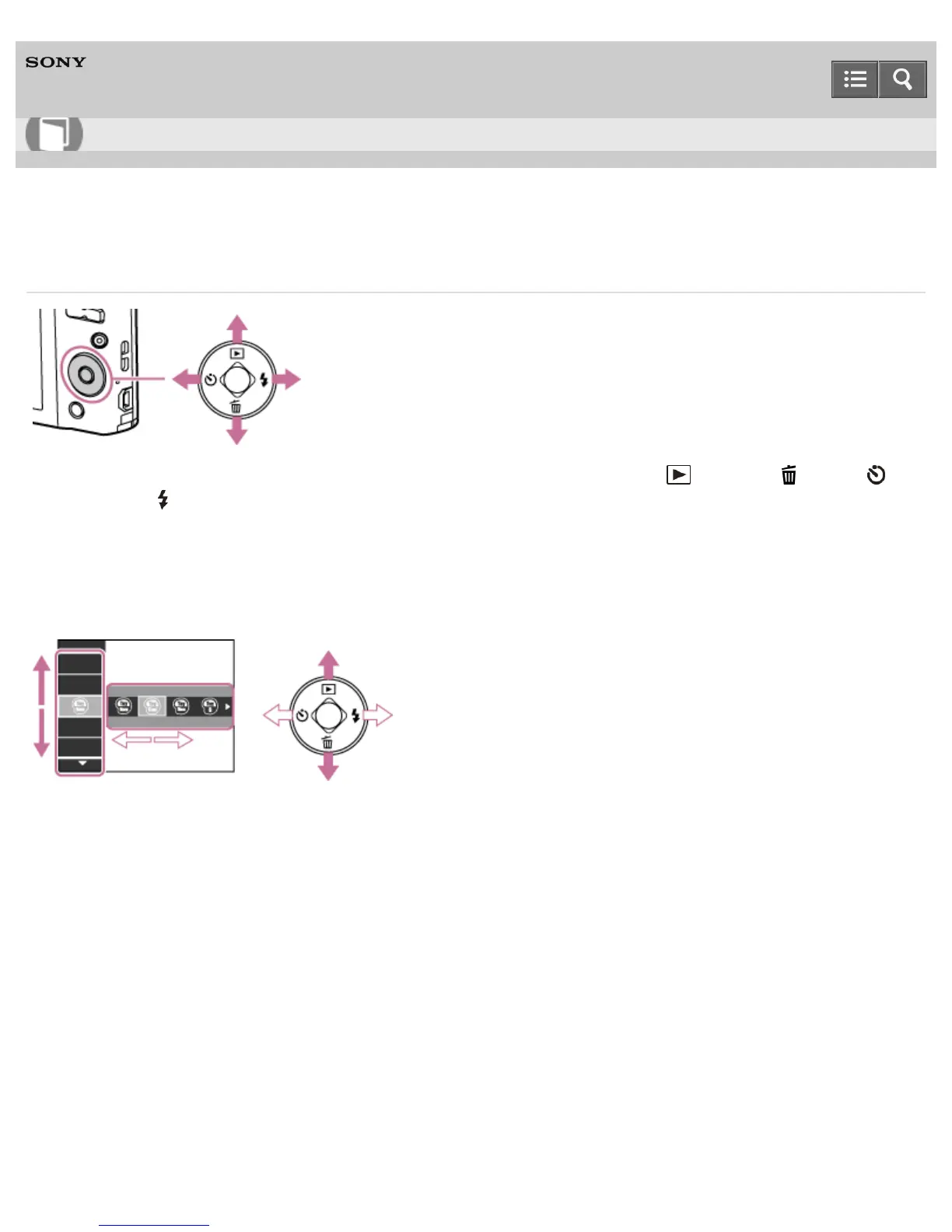
The following functions are located on the up/down/right/left side of the control button: (Playback), (Delete),
(Self-Timer) and (Flash).
Press the control button toward each icon to enter the setup screen for each function.
Moving the selection frame on the MENU screen, etc.
Press the up/down/right/left side of the control button to move the selection frame.
Selecting an image to be played back
Press the right or left side of the control button to play back the next/previous image.
Notes on use
4-488-040-11(1)
Copyright 2013 Sony Corporation
Help Guide
How to use













 To Next Page