14
Setting CT
1 Set “CT-ON” in setup (page 20).
Notes
• The CT function may not work even though an RDS
station is being received.
• There might be a difference between the time set by
the CT function and the actual time.
USB devices
For details on the compatibility of your USB
device, visit the support site.
• MSC (Mass Storage Class) and MTP (Media
Transfer Protocol) type USB devices compliant
with the USB standard can be used.
• Corresponding codec is MP3 (.mp3), WMA
(.wma) and AAC (.m4a).
• Backup of data in a USB device is
recommended.
Notes
• Connect the USB device after starting the engine.
Depending on the USB device, malfunction or
damage may occur if it is connected before starting
the engine.
• Do not place a cellular phone or a device with
wireless communication functions on the TUNE
TRAY, as it may not receive phone signals or
communication may be terminated.
• Do not leave a USB device in a moored boat, as
malfunction may result.
Playing back a USB device
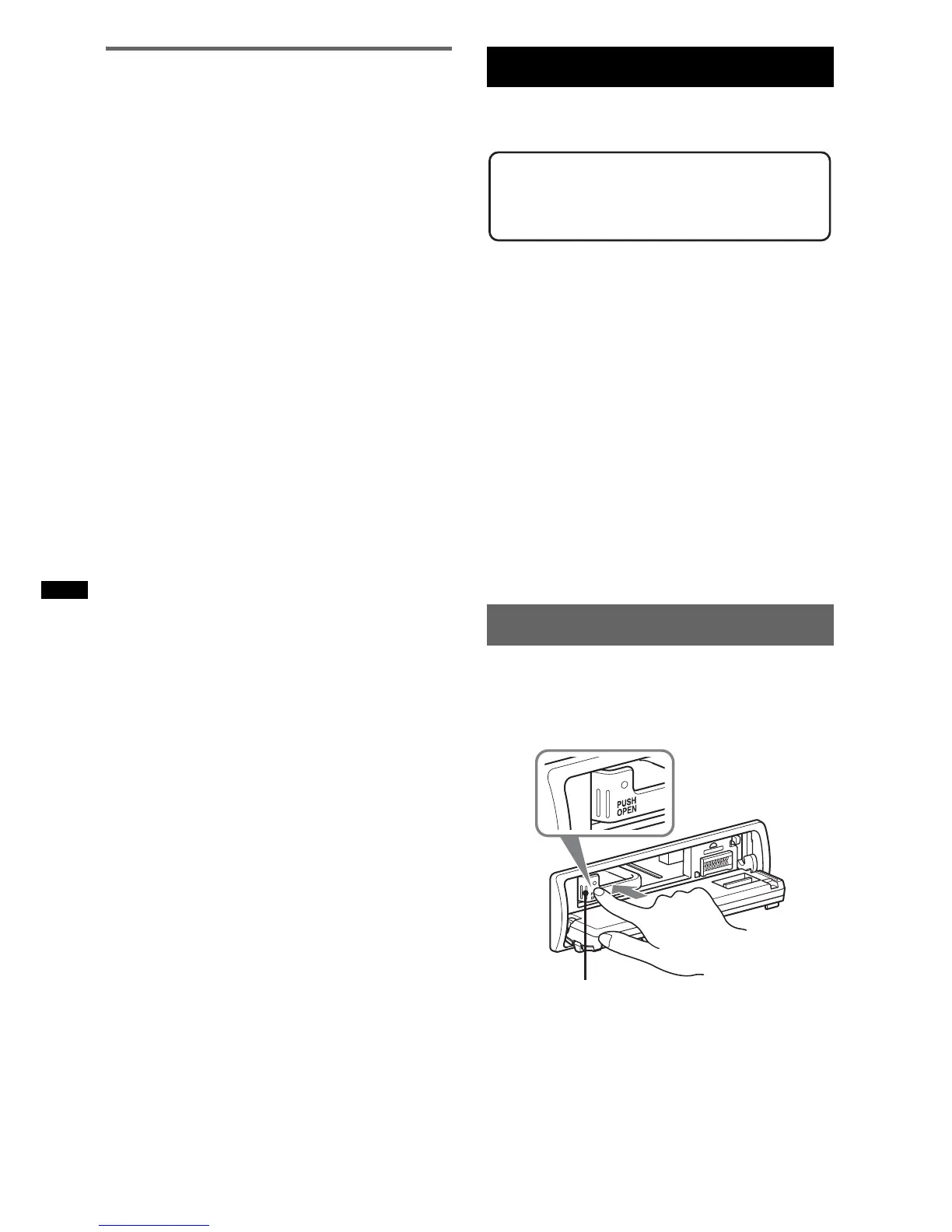
1 Press (OPEN).
The front panel is flipped down.
2 Press PUSH OPEN on the TUNE TRAY.
The TUNE TRAY opens slowly.
Support site
http://esupport.sony.com
http://www.sony.com/mobileAV
TUNE TRAY



 To Next Page