16
Repeat play
1 During playback, press and hold the
select button.
The setup display appears.
2 Press the select button repeatedly
until the “REPEAT” appears.
3 Rotate the control dial to select the
play mode.
4 Press and hold the select button.
The setup is complete and the display returns
to normal play mode.
To return to normal play mode, select “REPEAT-
OFF.”
Shuffle play
1 During playback, press and hold
(ZAP/SHUF).
The lower half of the display starts flashing.
2 Press (ZAP/SHUF) repeatedly until the
desired setting appears.
After 3 seconds, the setting is complete.
To return to normal play mode, select “OFF. ”
iPod
For details on the compatibility of your iPod, see
“About iPod” on page 22 or visit the support site.
In these Operating Instructions, “iPod” is used as
a general reference for the iPod functions on the
iPod, unless otherwise specified by the text or
illustrations.
Notes
• Do not place a cellular phone or a device with
wireless communication functions on the TUNE
TRAY, as it may not receive phone signals or
communication may be terminated.
• Do not leave an iPod in a moored boat, as
malfunction may result.
Playing back iPod
Before connecting the iPod, turn down the
volume of the unit.
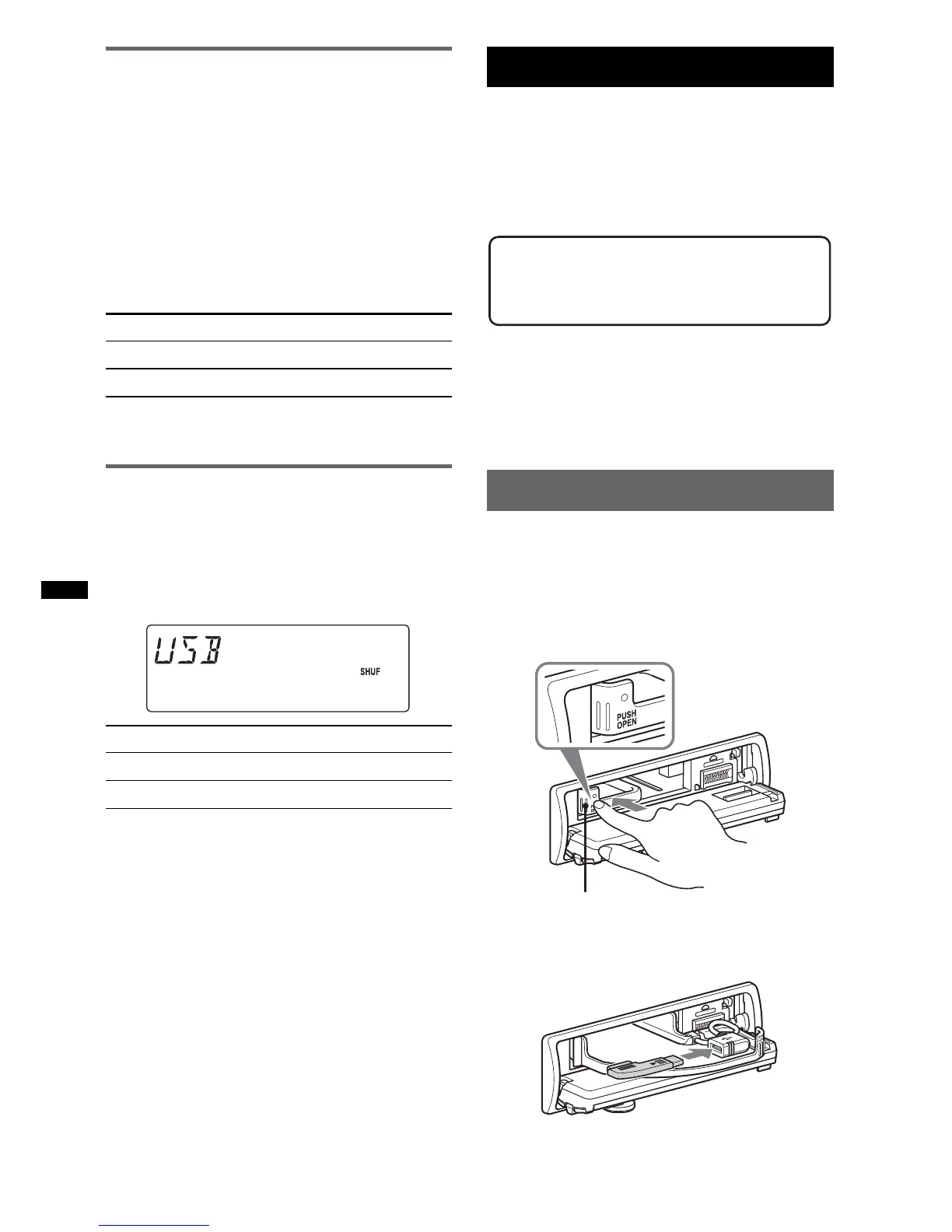
1 Press (OPEN).
The front panel is flipped down.
2 Press PUSH OPEN on the TUNE TRAY.
The TUNE TRAY opens slowly.
3 Connect the supplied adaptor to the
USB connector.
Select To play
REPEAT-TRK track repeatedly.
REPEAT-ALB album repeatedly.
Select To play
ALBUM album in random order.
DEVICE device in random order.
Support site
http://esupport.sony.com
http://www.sony.com/mobileAV
TUNE TRAY



 To Next Page