lID
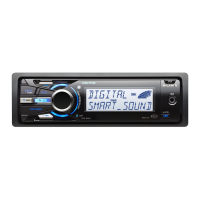
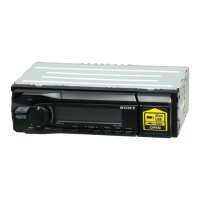
Control dial/select button page
19
To adjust volume (rotate); select setup items
(press and rotate).
[§] Receptor for the card remote
commander
[l]
Display window
rnJ
OPEN button page 7
lID
AUX input jack page 21
To
connect a portable audio device.
I1Q]
~
(BACK)/MODE*1 page
11,
12,
19
To
return to the previous display/select the
radio band (FM/AM).
Ill] ZAP/SHUF button page 12,
16,
18
To enter
ZAPPINTM
mode (press); select
shuffle play mode (press and hold).
I1gj
PTY/CAT*3
button page
14
To
select PTY in RDS.
~
DSPL (display)/SCRL (scroll) button
page
13, 15,
17
To
change display items (press); scroll the
display item (press and hold).
1MI
USB connector (located
on
the TUNE
TRAY)
page
15,16
To
connect to the USB device.
I1§]
TUNE TRAY page
14,
16
Tray unit to place a USB device
or
an iPod.
I1§]
Device Inside Alert LED page
21
IITI
RESET button page 6
*1 If
an
HD
Radio tuner or
SAT
tuner
is
connected:
when
(SOURCE/OFF)
is
pressed,
the
connected
device
("HD,"
"XM"
or
"SR'J
will appear
in
the
display.
Furthermore,
if
(
MODE)
is
pressed, you
can
switch
the
HD
Radio
tuner band or
SAT
tuner
band.
*2
If
an
HD
Radio tuner or
SAT
tuner
is
connected:
the
list will include
the
HD
Radio or
SAT
Radio
accordingly.
*3
When
the
SAT
tuner
is
connected.



 To Next Page