EasyManua.ls Logo

Sony DTC-700 - Avoiding Blank Sections with End Search; Continuous Recording Using End Search

Sony DTC-700
56 pages
Print Icon
To Next Page IconTo Next Page
To Previous Page IconTo Previous Page
Loading...
To
Leave
No
Blank
Section
(End
Search)
fees
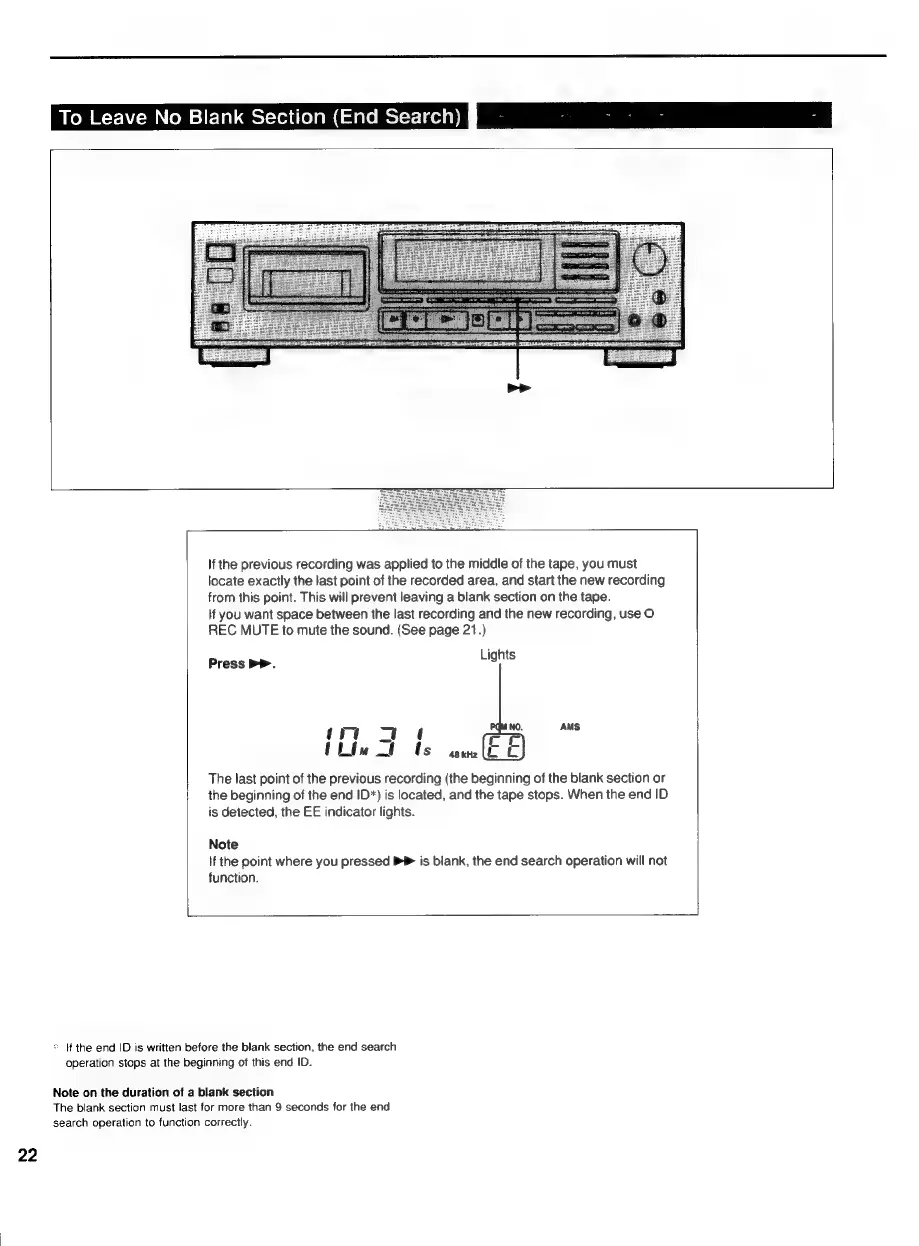
If
the
previous
recording
was
applied
to
the
middle
of
the
tape,
you
must
locate
exactly
the
last
point
of
the
recorded
area,
and
start
the
new
recording
from
this
point.
This
will
prevent
leaving
a
blank
section
on
the
tape.
lf
you
want
space
between
the
last
recording
and
the
new
recording,
use
O
REC
MUTE
to
mute
the
sound.
(See
page
21.)
Press
PP.
bons
AMS
The
last
point
of
the
previous
recording
(the
beginning
of
the
blank
section
or
the
beginning
of
the
end
ID*)
is
located,
and
the
tape
stops.
When
the
end
ID
is
detected,
the
EE
indicator
lights.
Note
If
the
point
where
you
pressed
PP
is
blank,
the
end
search
operation
will
not
function.
*
If
the
end
ID
is
written
before
the
blank
section,
the
end
search
operation
stops
at
the
beginning
of
this
end
ID.
Note
on
the
duration
of
a
blank
section
The
blank
section
must
last
for
more
than
9
seconds
for
the
end
search
operation
to
function
correctly.
22

Related product manuals