EasyManua.ls Logo

Sony DTC-700 - Adjusting and Erasing Start IDs; Adjusting Start ID Position; Erasing Start IDs

Sony DTC-700
56 pages
Print Icon
To Next Page IconTo Next Page
To Previous Page IconTo Previous Page
Loading...
30
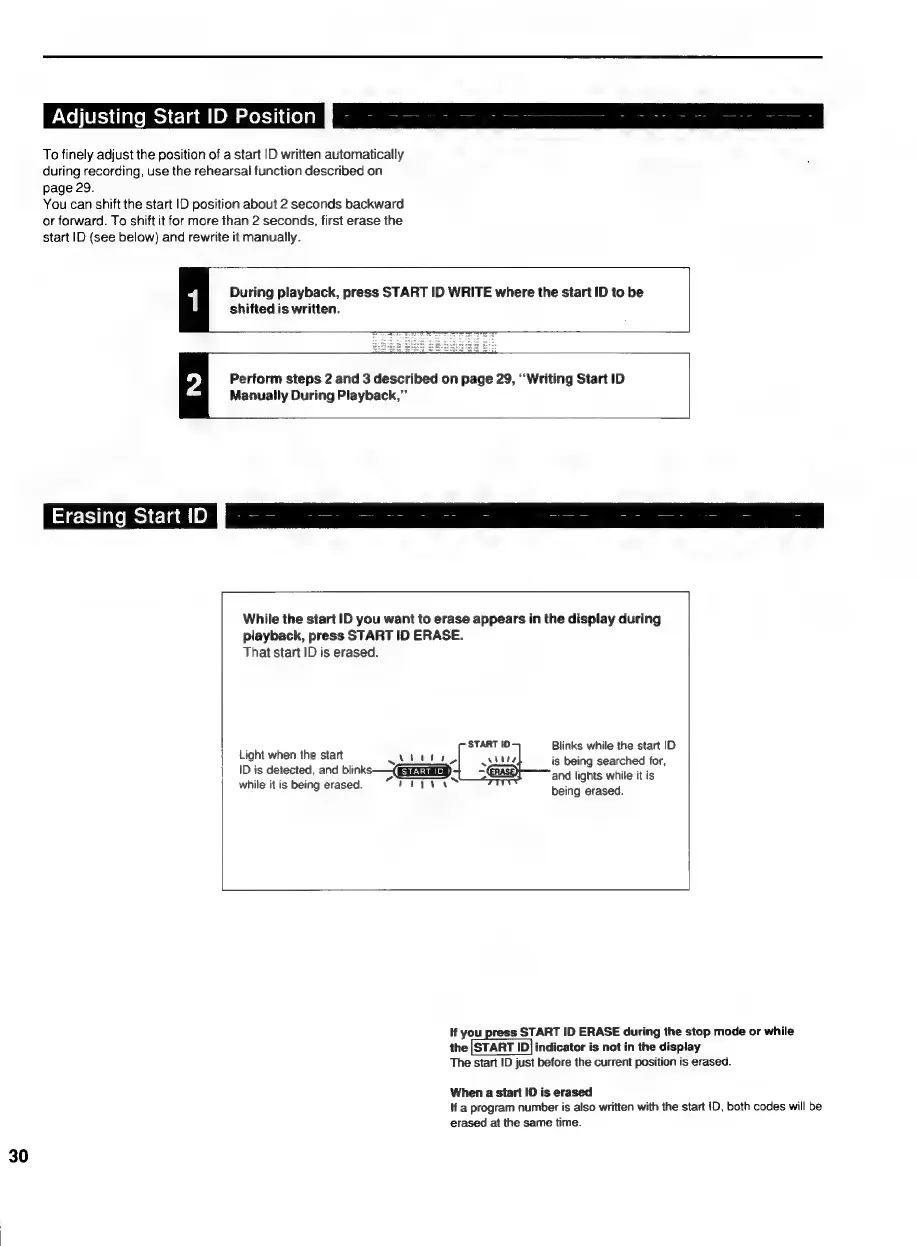
Adjusting
Start
ID
Position
P|
To
finely
adjust
the
position
of
a
start
|D
written
automatically
during
recording,
use
the
rehearsal
function
described
on
page
29.
You
can
shift
the
start
ID
position
about
2
seconds
backward
or
forward.
To
shift
it
for
more
than
2
seconds,
first
erase
the
start
ID
(see
below)
and
rewrite
it
manually.
During
playback,
press
START
ID
WRITE
where
the
start
ID
to
be
shifted
is
written.
Perform
steps
2
and
3
described
on
page
29,
“Writing
Start
ID
Manually
During
Playback,”
Erasing
StartID
While
the
start
ID
you
want
to
erase
appears
in
the
display
during
playback,
press
START
ID
ERASE.
That
start
ID
is
erased.
ites
START
ID
Blinks
while
the
start
ID
igt
it
when
the
start
webitay,
whlte
is
being
searched
for,
ID
is
detected,
and
blinks
(Gia
=
and
lights
while
it
is
while
it
is
being
erased.
“rity
being
erased.
If
you
press
START
ID
ERASE
during
the
stop
mode
or
while
the
|START
ID]
indicator
is
not
in
the
display
The
start
ID
just
before
the
current
position
is
erased.
When
a
start
ID
is
erased
if
a
program
number
is
also
written
with
the
start
ID,
both
codes
will
be
erased
at
the
same
time.