10
Using the Playback
Information Display
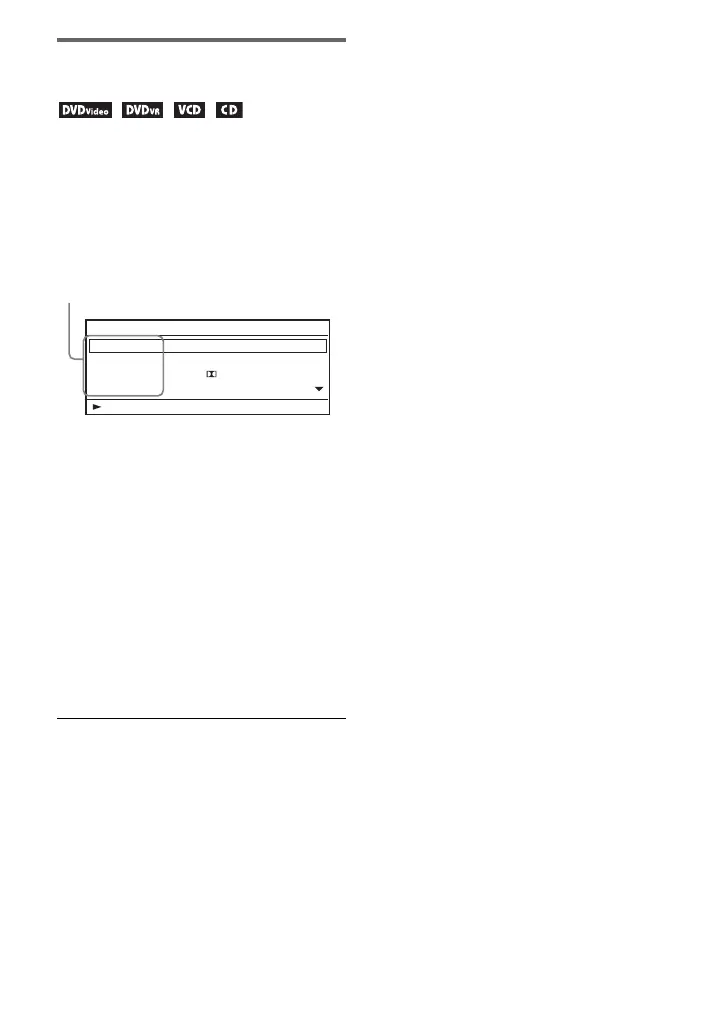
You can check the playback information
and change the playback mode.
1 Press DISPLAY while playing a
disc.
Example: When playing a DVD
VIDEO
2 Select and adjust each of the
following items by pressing X/x
and ENTER.
• Title*
2
• Chapter*
2
•Audio
• Subtitle
•Angle*
2
• T.Time (title time)
• C.Time (chapter time)
•Repeat
• A-B Repeat*
3
• Time Disp. (time display)
*
1
When a DVD (VR mode) is played, “PL”
(playlist) or “ORG” (original) is displayed
next to the title number.
*
2
You can also select the number using X/x.
*
3
Select “SET,” and press ENTER. Select point
A and point B by pressing ENTER.
b
• When a CD or VIDEO CD is played, only the
available items are displayed.
• Depending on the disc, you may not be able to
set some items.
• The Repeat setting will be canceled after Title
Search or Chapter Search.
To enter numbers
1 Press X/x to select an item, and press
ENTER.
The numeric entry display appears.
2 Select each number by pressing C/c
and ENTER.
3 Select “OK,” then press ENTER.
Numeric entry finishes and the display
closes.
To turn off the display
Press DISPLAY or RETURN.
Menu
Title
Chapter
Audio
Subtitle
02/07
03/20
01 5.1CH D English
01 English
Title Elapsed 00:12:01
Items
*
1



 To Next Page