master page=left
DVP-FX930
4-126-488-51(1)
E:\DTP\20090324\3_Target_FX930_EA4_EN_20090211\01US05PLY1-CEK.fm
18
GB
Adjusting the Picture
Size and Quality
You can adjust the picture displayed on the
LCD screen.
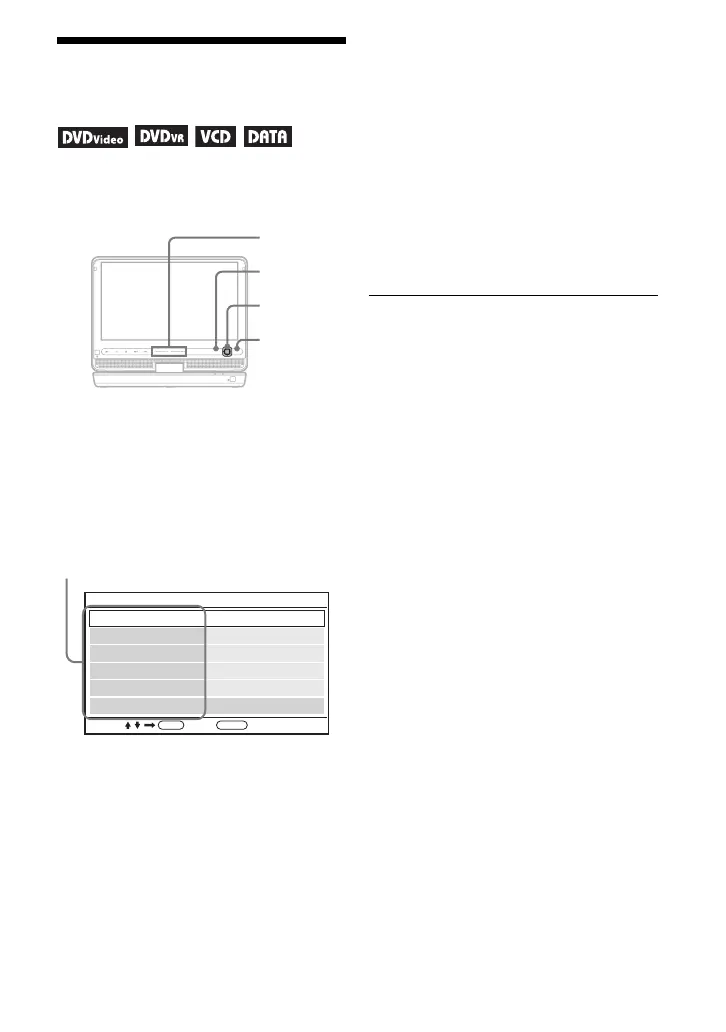
1 Press OPTIONS.
The menu display appears.
2 Press X/x to select “LCD
Mode” and press ENTER.
The “LCD Mode” display appears.
3 Press X/x to select items and
press ENTER.
• LCD Aspect: Change the picture size.
Select “Normal” or “Full” by pressing
X
/
x
*
1
.
• Backlight: Adjust the brightness by
pressing C
/
c or VOL +/–*
2
.
• Contrast: Adjust the difference
between light and dark areas by
pressing C
/
c or VOL +/–*
2
.
• Hue: Adjust the red and green colour
balance by pressing
C/c
or VOL +/–
*
2
.
• Color: Adjust the richness of colours
by pressing C
/
c or VOL +/–*
2
.
• Default: Return all settings to the
factory defaults.
4 Press ENTER.
*
1
In “Normal,” pictures are displayed in their
original configuration, retaining the aspect
ratio. 4:3 pictures are displayed with black
bands on both sides of the screen. 4:3 letter
box pictures are displayed with bands on all
sides of the screen.
In “Full,” pictures are adjusted to fill the
entire screen. 16:9 pictures are displayed in
their original configuration. (Black band
recorded in a 16:9 picture cannot be erased.)
4:3 pictures appear stretched.
*
2
Operate with a single touch of + or – on the
player. You can also adjust the level by
sliding your finger along the touch slider. For
VOL +/–, see page 4.
To turn off the menu display
Press OPTIONS or RETURN twice.
b
Depending on the disc, the screen size you can
select differs.
CHARGEPOWER
OPTIONSDISPLAY RETURNMENU
VOL
C/X/x/c
ENTER
OPTIONS
RETURN
VOL +/–
ENTER RETURN
LCD Mode
Contrast
LCD Aspect
Hue
10
Backlight 10
Full
0
10Color
Select: Cancel:
Default
items
01US01COV.book Page 18 Tuesday, March 24, 2009 1:29 PM



 To Next Page