EasyManua.ls Logo

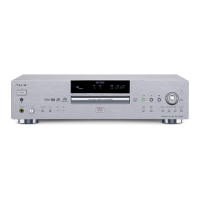
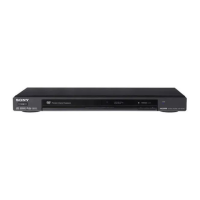
Sony DVP-NS900V - User Manual

Sony DVP-NS900V
112 pages
Print Icon
To Next Page IconTo Next Page
Loading...
3-070-853-51(1)
SACD/DVD
Player
Operating Instructions
DVP-NS900V
© 2001 Sony Corporation

Table of Contents

Other manuals for Sony DVP-NS900V

Question and Answer IconNeed help?

Do you have a question about the Sony DVP-NS900V and is the answer not in the manual?

Summary

Precautions

Safety

General safety guidelines for unit operation and precautions.

Installing

Guidelines for proper placement and installation to ensure heat dissipation and stability.

Getting Started

Quick Overview

An introduction to the setup process and initial player usage.

Step 1: Unpacking

Instructions for checking the included accessories after unboxing the player.

Hookups

Hooking Up the Player

General steps and notes for connecting the player to audio-visual components.

Step 1: Connecting the Video Cords

Detailed instructions for connecting video cables to TVs, projectors, or amplifiers.

Step 2: Connecting the Audio Cords

Step 4: Quick Setup

Playing Discs

Playing Discs

Basic steps for turning on the player and starting disc playback.

Resuming Playback from the Point Where You Stopped the Disc (Resume Play)

How to stop playback and resume from the same point later.

Various Play Mode Functions (Programme Play, Shuffle Play, Repeat Play, A-B Repeat Play)

Explains different playback modes like programming, shuffling, and repeating content.

Sound Adjustments

Changing the Sound

How to select different audio tracks, languages, or channel outputs for various disc types.

SURROUND Mode Settings

Selects surround sound modes for an immersive audio experience based on speaker setup.

Enjoying Movies

Changing the Angles

Instructions on how to switch between multiple camera angles recorded on DVD VIDEOs.

Displaying the Subtitles

How to turn subtitles on/off and change subtitle language for DVDs.

Adjusting the Playback Picture (VIDEO EQUALIZER)

Allows adjustment of picture quality including contrast, brightness, and color.

Settings and Adjustments

Using the Setup Display

Guide on navigating and using the player's on-screen setup menu for various adjustments.

Setting the Display or Sound Track Language (LANGUAGE SETUP)

Configures on-screen display and audio track languages for menus and subtitles.

Settings for the Display (SCREEN SETUP)

Configures display settings like TV aspect ratio, color system, and screen saver.

Settings for the Speakers (SPEAKER SETUP)

Guides speaker setup including size, distance, balance, and level for optimal surround sound.

Troubleshooting

Power Issues

Solutions for problems related to the player not turning on or receiving power.

Picture Issues

Troubleshooting steps for common problems like no picture, picture noise, or aspect ratio issues.

Sound Issues

Solutions for problems related to no sound, distorted sound, or incorrect surround effects.

Specifications

Summary

Precautions

Safety

General safety guidelines for unit operation and precautions.

Installing

Guidelines for proper placement and installation to ensure heat dissipation and stability.

Getting Started

Quick Overview

An introduction to the setup process and initial player usage.

Step 1: Unpacking

Instructions for checking the included accessories after unboxing the player.

Hookups

Hooking Up the Player

General steps and notes for connecting the player to audio-visual components.

Step 1: Connecting the Video Cords

Detailed instructions for connecting video cables to TVs, projectors, or amplifiers.

Step 2: Connecting the Audio Cords

Step 4: Quick Setup

Playing Discs

Playing Discs

Basic steps for turning on the player and starting disc playback.

Resuming Playback from the Point Where You Stopped the Disc (Resume Play)

How to stop playback and resume from the same point later.

Various Play Mode Functions (Programme Play, Shuffle Play, Repeat Play, A-B Repeat Play)

Explains different playback modes like programming, shuffling, and repeating content.

Sound Adjustments

Changing the Sound

How to select different audio tracks, languages, or channel outputs for various disc types.

SURROUND Mode Settings

Selects surround sound modes for an immersive audio experience based on speaker setup.

Enjoying Movies

Changing the Angles

Instructions on how to switch between multiple camera angles recorded on DVD VIDEOs.

Displaying the Subtitles

How to turn subtitles on/off and change subtitle language for DVDs.

Adjusting the Playback Picture (VIDEO EQUALIZER)

Allows adjustment of picture quality including contrast, brightness, and color.

Settings and Adjustments

Using the Setup Display

Guide on navigating and using the player's on-screen setup menu for various adjustments.

Setting the Display or Sound Track Language (LANGUAGE SETUP)

Configures on-screen display and audio track languages for menus and subtitles.

Settings for the Display (SCREEN SETUP)

Configures display settings like TV aspect ratio, color system, and screen saver.

Settings for the Speakers (SPEAKER SETUP)

Guides speaker setup including size, distance, balance, and level for optimal surround sound.

Troubleshooting

Power Issues

Solutions for problems related to the player not turning on or receiving power.

Picture Issues

Troubleshooting steps for common problems like no picture, picture noise, or aspect ratio issues.

Sound Issues

Solutions for problems related to no sound, distorted sound, or incorrect surround effects.

Specifications

Sony DVP-NS900V Specifications

General IconGeneral
BrandSony
ModelDVP-NS900V
CategoryDVD Player
LanguageEnglish

Related product manuals