7
Troubleshooting
If you experience any of the following
difficulties while using the player, use this
troubleshooting guide to help remedy the
problem before requesting repairs. Should
any problem persist, consult your nearest
Sony dealer.
The power is not turned on.
c Check that the power cord (mains lead) is
connected securely.
There is no picture/picture noise appears.
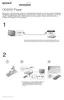
c Re-connect the connecting cord securely.
c The connecting cords are damaged.
c Check the connection to your TV and switch
the input selector on your TV so that the signal
from the player appears on the TV screen.
c Set “LINE” in “SCREEN SETUP” to an item
appropriate for your TV.
There is no sound.
c Re-connect the connecting cord securely.
c The connecting cord is damaged.
c The player is in pause mode or in Slow-motion
Play mode.
c The player is in fast forward or fast reverse
mode.
The remote does not function.
c The battery in the remote is weak.
c The remote is not pointed at the remote sensor
on the player.
c When you operate the player by pressing
buttons on the remote in sequence, press the
buttons within 5 seconds of each other.
The disc does not play.
c The disc is turned over. Insert the disc with the
playback side facing down.
c The disc is skewed.
c The disc is dirty or flawed.
c The player cannot play certain discs.
c The region code on the DVD does not match
the player.
c Moisture has condensed inside the player.
c The player cannot play a recorded disc that is
not correctly finalized.
The player does not operate properly.
c When static electricity, etc., causes the player
to operate abnormally, unplug the player.
“C:13:” appears on the screen.
c Clean the disc with a cleaning cloth or check
its format.
The player does not detect a USB device
connected to the player.*
c The USB device is not securely connected to
the player.
c The USB device or a cord is damaged.
c Disc mode has not been switched to USB
mode.



 To Next Page