3. Key Features
6
–
DXC-990/990P, DXC-390/390P Sales Manual
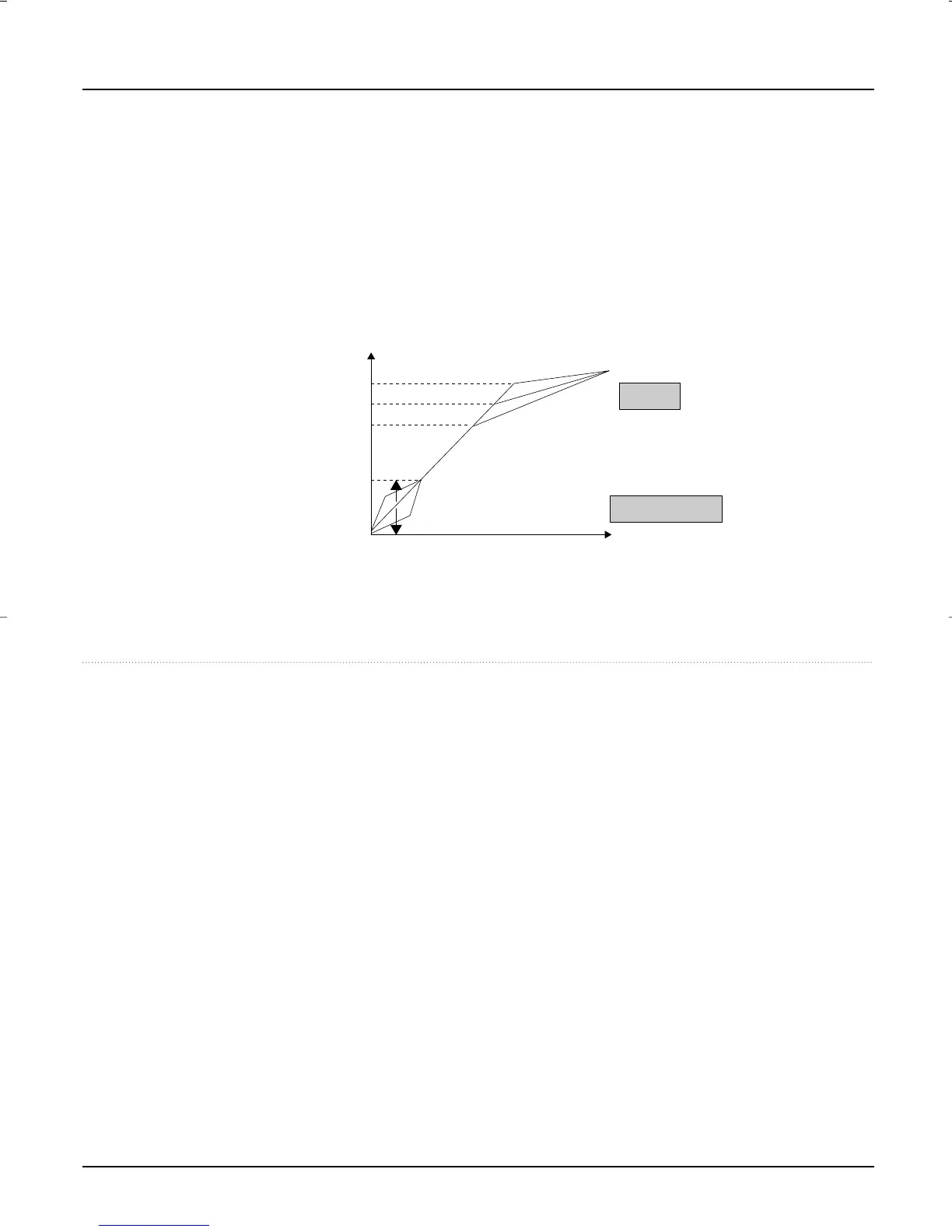
■ Knee and Black Stretch
• By adjusting the knee, a knee point and knee slope are set so that the highlighted areas of the picture
can be clearly reproduced.
• Contrast in the dark area of the image can be variably adjusted using the Black Stretch function for
a clear view of specific details.
■ Pedestal
• Black or dark parts of the picture can be clearly seen by adjusting the black level. Also the R and B
pedestal level can be finely adjusted for each color.
100%
90%
70%
High
Low
Normal
Luminance Level
Amount of light input to camera
20%
Black stretch
Knee
Compress
Stretch
DXC_990/390.qxp 01.3.2 3:46 PM Page 6



 To Next Page