EasyManua.ls Logo

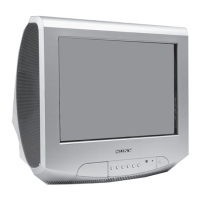
Sony FD Trinitron KV-28LS35U - User Manual

Sony FD Trinitron KV-28LS35U
24 pages
Print Icon
To Next Page IconTo Next Page
Loading...
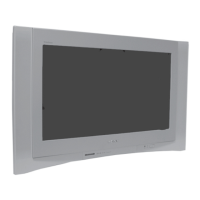
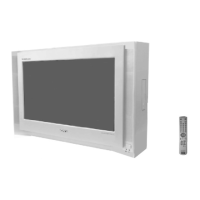
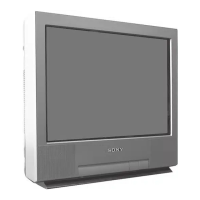
FD Trinitron
Colour Television
KV-28LS35U
KV-32LS35U
KV-28LS36U
KV-32LS36U
© 2003 by Sony Corporation
Instruction Manual
GB
R
4-206-095-32 (1)
420609532
Cover UK.fm Page 1 Tuesday, January 28, 2003 2:35 PM

Other manuals for Sony FD Trinitron KV-28LS35U

Question and Answer IconNeed help?

Do you have a question about the Sony FD Trinitron KV-28LS35U and is the answer not in the manual?

Summary

Notice for Customers in the United Kingdom

How to Replace the Fuse

Step-by-step guide for replacing the fuse in the TV plug.

Introduction

Symbols Used in Manual

Explains icons and symbols used throughout the instruction manual.

Safety Information

General Electrical and Fire Safety

Precautions against electrical shock, fire, and overheating.

Handling and Environment Precautions

Guidelines for safe handling, placement, and cleaning of the TV.

Remote Control Overview

Basic Remote Functions

Explanation of power, volume, and mute buttons on the remote.

Channel and Input Selection

How to select channels and switch between input sources.

Picture, Sound, and Teletext Modes

Controls for picture/sound modes and activating Teletext.

TV Button Overview

Front Panel Controls

Location and function of TV's physical buttons like power and volume.

Input and Output Connections

Description of various input/output jacks on the TV for connectivity.

Remote Control Battery Installation

Inserting Remote Batteries

Instructions on how to insert batteries into the remote control.

Connecting Aerial and VCR

Aerial and VCR Connection Guide

Steps for connecting the TV to an aerial and a VCR.

First Time Operation

Language Selection

How to select the menu language for initial TV setup.

Picture Slant Correction

Guide to correcting picture slant using the rotation menu.

Automatic Tuning Process

Initiating Auto Tuning

Instructions to start the automatic channel search and storage.

Programme Sorting

How to rearrange the order of stored broadcast channels.

Menu System Navigation

Navigating Menu Options

Using remote buttons to navigate and select menu items.

Picture Adjustment Menu

Adjusting picture settings like brightness, contrast, and colour.

Sound Adjustment Menu

Adjusting Sound Settings

Modifying sound parameters like treble, bass, and volume modes.

Timer and Language Settings

Sleep Timer Function

Setting a timer for the TV to automatically switch to standby.

Language Selection Menu

How to change the display language for menus and on-screen text.

Auto Tuning Menu

Re-performing automatic channel search and storage.

Programme Management

Programme Sorting

Changing the order of broadcast channels.

Programme Labelling

Naming broadcast channels with custom labels.

AV Preset Configuration

Assigning names to external input sources like VCR or DVD.

Manual Programme Presets

Preset Broadcast Channels

Manually tuning and storing broadcast channels or input sources.

Channel Labelling

Adding custom names to channels via manual preset.

Fine Tuning and Skipping Programmes

Manual Fine Tuning (AFT)

Adjusting fine tuning for better picture quality on a TV channel.

Skipping Programme Numbers

How to skip unwanted channels when cycling through them.

Detail Set Up Options

Auto Format Aspect Ratio

Automatically adjusting screen aspect ratio for different broadcasts.

Noise Reduction

Reducing visible picture noise in broadcast signals.

Advanced Connectivity and Picture Settings

AV2 Output Selection

Selecting the output source for the SCART connector.

RGB Centring Adjustment

Adjusting the horizontal position of RGB input signals.

Picture Rotation Correction

Correcting picture slant caused by magnetic fields.

Teletext Operations

Accessing Teletext Pages

How to switch on, select, and navigate Teletext pages.

Fastext and Page Freezing

Using colour buttons for quick access and freezing Teletext pages.

Connecting Optional Equipment

Connecting Video Devices (VCR, DVD, etc.)

Guide to connecting VCRs, DVDs, and other external audio/video equipment.

Smartlink VCR Connection

How to connect a VCR supporting the Smartlink feature.

Using Optional Equipment

Connecting External Audio Systems

Connecting Hi-Fi systems for amplified audio output.

Selecting Input Signals

How to switch the TV to display input signals from connected equipment.

Remote Control Configuration

VCR;DVD Remote Code Entry

Steps to program the remote for VCR and DVD players using codes.

Specifications

TV System and Picture Tube Details

Technical specifications for the TV system, colour, and picture tube.

Power, Dimensions, and Weight

Details on power consumption, physical dimensions, and weight.

Supplied Accessories and Features

List of included accessories and highlighted features like Teletext and Smartlink.

Troubleshooting Guide

Picture and Sound Issues

Solutions for common picture and sound problems like no picture or sound.

Remote Control and Other Issues

Troubleshooting remote control problems and standby indicator issues.

Television Channel Guide

UK Main Transmitter Channel Numbers

List of main UK transmitters and their corresponding TV channel numbers.

Summary

Notice for Customers in the United Kingdom

How to Replace the Fuse

Step-by-step guide for replacing the fuse in the TV plug.

Introduction

Symbols Used in Manual

Explains icons and symbols used throughout the instruction manual.

Safety Information

General Electrical and Fire Safety

Precautions against electrical shock, fire, and overheating.

Handling and Environment Precautions

Guidelines for safe handling, placement, and cleaning of the TV.

Remote Control Overview

Basic Remote Functions

Explanation of power, volume, and mute buttons on the remote.

Channel and Input Selection

How to select channels and switch between input sources.

Picture, Sound, and Teletext Modes

Controls for picture/sound modes and activating Teletext.

TV Button Overview

Front Panel Controls

Location and function of TV's physical buttons like power and volume.

Input and Output Connections

Description of various input/output jacks on the TV for connectivity.

Remote Control Battery Installation

Inserting Remote Batteries

Instructions on how to insert batteries into the remote control.

Connecting Aerial and VCR

Aerial and VCR Connection Guide

Steps for connecting the TV to an aerial and a VCR.

First Time Operation

Language Selection

How to select the menu language for initial TV setup.

Picture Slant Correction

Guide to correcting picture slant using the rotation menu.

Automatic Tuning Process

Initiating Auto Tuning

Instructions to start the automatic channel search and storage.

Programme Sorting

How to rearrange the order of stored broadcast channels.

Menu System Navigation

Navigating Menu Options

Using remote buttons to navigate and select menu items.

Picture Adjustment Menu

Adjusting picture settings like brightness, contrast, and colour.

Sound Adjustment Menu

Adjusting Sound Settings

Modifying sound parameters like treble, bass, and volume modes.

Timer and Language Settings

Sleep Timer Function

Setting a timer for the TV to automatically switch to standby.

Language Selection Menu

How to change the display language for menus and on-screen text.

Auto Tuning Menu

Re-performing automatic channel search and storage.

Programme Management

Programme Sorting

Changing the order of broadcast channels.

Programme Labelling

Naming broadcast channels with custom labels.

AV Preset Configuration

Assigning names to external input sources like VCR or DVD.

Manual Programme Presets

Preset Broadcast Channels

Manually tuning and storing broadcast channels or input sources.

Channel Labelling

Adding custom names to channels via manual preset.

Fine Tuning and Skipping Programmes

Manual Fine Tuning (AFT)

Adjusting fine tuning for better picture quality on a TV channel.

Skipping Programme Numbers

How to skip unwanted channels when cycling through them.

Detail Set Up Options

Auto Format Aspect Ratio

Automatically adjusting screen aspect ratio for different broadcasts.

Noise Reduction

Reducing visible picture noise in broadcast signals.

Advanced Connectivity and Picture Settings

AV2 Output Selection

Selecting the output source for the SCART connector.

RGB Centring Adjustment

Adjusting the horizontal position of RGB input signals.

Picture Rotation Correction

Correcting picture slant caused by magnetic fields.

Teletext Operations

Accessing Teletext Pages

How to switch on, select, and navigate Teletext pages.

Fastext and Page Freezing

Using colour buttons for quick access and freezing Teletext pages.

Connecting Optional Equipment

Connecting Video Devices (VCR, DVD, etc.)

Guide to connecting VCRs, DVDs, and other external audio/video equipment.

Smartlink VCR Connection

How to connect a VCR supporting the Smartlink feature.

Using Optional Equipment

Connecting External Audio Systems

Connecting Hi-Fi systems for amplified audio output.

Selecting Input Signals

How to switch the TV to display input signals from connected equipment.

Remote Control Configuration

VCR;DVD Remote Code Entry

Steps to program the remote for VCR and DVD players using codes.

Specifications

TV System and Picture Tube Details

Technical specifications for the TV system, colour, and picture tube.

Power, Dimensions, and Weight

Details on power consumption, physical dimensions, and weight.

Supplied Accessories and Features

List of included accessories and highlighted features like Teletext and Smartlink.

Troubleshooting Guide

Picture and Sound Issues

Solutions for common picture and sound problems like no picture or sound.

Remote Control and Other Issues

Troubleshooting remote control problems and standby indicator issues.

Television Channel Guide

UK Main Transmitter Channel Numbers

List of main UK transmitters and their corresponding TV channel numbers.

Overview

This document describes the Sony FD Trinitron WIDE Colour Television models KV-28LS35U, KV-32LS35U, KV-28LS36U, and KV-32LS36U.

Function Description

The Sony FD Trinitron WIDE Colour Television is designed to provide a high-quality viewing experience with a flat display and a wide aspect ratio. It supports various broadcast systems and offers a comprehensive menu system for picture, sound, and setup adjustments. The television can be controlled via a remote control, which also has the capability to operate external VCR and DVD equipment.

Important Technical Specifications

TV System: I Colour System: PAL, SECAM, NTSC 3.58, 4.43 (only Video In) Channel Coverage: I: UHF B21-B69 Picture Tube: Flat Display FD Trinitron WIDE

  • KV-28LS35U/LS36U: 28" (approx. 71 cm. measured diagonally)
  • KV-32LS35U/LS36U: 32" (approx. 82 cm. measured diagonally)

Sound Output:

  • 2 x 14 W (music power)
  • 2 x 7 W (RMS) Woofer (KV-28LS35U/32LS35U only):
  • 20 W (music power)
  • 10 W (RMS)

Power Consumption:

  • KV-28LS35U/LS36U: 90 W
  • KV-32LS35U/LS36U: 88 W Standby Power Consumption: 0.54 W

Dimensions (w x h x d):

  • KV-28LS35U/LS36U: Approx. 806 x 497 x 540 mm.
  • KV-32LS35U/LS36U: Approx. 891 x 564 x 584 mm.

Weight:

  • KV-28LS35U/LS36U: 43 Kg.
  • KV-32LS35U/LS36U: 60.5 Kg.

Rear Terminals:

  • 1/ (CENELEC standard): 21-pin scart connector including audio/video input, RGB input, TV audio/video output.
  • 2/ (SMARTLINK): 21-pin scart connector (CENELEC standard) including audio/video input, S video input, selectable audio/video output and Smartlink interface.
  • Audio outputs (Left/Right): phono jacks

Side Terminals:

  • 3 S Video input: 4 pin DIN
  • 3 video input: phono jack
  • 3 audio input: phono jacks
  • Headphones jack

Accessories supplied:

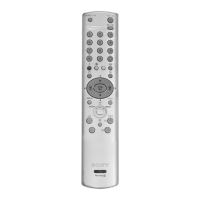
  • 1 Remote Control (RM-932)
  • 2 Batteries (IEC designated)

Other features:

  • Teletext, Fastext, TOPtext
  • Sleep Timer
  • Smartlink (direct link between your TV set and a compatible VCR)
  • Dolby Virtual
  • Auto Format

Usage Features

First Time Operation: Upon initial power-on, the TV guides the user through a setup sequence:

  1. Language Selection: Choose the menu language.
  2. Picture Rotation Adjustment: Correct any picture slant due to earth's magnetism.
  3. Auto Tuning: Automatically searches for and stores all available broadcast channels.
  4. Programme Sorting: Allows reordering of stored channels.

Menu System: The TV features an on-screen menu system for various adjustments:

  • Picture Adjustment:
    • Modes: Personal (for individual settings), Live (for broadcast, DVD, Digital Set Top Box), Movie (for films).
    • Adjustments: Contrast, Brightness, Colour, Sharpness. Hue is available for NTSC signals.
    • Reset option to restore factory presets.
  • Sound Adjustment:
    • Modes: Personal (for individual settings), Rock, Pop, Jazz.
    • Adjustments: Treble, Bass, Balance.
    • Dual Sound: For bilingual broadcasts (A, B, Mono) or stereo broadcasts (Stereo, Mono).
    • Dolby Virtual: Simulates surround sound effect. Automatically switches off when headphones are connected.
    • Auto Volume: Maintains consistent volume level across channels, independent of broadcast signal (e.g., during advertisements).
    • TV Speakers: Option to output sound from external amplifier or TV speakers.
    • Reset option to restore factory presets.
  • Sleep Timer: Sets a time period (up to 4 hours) after which the TV automatically switches to standby.
  • Language: Changes the language of the on-screen menus.
  • Auto Tuning: Initiates automatic channel search and storage.
  • Programme Sorting: Reorders broadcast channels.
  • Programme Labels: Names broadcast channels (up to five characters).
  • AV Preset: Designates names to external equipment connected to AV inputs (e.g., CABLE, GAME, CAM, DVD, VIDEO, SAT, or custom labels).
  • Manual Programme Preset:
    • Presets broadcast channels or video input sources to a desired programme number.
    • Allows manual fine-tuning (AFT) for better picture quality if distorted.
    • Option to skip unwanted programme numbers.
    • Labels channels with up to five characters.
  • Auto Format: Automatically changes the screen aspect ratio (14:9, Zoom, Wide, Smart, 4:3) based on the broadcast signal. Can be manually overridden.
  • Noise Reduction: Automatically reduces picture noise in the broadcast signal.
  • AV2 Output: Selects the source to be output from the Scart connector 2/ (TV, AV1, AV3, YC3, or AUTO).
  • RGB Centring: Adjusts the horizontal position of the picture for RGB sources.
  • Picture Rotation: Corrects picture slant.

Remote Control Functions:

  • VCR or DVD on/off: Switches external VCR/DVD on/off.
  • Temporarily Switch Off TV: Puts TV into standby.
  • Displaying On Screen Information: Shows/hides on-screen indications.
  • Selecting Input Source: Cycles through available input sources.
  • Selecting Picture Mode: Cycles through picture modes.
  • Selecting Sound Mode: Cycles through sound modes.
  • Selecting TV Mode: Switches off teletext or video input.
  • Media Selector: Switches remote control operation between TV, VCR, or DVD.
  • Recording Button: Records programmes when VCR is selected.
  • Selecting Screen Format: Cycles through screen formats.
  • Selecting Teletext: Switches on teletext.
  • Volume Adjustment: Adjusts TV volume.
  • Muting the Sound: Mutes/unmutes TV sound.
  • Channel Selection: Selects next/previous channel or specific channel numbers.
  • Menu Navigation: Uses directional buttons and OK for menu operation.

Teletext:

  • Provides information service from TV stations (index page usually 100).
  • Page Selection: Input 3-digit page numbers.
  • Navigation: Access next/preceding pages.
  • Superimpose: Displays teletext over TV picture.
  • Freeze: Pauses sub-pages.
  • Reveal: Shows concealed information (e.g., quiz answers).
  • Fastext: Accesses colour-coded menu pages with a single button push.

Connecting Optional Equipment:

  • VCR: Connects via Scart lead (recommended) or tunes into VCR test signal. Smartlink compatible VCRs connect to Scart 2/.
  • DVD: Connects via Scart or other appropriate inputs.
  • Camcorders (S VHS/Hi8/DVC): Connects to side S-Video and audio/video inputs.
  • "PlayStation": Connects to Scart for RGB input.
  • Hi-Fi Equipment: Connects to audio output sockets for amplified sound. "Dolby Virtual" effect can be enhanced by speaker placement.
  • Headphones: Automatically mutes TV speakers when connected.

Maintenance Features

Cleaning:

  • Clean the TV with a soft, lightly dampened cloth.
  • Do not use benzine, thinner, or other chemicals.
  • Do not scratch the TV screen.
  • Unplug the power lead before cleaning.

Fuse Replacement:

  • If the plug has a detachable fuse cover, open the compartment with a blade screwdriver.
  • Replace with a 5 AMP fuse approved by ASTA or BSI to BS 1362.
  • Ensure the fuse cover is reattached before use.

Safety Precautions:

  • Operate on 220-240V AC supply only.
  • Avoid connecting too many appliances to one power socket.
  • Disconnect from mains when not in use for environmental and safety reasons.
  • Do not push objects or spill liquids into the set.
  • Do not open the cabinet; refer servicing to qualified personnel.
  • Avoid touching power or aerial leads during lightning storms.
  • Do not expose to rain or moisture.
  • Ensure adequate ventilation (at least 10cm space around the set).
  • Do not place in hot, humid, or excessively dusty places, or where exposed to mechanical vibrations.
  • Keep inflammable objects and naked lights away.
  • Place on a secure, stable stand; do not allow children to climb on it.
  • Unplug before moving the TV.
  • If the set is dropped or damaged, have it checked by qualified service personnel.
  • Dispose of used batteries in an environmentally friendly way.

Troubleshooting: The manual provides a troubleshooting guide for common issues such as:
  • No picture/sound.
  • Poor picture/good sound.
  • No picture/menu from Scart.
  • Good picture/no sound.
  • No colour.
  • Distorted picture.
  • Slanted picture.
  • Noisy picture.
  • Unscrambling issues with a decoder.
  • Remote control not functioning.
  • Standby indicator flashing. For persistent problems, contact a Sony service centre.

Sony FD Trinitron KV-28LS35U Specifications

General IconGeneral
BrandSony
ModelFD Trinitron KV-28LS35U
CategoryTV
LanguageEnglish

Related product manuals