3
GB
Introduction
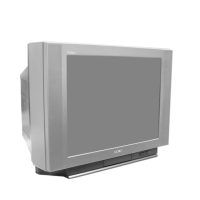
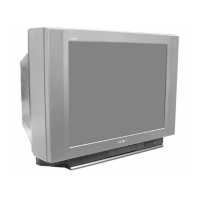
Thank you for choosing this Sony FD Trinitron Colour Television.
Before operating the TV, please read this manual thoroughly and retain it for future
reference.
• Symbols used in the manual:
Table of Contents
Notice for Customers in the United Kingdom....................................................................................2
Introduction..............................................................................................................................................3
Safety Information...................................................................................................................................4
Overview
Overview of Remote Control Buttons ..................................................................................................5
Overview of TV Buttons ........................................................................................................................ 6
Installation
Inserting Batteries into the Remote Control ........................................................................................ 6
Connecting the Aerial and VCR ........................................................................................................... 6
First Time Operation
Switching On the TV and Automatically Tuning .............................................................................. 7
Menu system
Introducing and Using the Menu System............................................................................................ 9
Menu Guide:
Picture Adjustment ............................................................................................................................. 9
Sound Adjustment............................................................................................................................. 10
Sleep Timer......................................................................................................................................... 11
Language ............................................................................................................................................11
Auto Tuning ....................................................................................................................................... 11
Programme Sorting ........................................................................................................................... 12
Programme Labels............................................................................................................................. 12
AV Preset ............................................................................................................................................ 12
Manual Programme Preset............................................................................................................... 13
Auto Format ....................................................................................................................................... 15
Noise Reduction................................................................................................................................. 15
AV2 Output ........................................................................................................................................ 16
RGB Centring ..................................................................................................................................... 16
Picture Rotation .................................................................................................................................16
Teletext
...............................................................................................................................................17
Additional Information
Connecting Optional Equipment ........................................................................................................ 18
Using Optional Equipment .................................................................................................................. 19
Remote Control Configuration for VCR/DVD................................................................................. 20
Specifications..........................................................................................................................................21
Troubleshooting.....................................................................................................................................22
Television Channel Guide for United Kingdom............................................................................... 23
• Informs you of possible hazards.
• Important information
• Information on a feature.
•
1,2...
Sequence of instructions.
• Shaded buttons on the remote control
show you the buttons you have to press
to follow the sequence of the
instructions.
• Informs you of the result of instructions.
OK
Table of Contents
03GBKV28/32LS35U.fm Page 3 Thursday, April 5, 2001 9:40 AM





 To Next Page