
 Need help?
Do you have a question about the Sony FDRX3000/W and is the answer not in the manual?
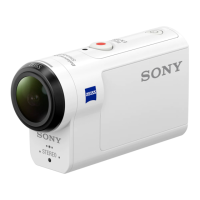
Locates and names the camera's external components.
Covers screen display, bundled items, battery, memory card, and date/time setup.
Identifies housing parts, provides usage instructions, and notes.
Details waterproof performance, checks, and maintenance procedures.
Instructions for using attachment buckles and adhesive mounts.
Guides for shooting movies, still images, time-lapse, and loop recording.
Covers zoom, long-time recording, and various image quality settings.
Manages Airplane, Wi-Fi, Bluetooth, GPS, and remote connections.
Covers format, time code, IR remote, HDMI, USB power, beep, lamp, and auto-off.
How to view images on TV or via Live-View Remote, and delete files.
Guides for highlight movie creation, editing, and BGM import.
Covers live streaming preparation, performance, and restrictions.
Detailed steps for connecting to smartphones using various methods (QR, ID/Pass).
Connects camera to Live-View Remote and Handycam devices.
Guides for installing and using Action Cam Movie Creator and App.
Details recordable time, battery life, charging, and consumption.
Covers TV systems (NTSC/PAL), country usage, and time differences.
Detailed technical specs for FDR-X3000, HDR-AS300, and HDR-AS50 models.
Lists trademarks, logos, and software license information.
Lists the default values for various camera settings.
Warnings about temperature, humidity, vibration, magnetic fields, and dust.
Instructions for lens care, general cleaning, and moisture condensation.
Covers optional accessories, vibration, memory card disposal, and GPS usage.
Solutions for camera not turning on, sudden power-offs, and battery problems.
Addresses issues with memory card operations and image recording.
Troubleshoots playback issues and GPS signal/location errors.
Solves problems with computer recognition, image import, and Wi-Fi transfers.
Addresses lens fogging, date/time errors, and interprets warning indicators.
 General
| Processor | BIONZ X |
|---|---|
| Lens | ZEISS Tessar |
| Microphone | Built-in stereo microphone |
| LCD Screen | No |
| Wi-Fi | Yes |
| NFC | Yes |
| GPS | No |
| Freezeproof | No |
| Camera Type | Action Cam |
| Image Sensor | Exmor R CMOS Sensor |
| Minimum Focusing Distance | 0.5m |
| Video Resolution | 4K (3840 x 2160) |
| Video Format | MP4 |
| Audio Format | AAC |
| Speaker | Built-in speaker |
| Bluetooth | Yes |
| Memory Card Slot | microSD/SDHC/SDXC |
| Input and Output Terminals | HDMI, USB |
| Power | NP-BX1 |
| Dimensions (W x H x D) | 29.8 x 47.0 x 83.0 mm |
| Weight | 114 g |
| Battery Life | 120 minutes (in 4K recording) |
| Waterproof | Yes, up to 60m with housing |
| Shockproof | Yes, with housing |
| Dustproof | Yes, with housing |
| Image Stabilization | Balanced Optical SteadyShot with Active mode |

 To Next Page









