4K Media Player
FMP-X5
Turning on the 4K Media Player
Turn on the 4K Media Player by following steps below.
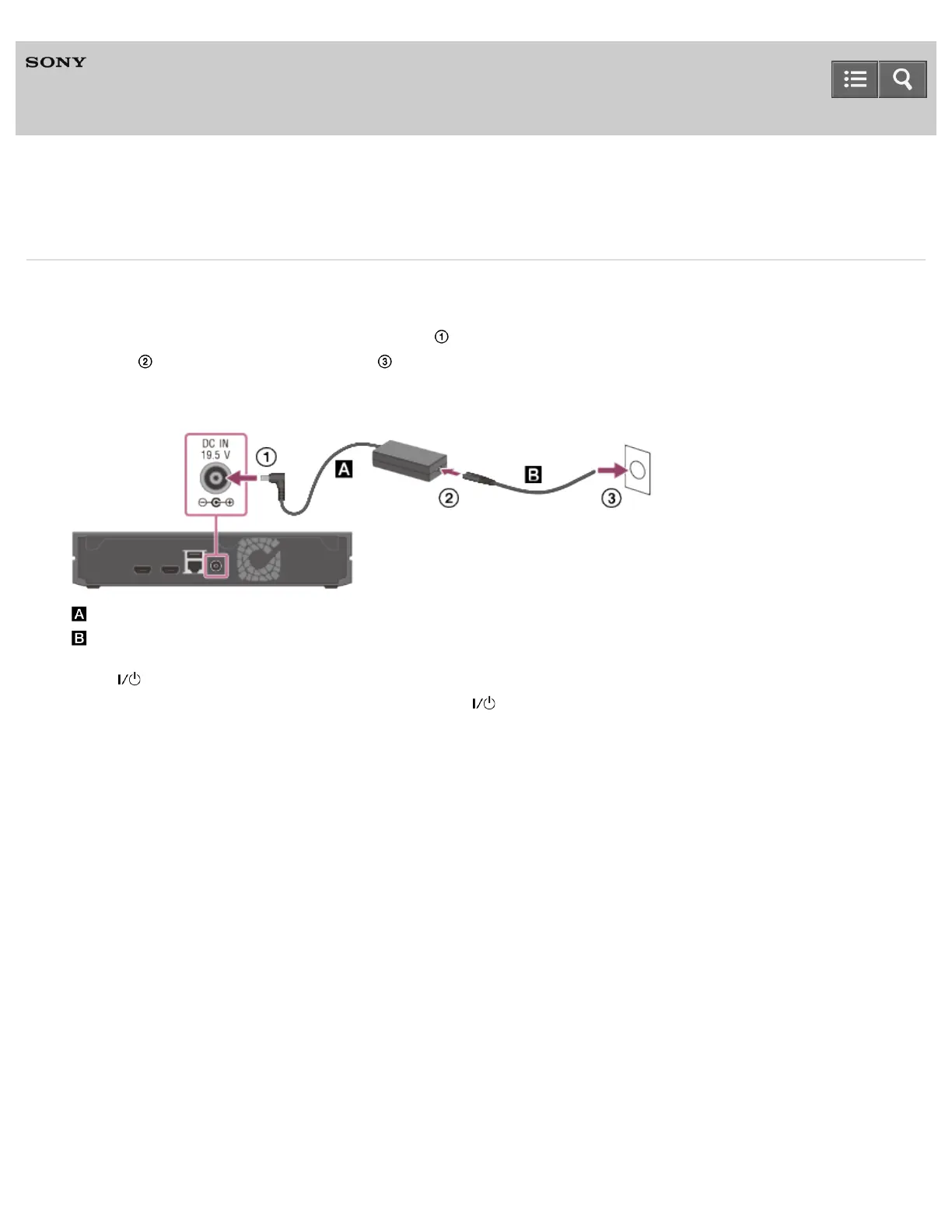
1. Connect the AC adapter to the 4K Media Player ( ), then connect the AC power cord (mains lead) to the AC
adapter ( ) and to a wall outlet (mains) ( ).
When removing them, do so in the reverse order.
After connecting, wait for about 30 seconds until the 4K Media Player enters standby.
: AC adapter (supplied)
: AC power cord (mains lead) (supplied)
2. Press (on/standby) on the remote control to turn on the 4K Media Player.
You can also turn on the 4K Media Player by pressing (on/standby) on the 4K Media Player.
The Initial Setup screen appears on the TV screen after a short while when you turn on the 4K Media Player for the
first time.
4-541-609-11(1)
Copyright 2014 Sony Corporation
Help Guide



 To Next Page