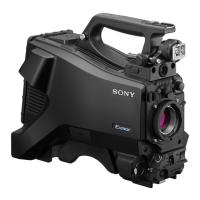
ILME-FX30
5-045-568-41(1)
EN
3
\\Win-473\camera\CX96700(LAX)B_SG\Multi\04_Compose\5045568411_14lang\5045568411ILMEFX30CEC\01EN-ILMEFX30CEC\01EN.indd
DTP data saved: 2022/05/16 15:40
PDF file created: 2022/05/16 15:40
EN
Preparations
Checking the supplied items
The number in parentheses indicates the number of pieces.
• Camera (1)
• AC Adaptor (1)
The type of the AC Adaptor may
differ depending on the country/
region.
• Power cord (mains lead) (1)*
(supplied in some countries/
regions)
* Multiple power cords may be
supplied with this equipment. Use
the appropriate one that matches
your country/region. See “Notes
on use.”
• Rechargeable battery pack
NP-FZ100 (1)
• USB Type-C® cable (1)
• XLR handle unit (1) (ILME-FX30
only)
• Body cap (1) (attached to the
camera)
• Shoe cap (1) (attached to the
camera)
• Handle shoe cap (1) (attached to
the handle) (ILME-FX30 only)
• Startup Guide (this manual) (1)
• Reference Guide (1)
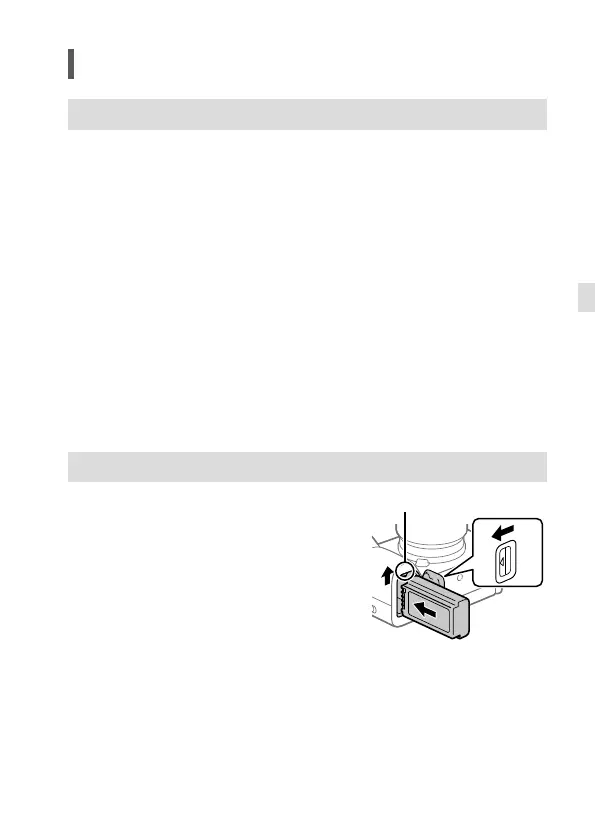
Charging the battery pack
1 Insert the battery pack into the
camera.
• Open the battery cover, and then
insert the battery pack while
pressing the lock lever.
2 Turn the power off.
• If the camera is turned on, the
battery pack will not be charged.
Lock lever



 To Next Page