EasyManua.ls Logo

Sony GPS-CS1KA - User Manual

Sony GPS-CS1KA
75 pages
Print Icon
To Next Page IconTo Next Page
Loading...
2-319-847-11(1)
Printed in Japan © 2007 Sony Corporation
Printed on 70% recycled paper using VOC (Volatile
Organic Compound)-free vegetable oil based ink.
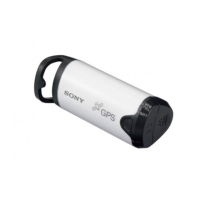
GPS Unit Kit/
Kit d’unité GPS
GPS-CS1KA
Operating Instructions
Mode d’emploi
GB
FR

Questions and Answers

  • R
    Roger ChavezAug 8, 2025
    What to do if my computer doesn't recognize my Sony CS1KA GPS unit?
    • W
      Wayne MorrisAug 9, 2025
      If your computer does not recognize your Sony GPS unit, it might be because you connected the unit with the USB cable before restarting your computer. To resolve this, disconnect the USB cable, restart your computer, and then reconnect the USB cable.
  • E
    emily27Aug 13, 2025
    Why are pictures not displayed at the correct position on my Sony CS1KA GPS?
    • M
      michael38Aug 13, 2025
      If the pictures are not displayed at the correct position when using your Sony GPS, the clock setting of the camera might be incorrect. You can change the date and time of your pictures using “Picture Motion Browser”. Set the date and time correctly, then match the pictures and the GPS log files again. For details on changing date and time, refer to the help files of “Picture Motion Browser”.
  • M
    Marcus MillerAug 18, 2025
    How to fix incorrect picture positions due to time adjustment errors on Sony CS1KA?
    • W
      warnerbrandonAug 18, 2025
      If the pictures are not displayed at the correct position when using your Sony GPS, the setting of time adjustments (time zone or daylight saving time) might be incorrect. Using “GPS Image Tracker”, set the time adjustments of the GPS log file correctly, then match the pictures and GPS log files again. For details on the software, refer to the help files of “GPS Image Tracker”.
  • Z
    Zachary GillAug 23, 2025
    Why can't my Sony GPS receive radio signals?
    • V
      Veronica DennisAug 23, 2025
      If your Sony GPS unit cannot receive radio signals from GPS satellites, it may be because you are in a location where the signals cannot be reached. To improve reception, avoid using the unit in locations such as tunnels, underground areas, or places with obstructions like tall buildings or trees.
  • M
    Matthew PatrickAug 28, 2025
    Why is my recorded log file missing from my Sony CS1KA GPS?
    • D
      David GrayAug 28, 2025
      A recorded log file may be missing from your Sony GPS because you used the unit in locations where it could not track GPS signals. Avoid using the unit in locations such as tunnels, underground locations, or among obstructions such as tall buildings or trees.
  • S
    shieldshannahSep 2, 2025
    Why does it take so long to receive radio signals from GPS satellites on my Sony CS1KA GPS?
    • C
      Christine ToddSep 2, 2025
      It may take a long time for your Sony GPS to receive radio signals from GPS satellites, depending on the positions of GPS satellites.

Summary

Regulatory Information

Declaration of Conformity

Details about FCC compliance and manufacturer information.

Precautions

Battery and Data Handling

Important notes on battery types, charging, data recording, and unit storage.

What is GPS?

Preparing

Battery Management

Covers inserting, removing, duration, and cautions for using batteries.

Using the Unit

Recording the GPS Log

Instructions on how to turn on the unit and record GPS positional data.

Using the Software

Troubleshooting

Log File, Signal, and Tracking Issues

Solutions for missing logs, GPS signal problems, and incorrect picture positioning.

Unit Power and Computer Recognition

Steps to resolve issues with the unit not turning on or not being recognized by the computer.

Sony GPS-CS1KA Specifications

General IconGeneral
InterfaceUSB
Update Rate1 second
TypeGPS Logger
CompatibilityWindows
GPSYes
Position Accuracy10 meters
Battery1 x AAA
Operating Temperature0°C to 40°C
Storage Temperature-20 to 60 degrees Celsius

Related product manuals