EasyManua.ls Logo

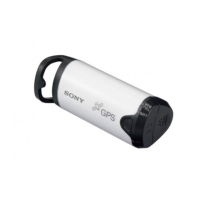
Sony GPS-CS1 - User Manual

Sony GPS-CS1
59 pages
Print Icon
To Next Page IconTo Next Page
Loading...
2-688-548-11(1)
Printed in Japan © 2006 Sony Corporation
Printed on 100% recycled paper using VOC (Volatile
Organic Compound)-free vegetable oil based ink.
GPS Unit/Unité GPS
Operating Instructions
Mode d’emploi
GB
FR
GPS-CS1

Questions and Answers

  • D
    Daniel BaileyAug 11, 2025
    What to do if my computer does not recognize my Sony CS1 GPS?
    • J
      Joanne RojasAug 11, 2025
      If your computer doesn't recognize your Sony GPS unit, it might be because you connected the unit with the USB cable before starting your computer. To fix this, disconnect the USB cable, restart your computer, and then reconnect the USB cable.
  • C
    Charles MarshallAug 21, 2025
    Why does my Sony CS1 take so long to receive radio signals?
    • S
      Sabrina RyanAug 21, 2025
      If your Sony GPS takes a long time to receive radio signals from GPS satellites, several factors could be at play. It may simply take a while to track your location depending on the positions of the GPS satellites. Also, there may be a bad contact between the battery cover and the battery, so open the battery cover and re-insert the battery. You might also have a battery with lower remaining power, so replace the battery with a new one. Finally, ensure that the battery is properly inserted.
  • C
    Catherine CruzAug 31, 2025
    Why is my Sony CS1 GPS not receiving radio signals?
    • J
      Janet MurrayAug 31, 2025
      If your Sony GPS unit cannot receive radio signals from GPS satellites, it might be because you are in a location where these signals can't be reached. Avoid using the unit in locations such as tunnels, underground areas, or places with obstructions like tall buildings or trees.

Sony GPS-CS1 Specifications

General IconGeneral
BrandSony
ModelGPS-CS1
CategoryGPS
LanguageEnglish

Related product manuals