Utilisation du logiciel
FR
21
FR
Installation du logiciel fourni
Installez le logiciel fourni en procédant comme suit.
• Fermez tous les logiciels d’application ouverts.
• Ouvrez une session en tant qu’administrateur lors de l’utilisation de
Windows 2000/XP.
Installation du logiciel « GPS Image Tracker »
1 Allumez l’ordinateur et introduisez le CD-ROM fourni dans
le lecteur de CD-ROM.
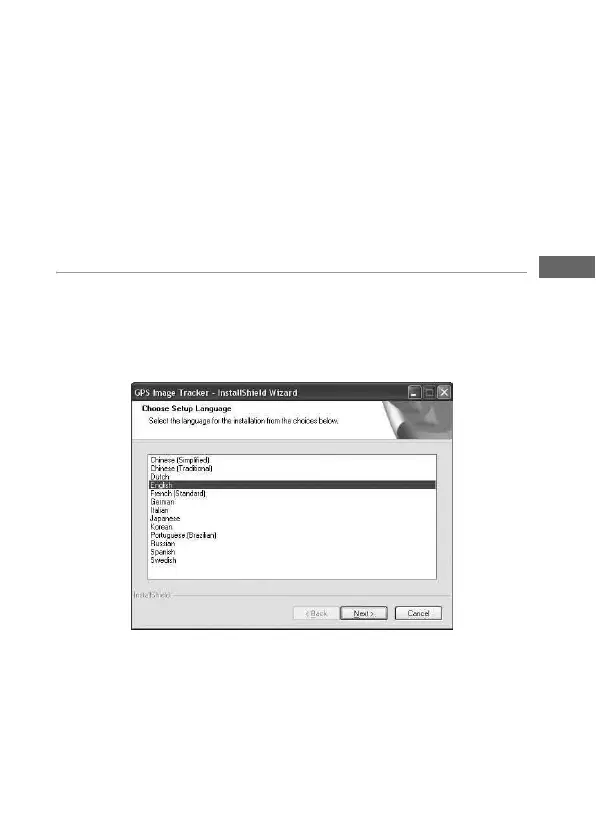
L’écran « Choose Setup Language » (Choisissez la langue d’installation)
apparaît.
• Si cet écran n’apparaît pas, double-cliquez sur [My Computer] (Poste de
travail) t [GPSImageTracker].



 To Next Page