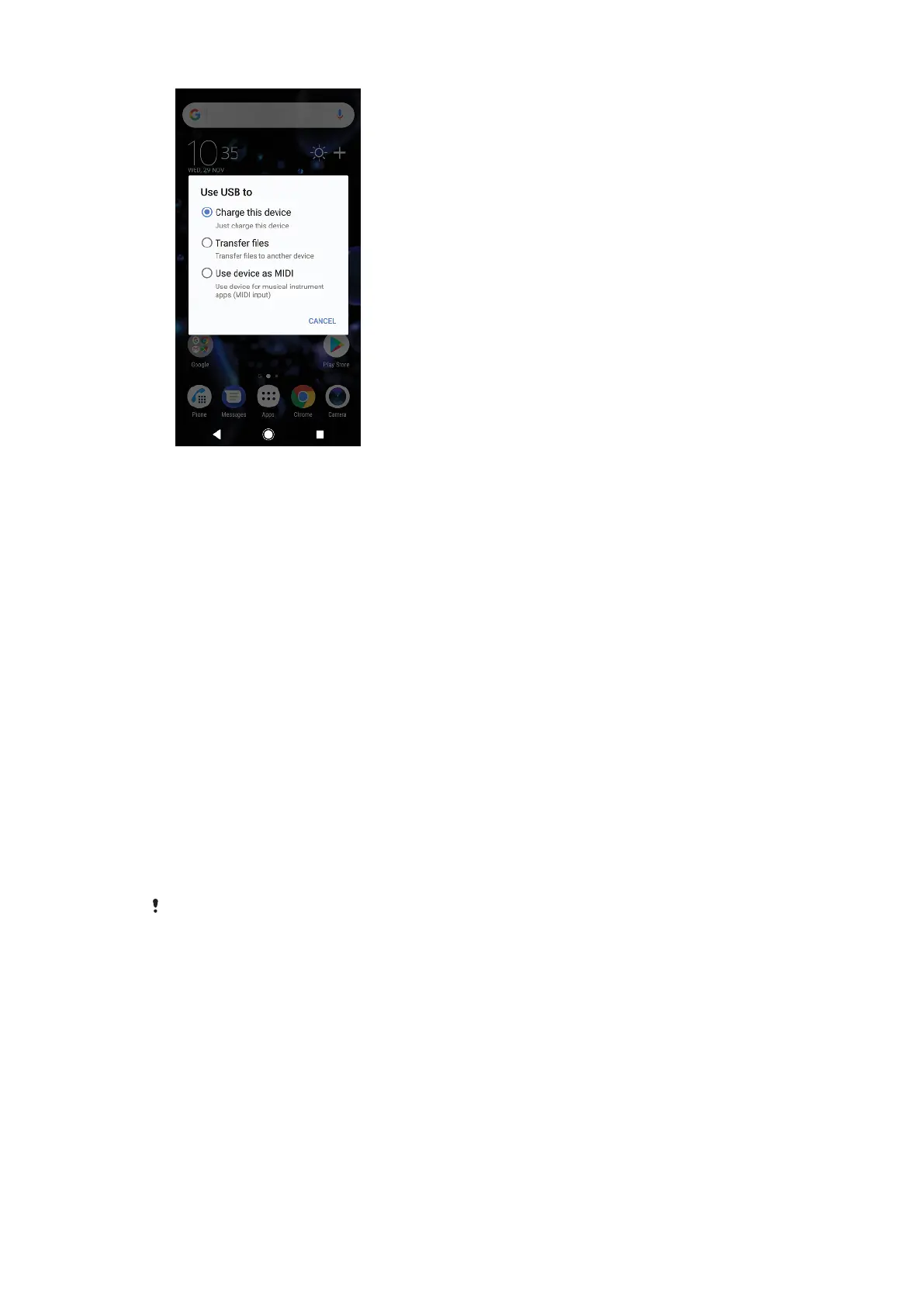
USB connection mode
You can use the Transfer files connection mode for managing files and updating
device software. This USB mode is used with Microsoft
®
Windows
®
computers.
Charging is enabled by default.
Using the Use device as MIDI mode, your device can function as a MIDI input for
musical instrument apps.
To change USB connection mode
1 Attach a USB Type-C connector to your device.
2 Drag down the Status bar, then tap Android System > USB charging this
device.
3 Select an option.
Storage and memory
Your device has several dierent storage and memory options:
• The internal storage stores downloaded or transferred content along with personal
settings and data.
• You can use a removable memory card to get more storage space. Media files can
be moved to this type of memory to free up internal storage.
• The dynamic memory (RAM) cannot be used for storage. RAM is used to handle
running applications and the operating system.
You can purchase a memory card separately.
Improving memory performance
Your device memory tends to fill up as a result of normal usage. If the device starts
to slow down, or applications suddenly shut down, you should consider the
following:
• Always try to keep at least 500 MB of free internal storage available.
• Close running applications that you are not using.
• Clear the cache memory for all applications.
• Uninstall downloaded applications that you don't use.
• Transfer photos, videos and music from the internal memory to the memory card.
42
This is an internet version of this publication. © Print only for private use.




 To Next Page